Find a director by name
Find the person through their business, then read the People tab. Directors does not search by person name.
You will open the record of a named director at a business in the book.
If you know the business
- Open Businesses and search the business: Search for a business by name.
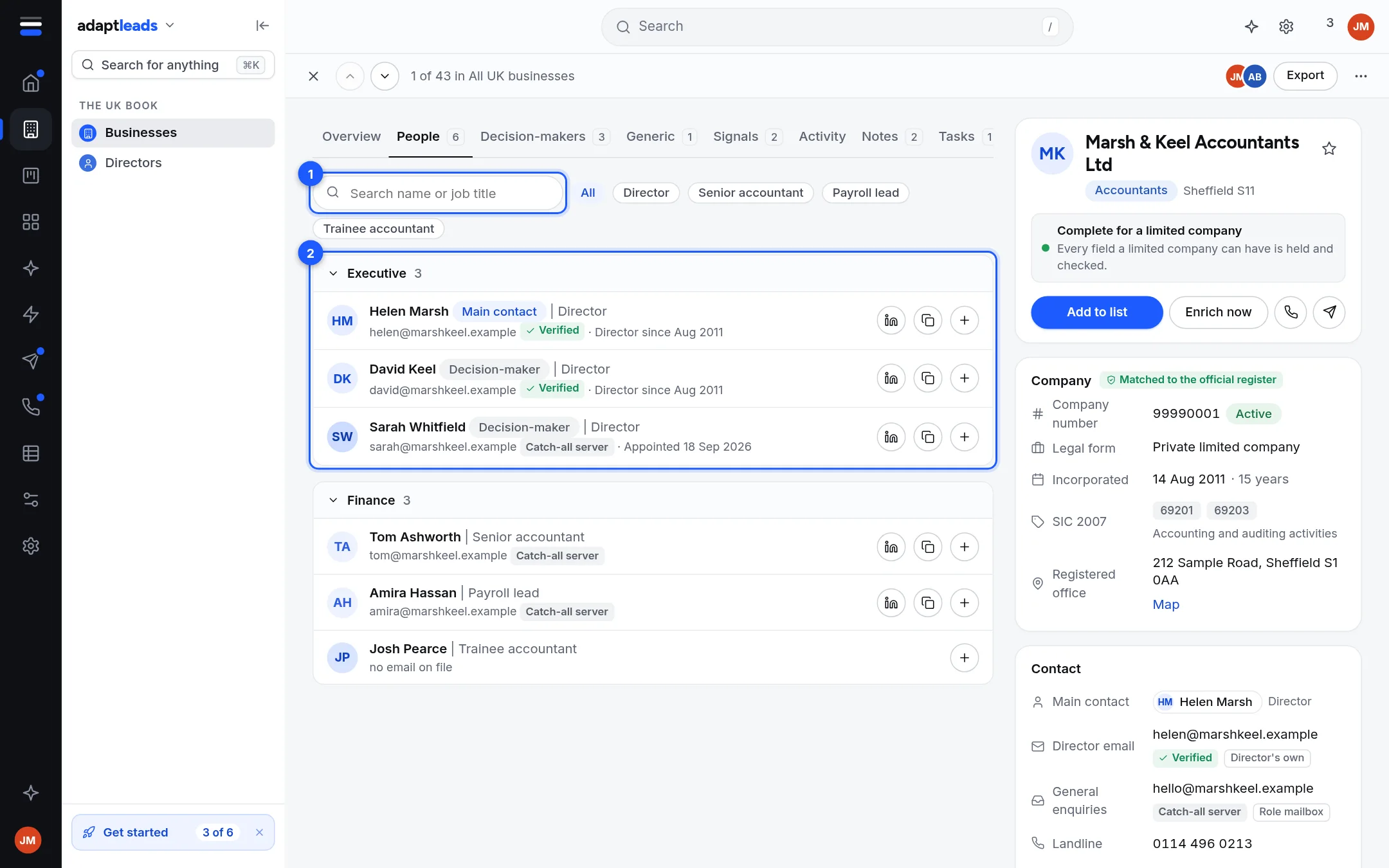
- Open the record. The Director or owner column already shows the named person.
- Open the People tab. Type a name or a job title in Search on that tab, or click a title button to narrow.
- Click the person's row. Their page opens. See Read a person record.
If you only know the kind of business and the place
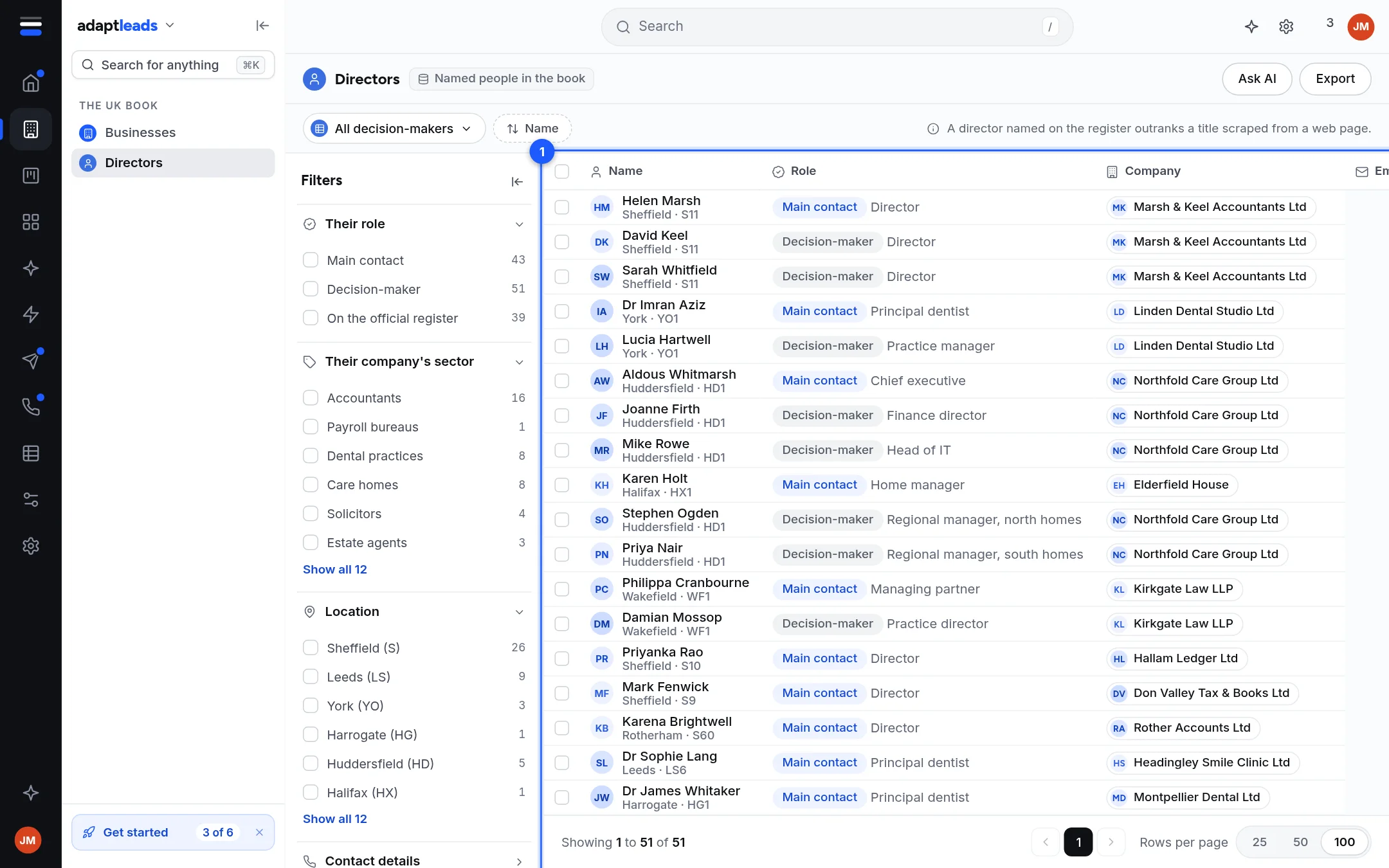
- Open The UK book, then Directors.
- Set Sector and Location in the Filters panel, as in Find 100 accountants in Sheffield.
- Scan the Name column. Each row is one person with their company as a chip. Click a row to open the person's page, or the company chip to open the business.
Good to know
- Directors shows one named person per business: the director or owner on file. A business with several directors appears once. Open the business to see everyone.
- Names and emails show after you reveal. See Reveal an email address.
- A name can be held back for a moment while a removal check completes. Look again shortly.
What it does not do
It does not search LinkedIn and it does not find people at businesses outside the book. To add people from a LinkedIn search, use the extension: see LinkedIn outreach overview.
If something goes wrong
See Record and search problems, by message. A person who asks to be removed is handled by Adapt: see Handle a request to be removed.