Enrich a whole list
Upload a CSV on Enrich a list, match each row to the UK book, then save, export or download the matches.
You will know how many of your rows matched a business in the UK book, and you will have the matches saved as a list, exported, or beside your own file. Matching costs nothing.
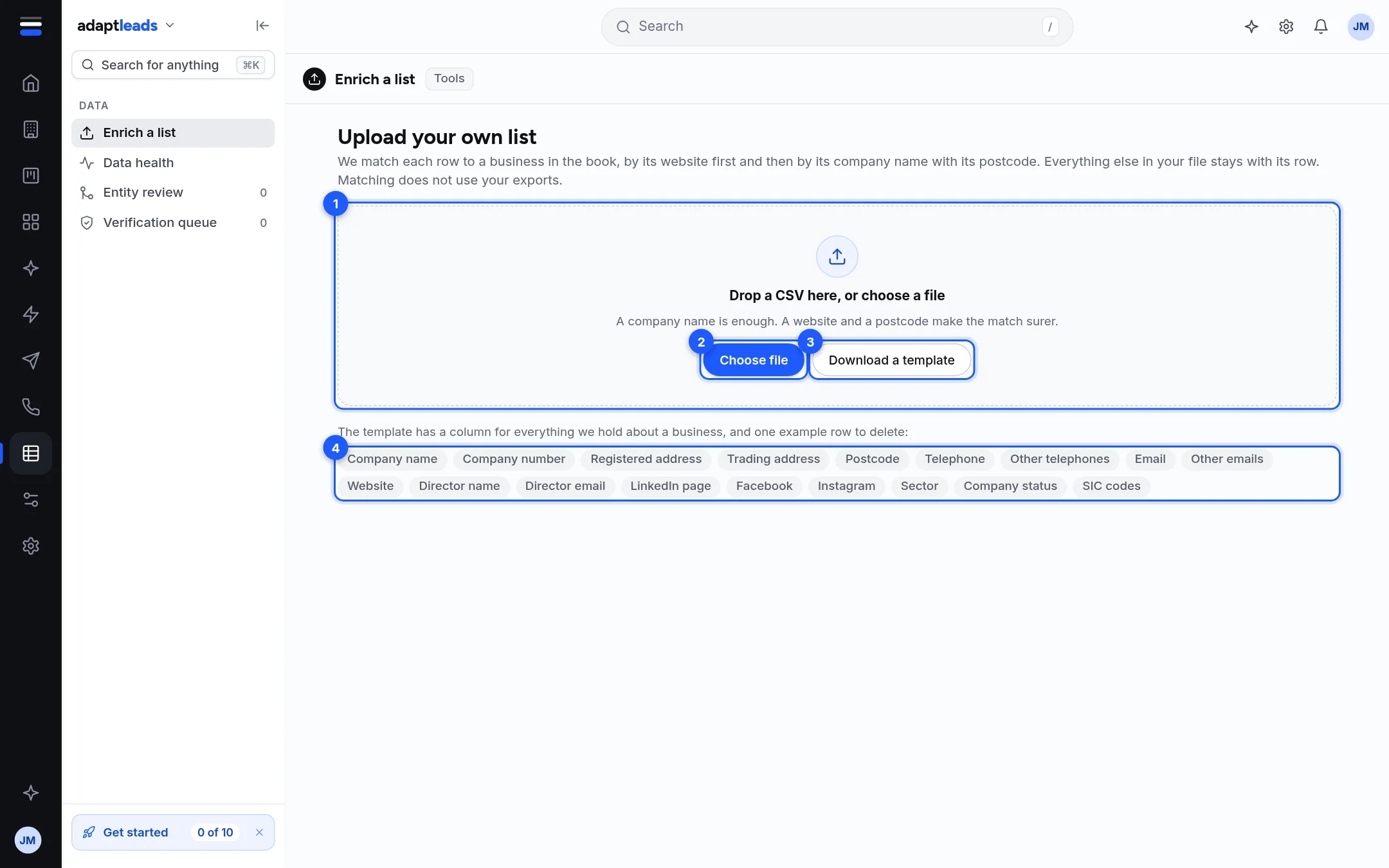
Before you start
You need a CSV (or TSV or text) file. An Excel workbook is refused: in Excel choose File, Save As, CSV UTF-8. It can be up to 60 MB. A company name is enough; a website and a postcode make the match surer.
Steps
- Open Enrich a list under Data in the left rail.
- Optional: press Download a template for the right headings and one example row. Delete the example row.
- Drag your file onto the drop area, or press Choose file.
- Adapt works out which column is which and starts matching in batches. A panel shows "Matched N of M rows". If it cannot tell which column holds the company name it asks "Which column is the company name?" Click the right heading.
- Wait for it to finish. Press Stop if you need to; Carry on resumes.
- Read the four bars: Matched to a business, Named director, Email on file, Phone on file.
- Use the Next panel: Save N matches as a list, Export the matches, or Download your file with the matches.
What the buttons do
| Button | Result |
|---|---|
| Save N matches as a list | Opens New list with your file's name suggested. See Make a list. |
| Export the matches | Opens the export sheet. Only revealed ones go in. See Export a list to CSV. |
| Download your file with the matches | Your columns first, then ours, with Yes or No for director, email and phone. Does not use your allowance. |
How rows are matched
By website first, or the website part of an email at the company's own domain. Then by company name with the postcode. Company number, telephone and address are kept with your row but not yet used to match.
What happens next
Nothing is saved to your account by uploading. Only Save as a list writes anything. Start again clears the page and leaves your file untouched.
If something goes wrong
- "That file looks empty." or "There was only the example row." Put your own businesses under the headings.
- A row that did not match says why, such as "Outside the UK, so not matched" or "No confident match".
- If a batch fails, a note offers Try these again.
See Prepare your file for Enrich a list and Read your Enrich a list results.