LinkedIn outreach overview
What the LinkedIn section does, what runs in your browser, and what it does not do.
LinkedIn outreach is where you plan what you post, write and schedule it, and run connection campaigns to people on LinkedIn, all from your own LinkedIn account.
It has two halves. The pages in Adapt Leads are where you plan, write, approve and watch. The Chrome extension is what acts on LinkedIn, from your own Chrome, on your own connection. Adapt Leads never touches LinkedIn from its own servers. If the extension is not installed, the pages still work, but nothing is sent to anyone.
The pages
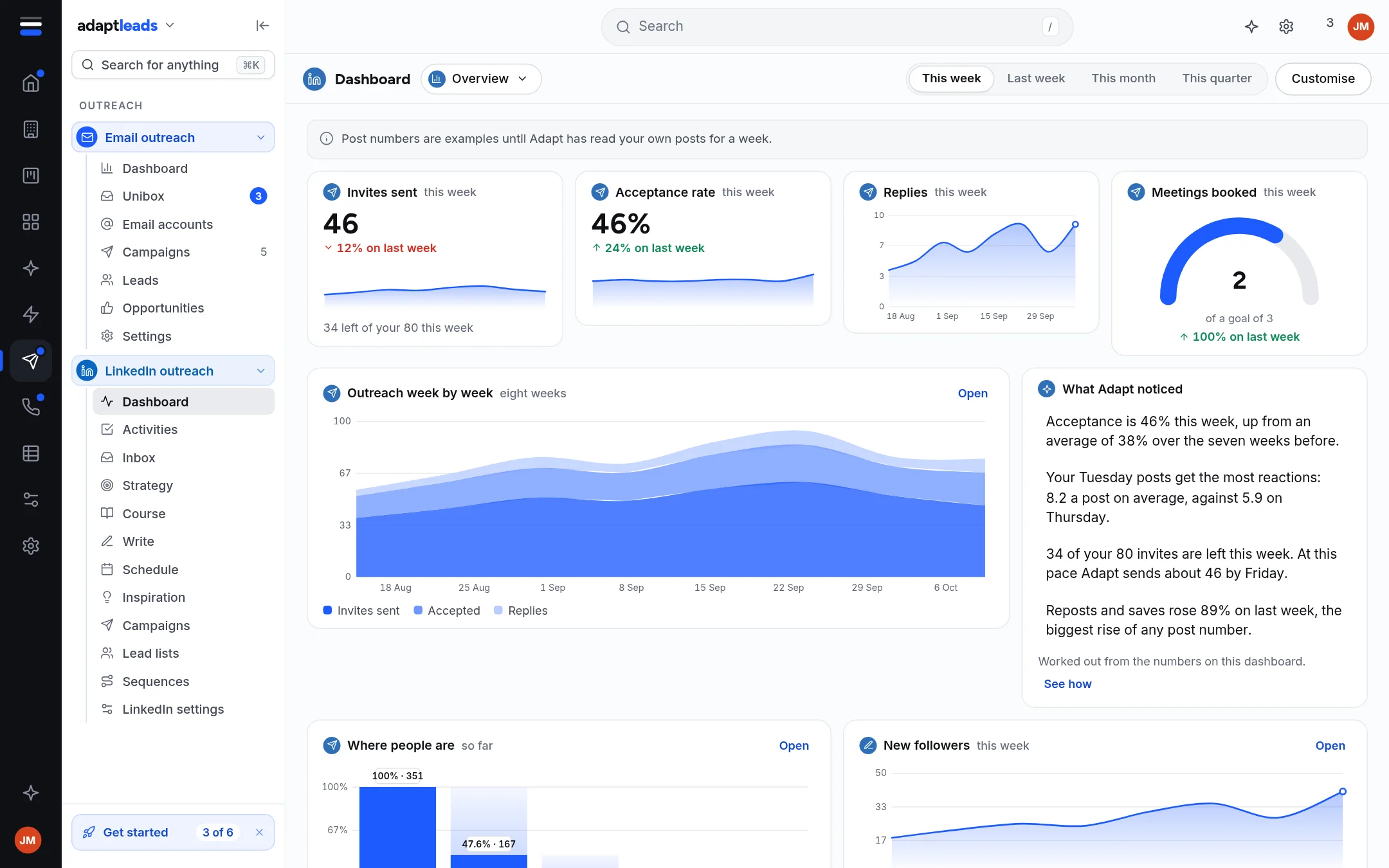
Open LinkedIn outreach in the left rail. These are the pages, in the order the menu lists them.
| Page | What it is for |
|---|---|
| Dashboard | Invites, acceptance, replies and post numbers, and the two set-up steps. See The LinkedIn dashboard. |
| Activities | Your list for today, one card at a time. See Activities, your list for today. |
| Inbox | The latest message of each LinkedIn conversation. See The LinkedIn Inbox. |
| Strategy | Who you are for, why you post, your offer and your plan. See Strategy and plan. |
| Course | A seven-day course, one short session a day. See The seven-day LinkedIn course. |
| Write | Write a post, check it, save or schedule it. See Write a LinkedIn post. |
| Post maker | Make a picture or carousel in your brand. See The Post maker. |
| Schedule | Your posts on a calendar. See Schedule LinkedIn posts. |
| Inspiration | Posts you have read, and your saved ones. See Inspiration. |
| Campaigns | Connection campaigns. See LinkedIn campaigns. |
| Lead lists | The people a campaign works through. See LinkedIn lead lists. |
| Sequences | The steps a campaign follows. See Sequences and steps. |
| LinkedIn settings | Limits, working hours, alerts and the extension. See LinkedIn settings, limits and working hours. |
The Post maker sits straight after Write in the menu.
What is approved, queued and sent
These are three different things. See Connection requests and messages for the exact states.
- Approved means you said yes to a note. It is not sent.
- Queued means a person is waiting in a campaign for the extension to reach them.
- Sent means the extension reported that a step went out.
What is not connected
Some parts say Not connected yet on screen. The honest list is on LinkedIn risks and honest limits. In short: Adapt does not write your posts for you, does not send LinkedIn messages from the app, and does not yet count who accepted or replied.
LinkedIn does not allow automated activity
It is your account that carries the risk, not ours. The pace settings keep the risk low, and they cannot remove it. Read Limits and safety on LinkedIn and LinkedIn risks and honest limits before you run a campaign.
Common jobs
- Set up: Install the extension, then LinkedIn settings, limits and working hours.
- Start a campaign: Create a LinkedIn campaign, then Run a LinkedIn campaign.
- Post on LinkedIn: Write a LinkedIn post, then Schedule LinkedIn posts.