Ask Adapt a question by voice
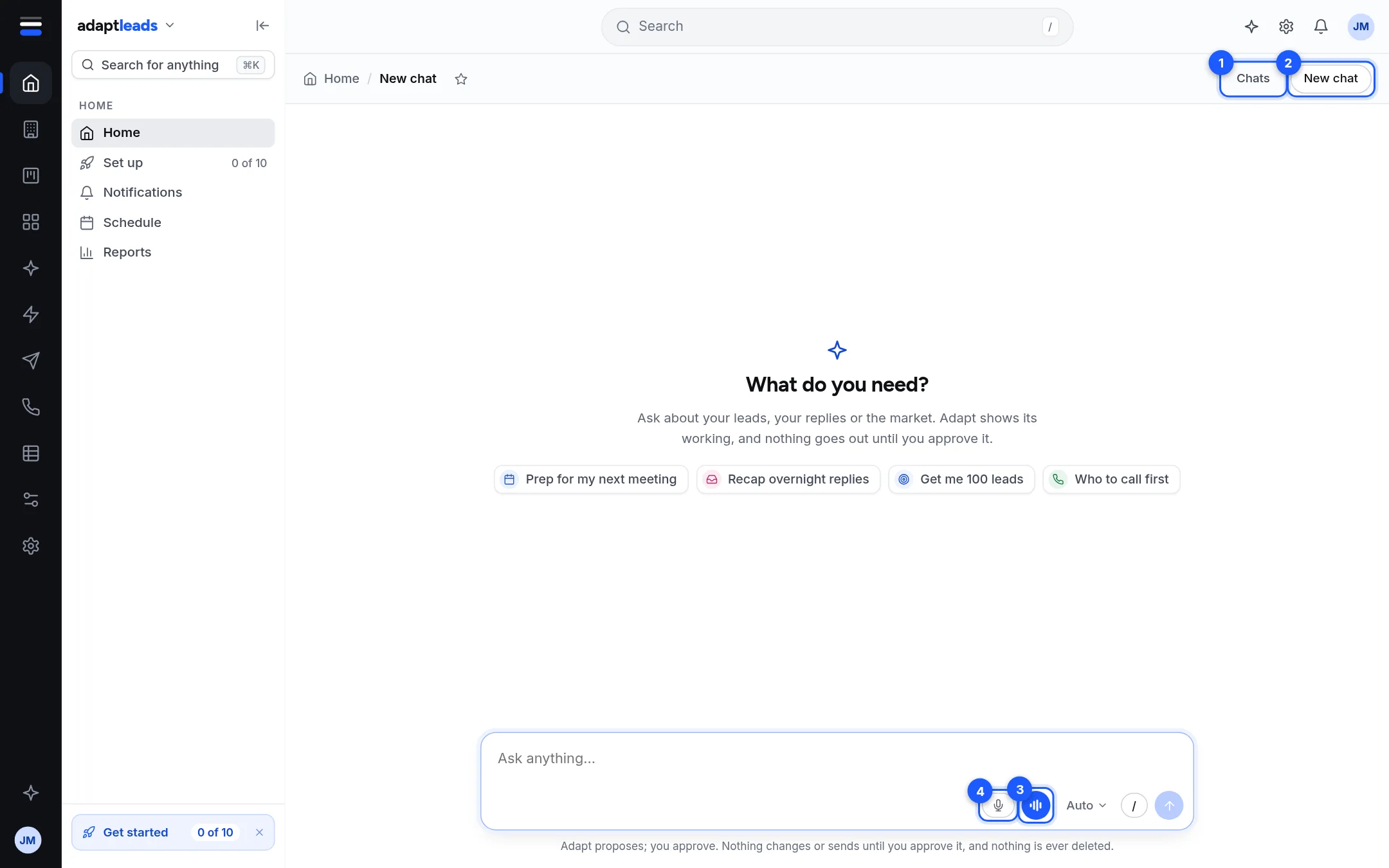
Press the microphone in any Ask box to dictate, or Talk on the Ask Adapt page for a spoken conversation.
You will have asked Ask Adapt a question by speaking, either by dictating into the box or by talking with it.
You need your browser's permission to use the microphone. Your recording is turned into words by our server and then thrown away; only the words are kept.
Dictate into the box
- Press the microphone in any Ask box, on Home or on the Ask Adapt page.
- Allow the microphone if your browser asks.
- Talk. A moving line follows your voice, with a timer.
- Press Done (or Enter). It says "Writing it down", then your words land in the box. Press Cancel (or Escape) to throw the recording away.
- Read what it wrote, change it if you like, and press Enter or the arrow to send.
Nothing is sent until you send it. Recording stops by itself after 3 minutes. If you already had text in the box, the new words are added to it.
Talk
Talk is on the Ask Adapt page only. It is the blue button with bars beside the microphone.
- Open Ask Adapt, from the sparkle on the top bar or by asking from Home.
- Press Talk.
- Speak, then pause. After about a second and a half of quiet your turn ends. If your sentence does not end with a full stop, question mark or exclamation mark it waits for the rest.
- Adapt asks Ask Adapt your question, reads the answer aloud and listens again.
- Press Stop to end. It also stops if you leave the page.
The orb shows the stage: Listening, Thinking, Speaking or Writing it down.
Limits
- 200 listens and 200 spoken replies per account per day, then "That is plenty for today. Type your answer instead, or try again tomorrow."
- A spoken reply reads the first part of the answer (about 380 characters). The full answer is on screen.
- If it hears nothing twice it stops: "I could not hear anything, so I stopped. Press Talk to carry on."
- A question by voice counts toward your daily Ask Adapt questions like a typed one.
What happens next
The question and answer are kept in the chat. See Find an old chat.
If something goes wrong
"The microphone is blocked": click the padlock in the address bar and set Microphone to Allow. "This browser cannot record. Type instead." means your browser cannot record. See Voice is not working, Ask Adapt and voice problems, by message and Speak to Ask Adapt: dictate and Talk.