Connect a mailbox to send email from
Add a Gmail, Google Workspace or other IMAP and SMTP mailbox so a campaign can send from it.
You will have a connected mailbox that campaigns can send from. Connecting signs in to check the password and sends no email.
Before you start
- The mailbox address and its password. For Gmail or Google Workspace you need a 16-character app password, because Google refuses your normal password for this. Turn on 2-Step Verification on the Google account first, then make the app password.
- For any other provider, the IMAP host and port, the SMTP host and port, and the password.
Steps
- Open Email outreach, then Email accounts.
- Click Add new. A panel opens.
- Under Where is the mailbox? choose Google Workspace or Gmail or Any other provider. The options Bulk import from a file and Microsoft 365 or Outlook are greyed and say Not yet.
- Type the Email, and a Display name if you like.
- Under What it is for, choose Sending mailbox to send campaigns, or Warm-up inbox to only play the other side of warm-up.
- Paste the password. For Google the server settings fill in by themselves. For another provider, type the IMAP and SMTP hosts, the ports and the security (SSL or STARTTLS).
- Click Connect. A message says that nothing is sent. Confirm it.
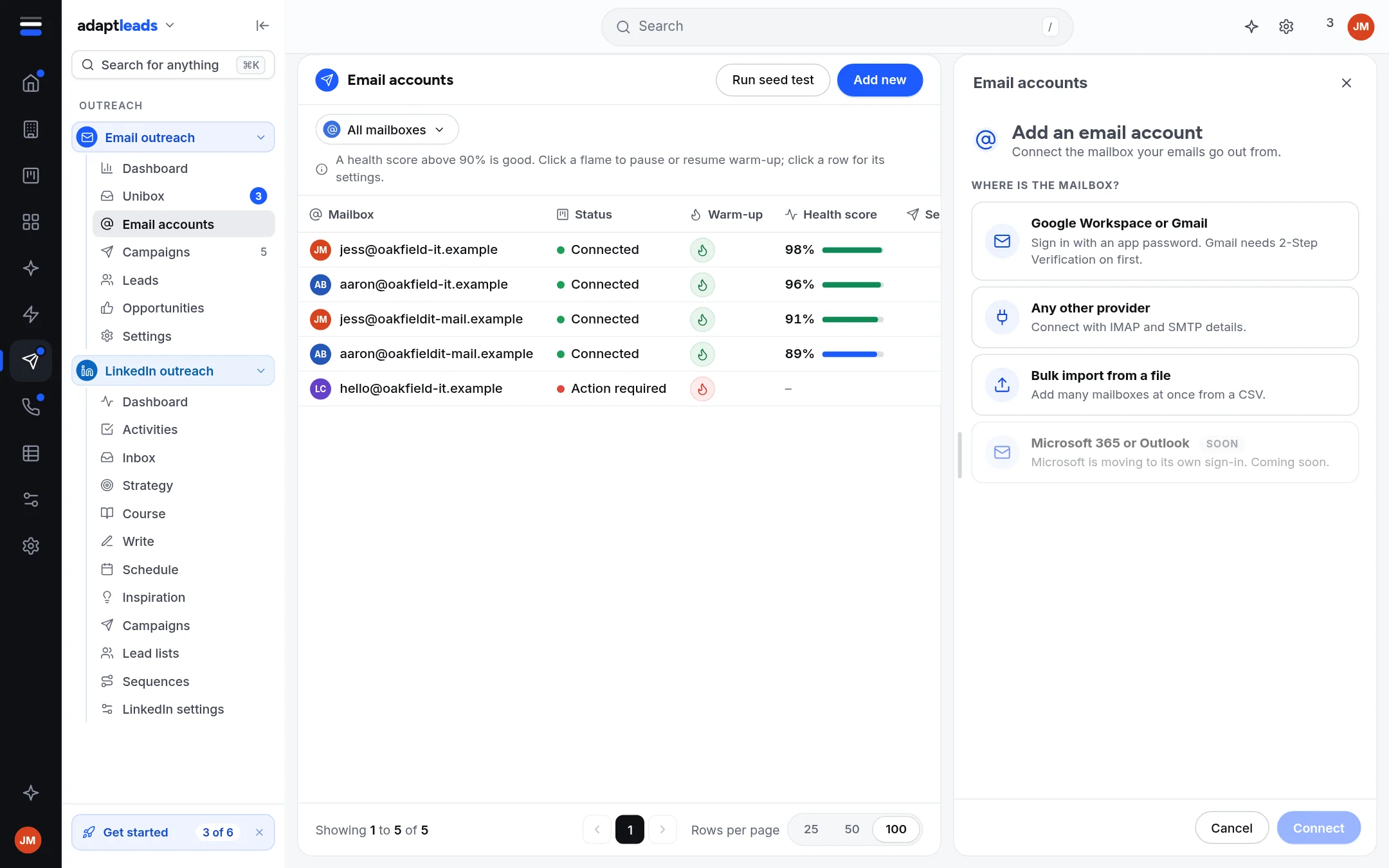
What you will see
The mailbox joins the list on Email accounts as Connected, with warm-up off. It sends only the campaigns you choose it for and launch. Next, Warm up a new mailbox.
If it does not connect
The panel says why in plain words. "The sign-in was refused" means the password is wrong (use an app password for Gmail). "That mail server could not be found" means the host name is wrong. "The mail server refused the connection" points to the port. Open the row's menu, choose Connection settings, correct it and press Save and re-check. That signs in again and sends nothing.
Mailboxes that sign in through a browser, such as Outlook or Yahoo, show Needs sign-in, not available in Adapt Leads yet. They cannot warm up or send from the app.
See Connect a mailbox for every part of the page and My email is not sending if a campaign will not send afterwards.