Log a note or a call on a record
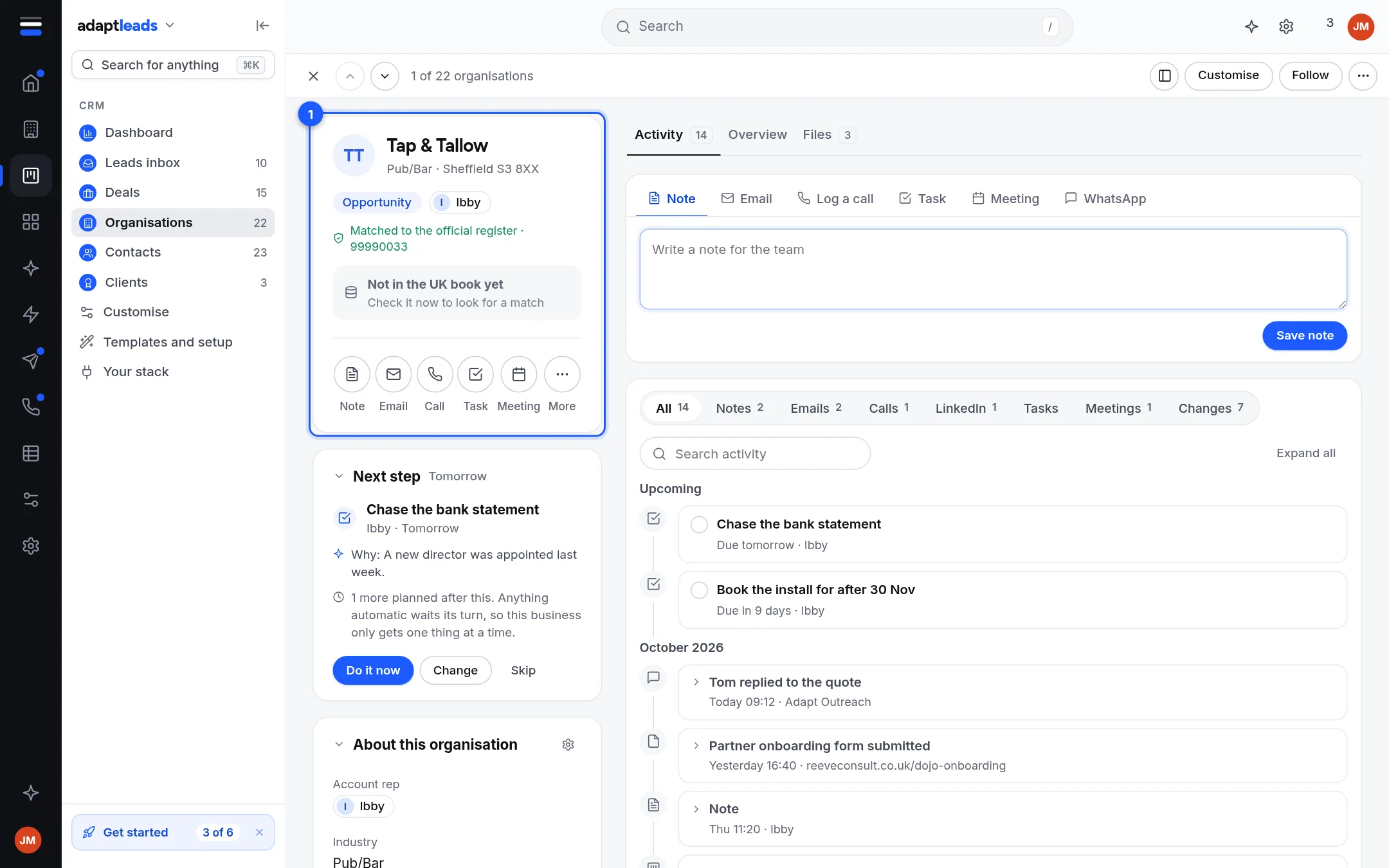
Write a note for the team on a company, person or deal, or log a call you made. Neither sends anything.
You will have a note or a call line at the top of the record's Activity, with your name and the time.
Write a note
- Open a company, person or deal.
- In the composer, the Note tab is open. Type under "Write a note for the team".
- Press Save note.
You can also write a note from the Preview tile that opens beside a list when you click a row.
Log a call
- In the composer choose Log a call.
- Write what was said and save.
It goes on the timeline as a call. It does not dial anything. Call from your phone opens your dialler.
See it again
Filter Activity by Notes or Calls to see only those. You can search it, and Expand all opens every line.
Rules
- No bank or card details. They are refused in a note, a log, a task or a plain text field.
- Held details such as date of birth and home address never appear in a list or export.
- A note is added to the timeline, not edited in place.
Not connected
Comments on a note, files, and WhatsApp are not connected yet. If a save fails, the message says why: CRM problems, by message. More: Notes and comments on a record.