People, Decision-makers and Generic on a record
The three tabs that list the people and role mailboxes at a business, and how to search them.
The People, Decision-makers and Generic tabs on a company record show who we hold at the business and which shared mailboxes it has. Each tab shows a number: how many it holds.
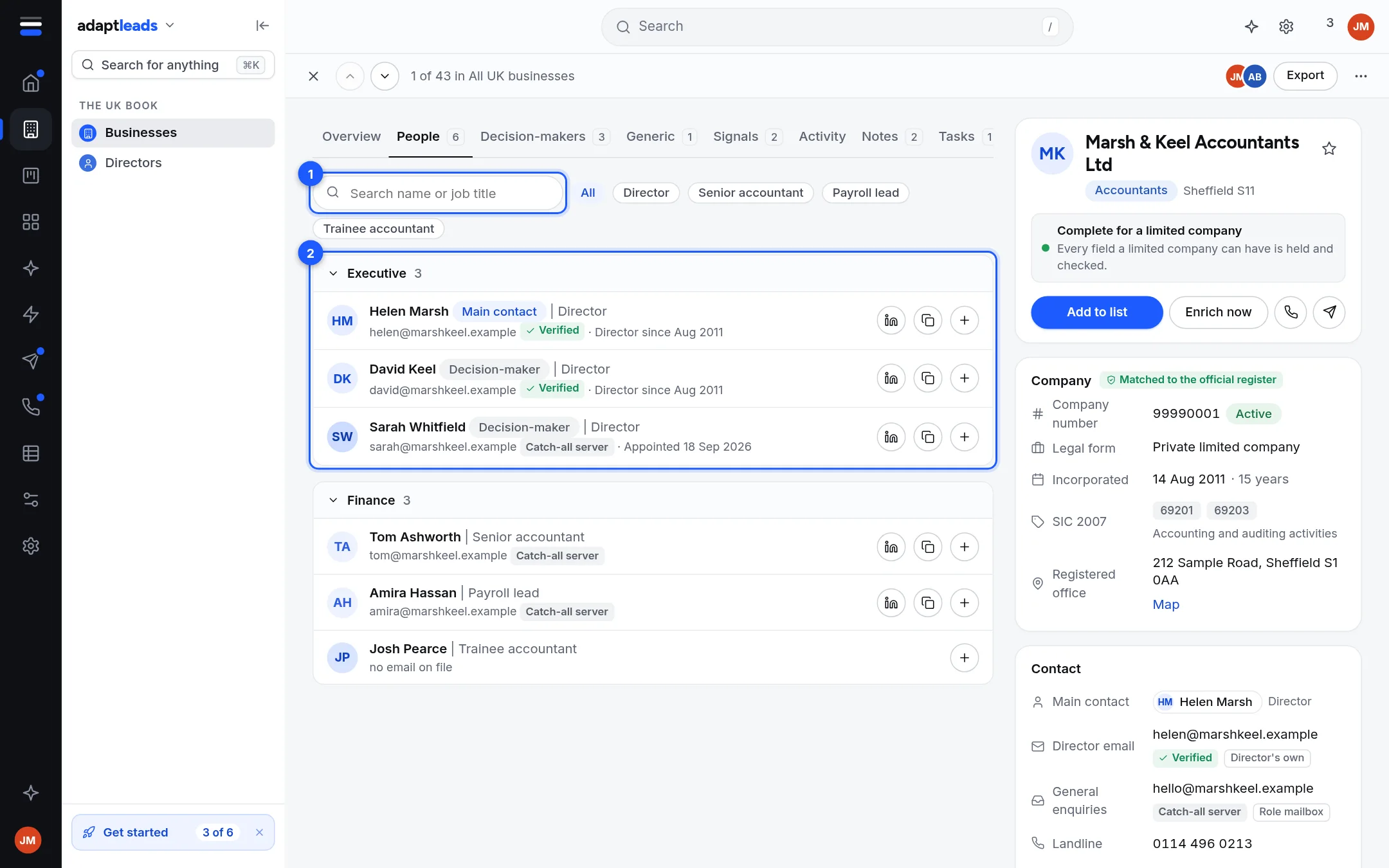
- Search. Type a name or a job title.
- People by department. Beside the search are title buttons: All, then the five most common titles. Click one to narrow. The people are grouped under Executive, Management, Operations, Finance and so on. Click a department heading to fold it.
People
Everyone we hold at the business. Each row shows:
- The name, with a Main contact pill for the person to ask for, or a Decision-maker pill.
- Their title, after a vertical bar.
- Their email with its label, or "emails show once the record is revealed" before you reveal, or "no email on file".
- A line from the company register where they are an officer, such as "Director since Aug 2011" or "Appointed 18 Sep" for a recent appointment.
- A LinkedIn button. It opens their profile if we hold it, and otherwise searches LinkedIn for their name.
- A copy button for their email, and a plus to add the business to a list.
Click a row to open Read a person record.
Decision-makers
The same list, narrowed to people marked as decision-makers.
Generic
Role mailboxes such as info@ or sales@, seen on the business's own pages. Each has its label and a Copy button. Before you reveal, the tab asks you to reveal. A catch-all or role mailbox is never removed. Whether to use it is your call.
Empty tabs
- "No people on file for this business yet." People appear as the register is matched and as their own pages are read.
- "No role mailboxes found."
- "Nobody matches that search."
Limits
- A business that is one site of a group shows only its own people. The group's people are on the Whole group switch. See Groups, head offices and branches.
- A very large group lists the first sites it read, and says so.