Turn on the Search agent
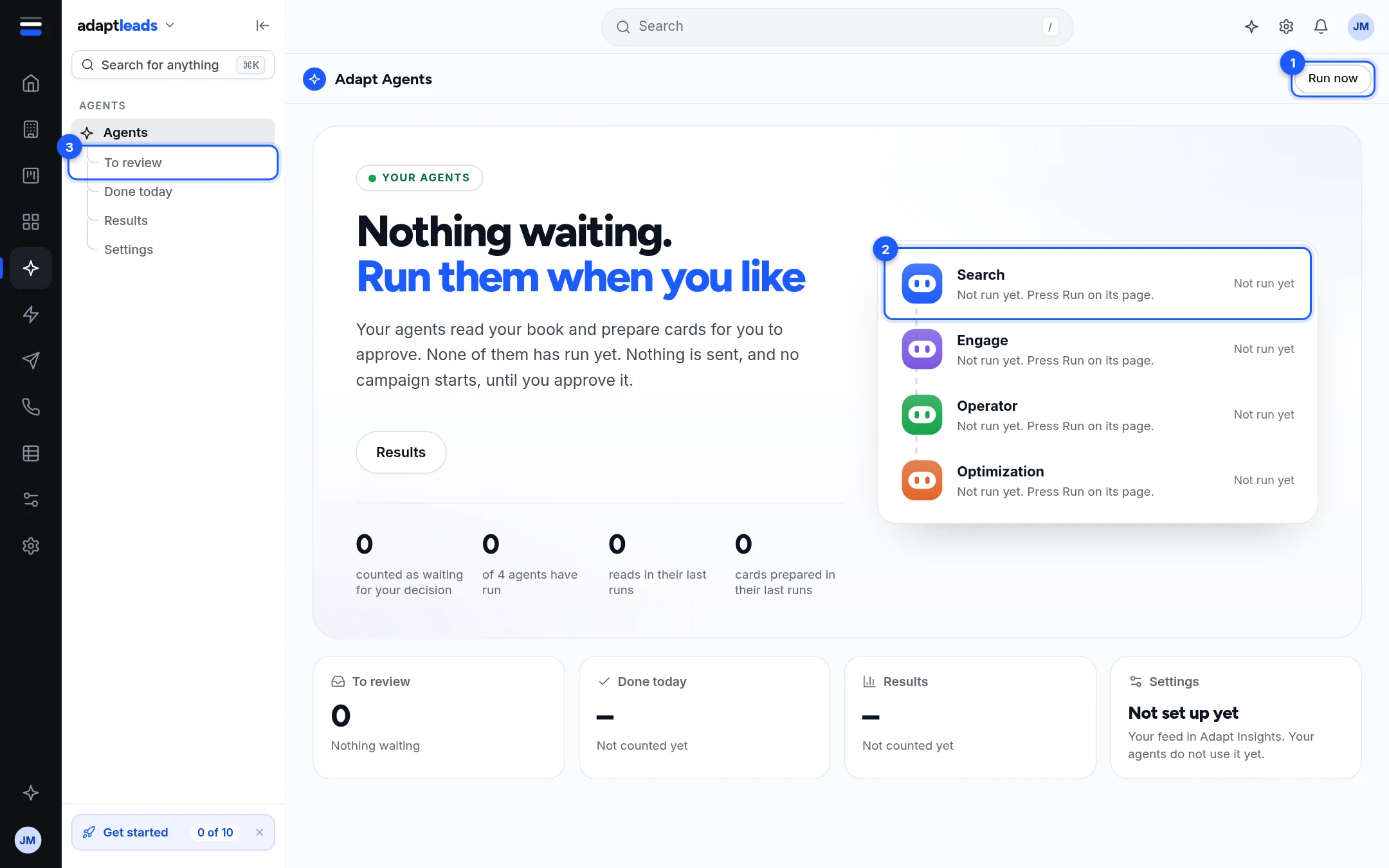
There is nothing to switch on. Save your feed, then press Run Search on the Agents page.
You will have run the Search agent and have up to six reason-to-call cards waiting for your approval. Nothing is sent.
Before you start
Save your feed first, because Search reads the signals on it and cites them. Without a saved feed it says so and cannot prepare reasons. See Set up your feed.
Steps
- Click Agents in the left rail. The first time, press Open your agents on the introduction.
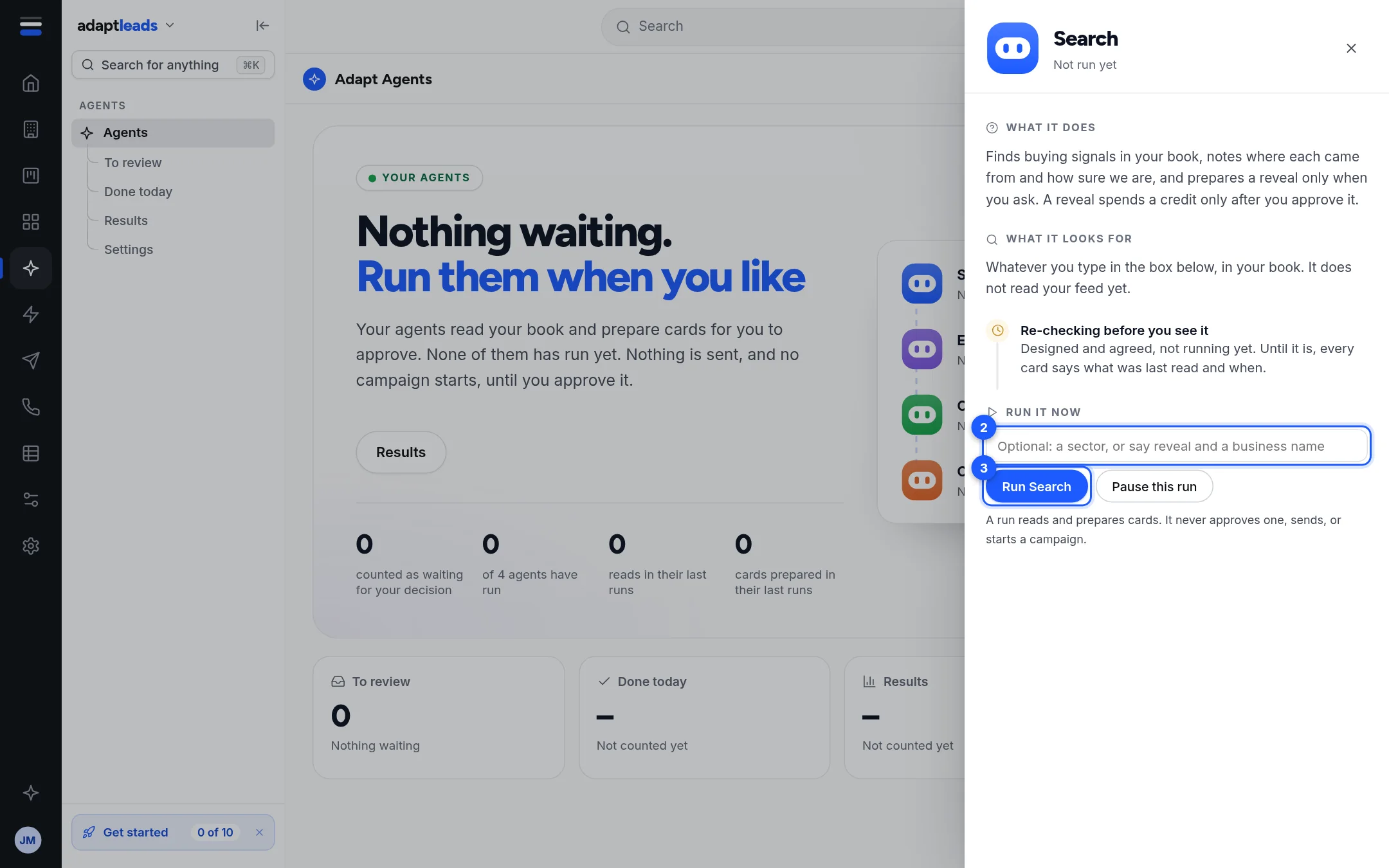
- Click Search in the list of four agents. Its panel opens.
- Optionally type an instruction. With nothing typed it asks itself "What is worth a call this week, from the businesses on my saved feed?" Examples: a sector, or "reveal Oakfield IT".
- Click Run Search.
- The button says Running. When it finishes you see "Prepared N cards for you to approve. Nothing was sent."
What it prepares
At most five reasons to call from your feed, each with how sure it is (high, medium or low) and the signal behind it. A reason that cites no signal is refused. A reveal or enrichment card appears only if your instruction asks.
What happens next
Approve or cancel the cards: Approve what Engage prepared shows how, and it is the same for Search cards. See what it did: See what an agent did.
What it costs
Running does not spend credits. A reveal costs a credit only after you approve its card. Each AI run counts against a daily allowance: 8 on Free, 30 on Solo, 60 on Starter, 120 on Growth and 250 on Scale on 10 October 2026. See What the agents cost.
What there is not
No schedule, no off switch and no run in the background. Agents work only when you press Run. See What the agents do not do yet.
If something goes wrong
- "That agent is already running. Pause it before starting another." See Pause an agent.
- A plain message if your AI runs for the day are used up (they reset at midnight) or the helper cannot answer. No run starts.
- Cards expire after 30 minutes. Run it again for fresh ones.