Find businesses with a new director
Use the Adapt Insights feed to see leadership changes at businesses in your market. Find itself has no new-director filter.
You will have a list of businesses in your market where someone has joined, left or been appointed, and the business added to a list.
Steps
- Open Adapt Insights, then Feed.
- Press Set up your feed (or Edit my feed) if you have not saved one. In step 4, What to watch, choose Leadership moves ("Joined, left or promoted"). See Set up your feed.
- On the Feed, click the People ring to show only people-related news. Click All to go back.
- Read the cards. Each shows the business, the date and the headline, with a label for the kind of signal.
- Click View company to open the record on its Signals tab, or the People tab to see who is there. A recent appointment reads "Appointed" with a date next to the person's name.
- On a card you want, press Get in touch, then Add to a list. See Turn a signal into an opener.
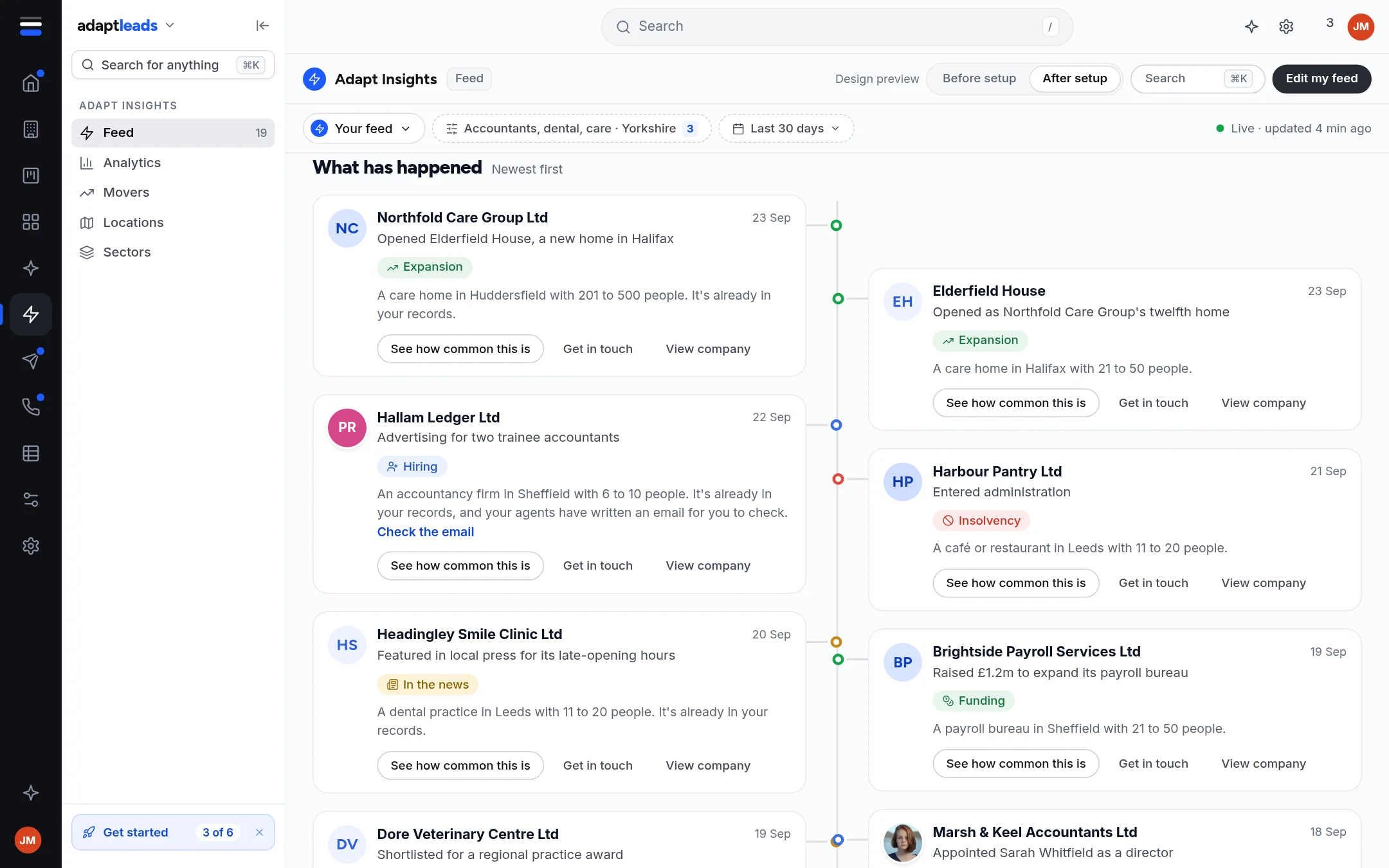
The picture comes from the design build with sample businesses. A live account shows a 120-day window.
Or scan it as a table
Open Movers under Adapt Insights for the same feed as a table, strongest first. See Movers: a table of businesses with news.
Read it carefully
- A signal is a reason to look, not proof that the business wants to talk.
- "Leadership" is picked up from the wording of a story, so it is a guess at the topic. If the card says Matched by name, check the story, read the story first.
- A new director appointed on the register is a fact with a date. Both are worth a look before you write.
If something goes wrong
If the Feed is empty, your setup may be too narrow. See Filter and search the Feed and Insights, Analytics and Home gaps, by message. For the law on writing to a named person, see PECR and UK GDPR in plain words for a B2B seller.