Read and answer an email reply
Open a reply in the Unibox, answer it from your own mail app, and mark the person correctly.
You will have answered the person and marked them, so nobody emails them twice.
Steps
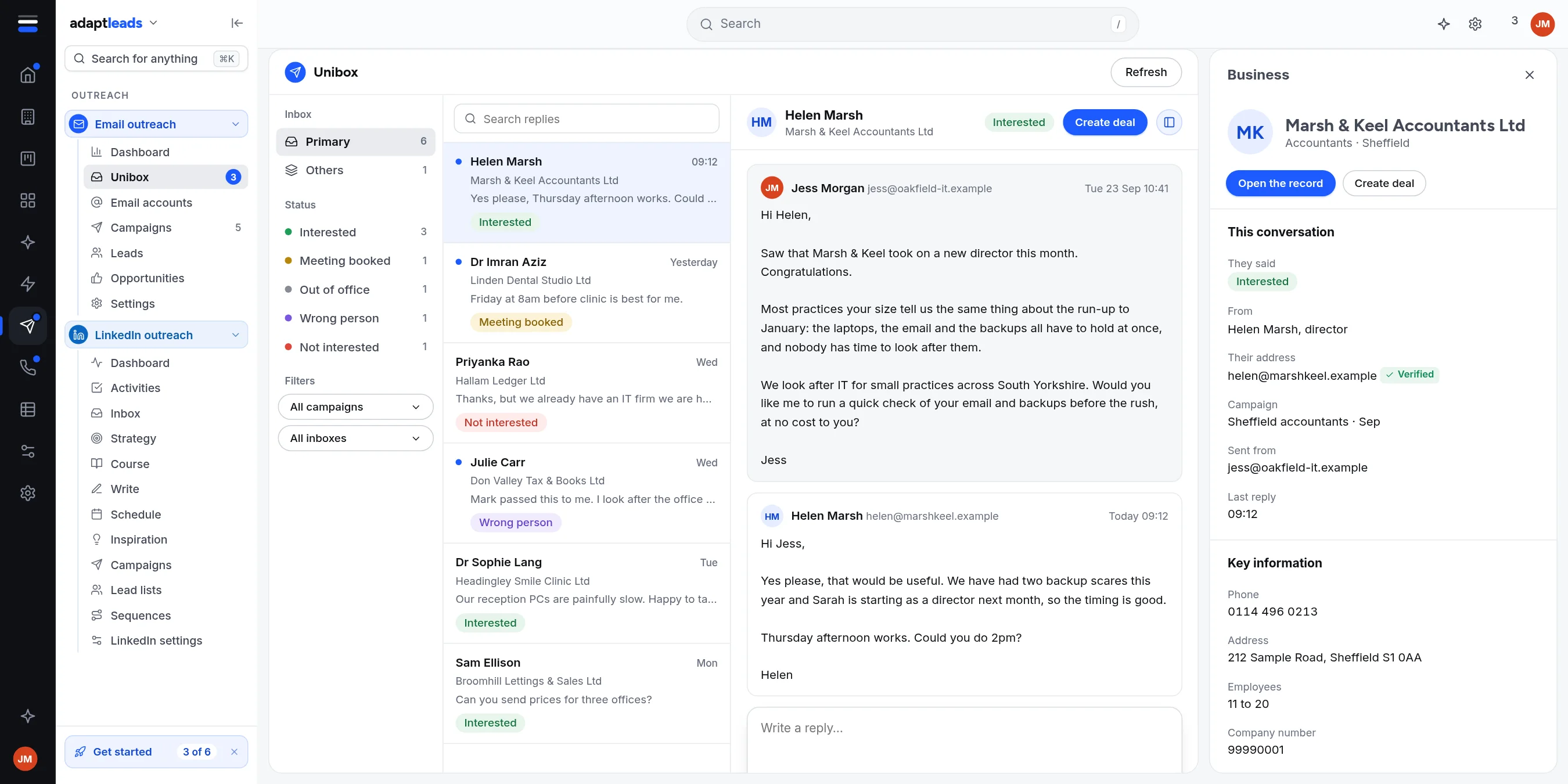
- Open Email outreach, then Unibox. Unread replies have a blue dot. Click one.
- Read the thread. The tag and the reason for it are in the contact panel under This conversation. The tag is a reading by the app and can be wrong, so trust your own.
- Type your answer in the reply box.
- Click Open in mail app. Your mail program opens a reply to that address with your text. Or click Copy and paste it. Send it from the mailbox the reply came to (the panel shows it as Sent from).
- Decide what the person is:
- Interested: click Mark as interested or Create deal.
- Not interested, or asked to stop: click ... then Add to do-not-email list.
- Wrong person: reply, and add the right person as a lead.
What each button does
- Mark as interested makes an opportunity in Email outreach and stops follow-ups for that person.
- Create deal makes the opportunity and then hands the full lead record to your CRM as a new deal. It is one way and nothing is emailed. See Opportunities from email replies.
- Add to do-not-email list stops every campaign emailing that address.
What does not happen
Adapt does not send your reply. Draft with Adapt shows a "coming soon" note, and Mark as unread, Set a reminder and Delete this email are greyed.
Asked to stop
If someone asks to be removed, add them to the do-not-email list straight away: Stop emailing someone. Adapt tags the reply but does not remove them by itself.
If replies are missing
Replies are read from each mailbox. If a mailbox's sign-in is refused, its replies are not read until it is fixed: Fix a mailbox that has stopped sending. More: Handle a reply.