Correct a wrong number from a call
Flag a better number or a wrong one from the call screen, and review the flag in Corrections. A person decides.
You will have told Adapt what a call showed, and a person will have decided what the record says. A flag never changes a record by itself.
As a caller
- During the call, open Something wrong with this record? under The business. The chips are locked until you press Start call.
- Tap one:
- Better number: you were given a different number that works. Type it.
- Who to ask for: you found the right name. Type it.
- Wrong person, Address is wrong or Wrong trade.
- If the number rang a different business, do not use a flag. Log the outcome Wrong number, and answer Who told you that?: Log a call outcome. Do not ring them again to confirm.
As the person who reviews
- In Adapt Leads open Caller Console, then Corrections.
- Pick one from the left. Waiting, Accepted and Rejected show each pile with its count.
- Read what the record holds and what the caller was told, who told it, and their note and call time. Open the record and Their website help you check.
- Press Accept or Reject. Keys:
Aaccept,Rreject, the arrow keys move.
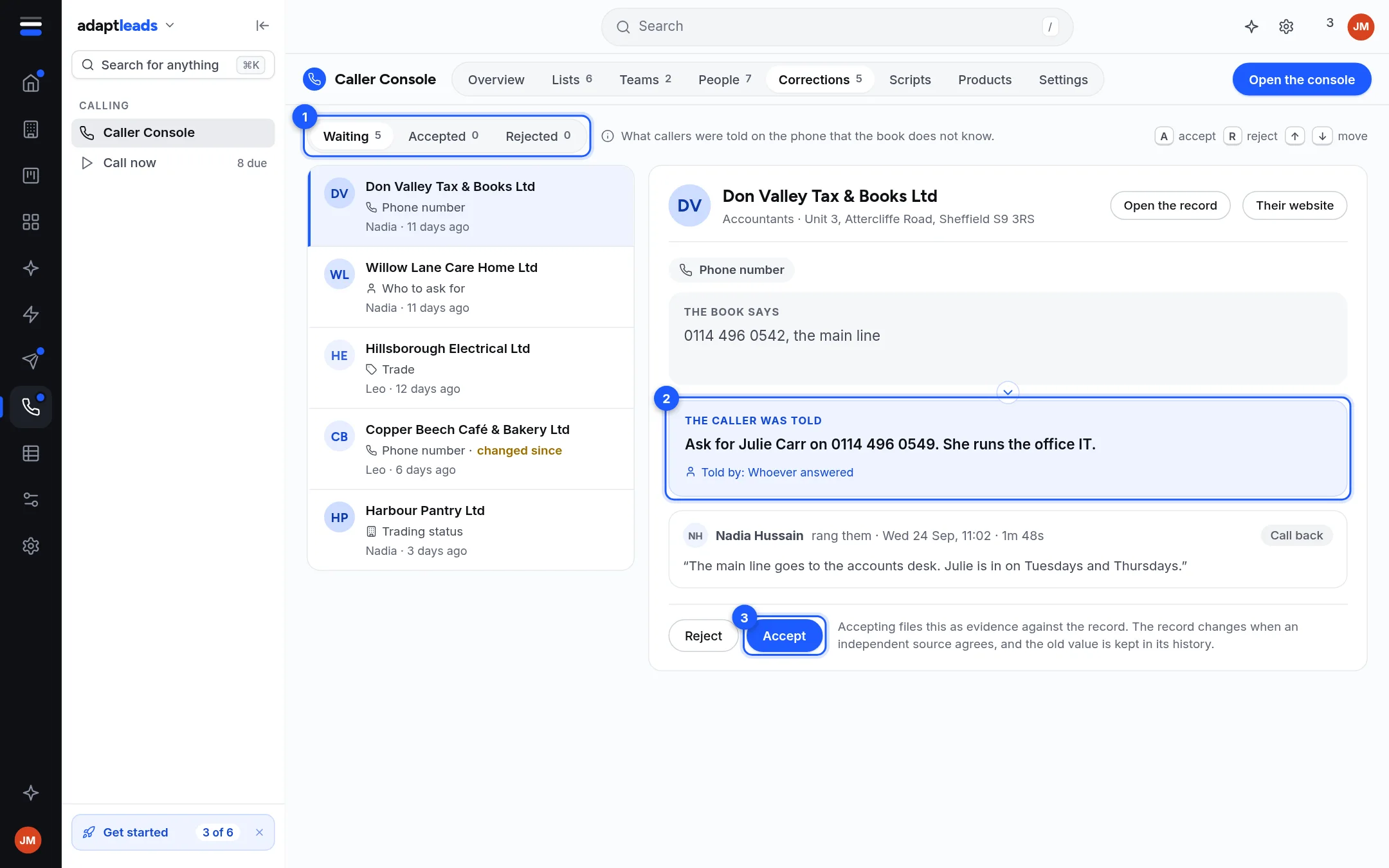
What you will see
A row marked changed since means the record changed after the caller flagged it. Check first, because accepting may undo someone else's work.
Accept files the caller's note as evidence. The record changes when other evidence agrees, and the old value is kept in its history. It is not an instant edit. Reject keeps the note and leaves the record alone. The Overview's Worth a look list says how many corrections are waiting.
To correct a number on a record outside a call, see A number looks wrong.