Build a workflow
Draw a workflow in the designer, set what starts it, add steps and test it on a pretend lead. It does not run on your leads yet.
You will have a workflow drawn in the designer and tested on a pretend lead. Nothing runs on your real leads yet. A banner on every Customise page says: Saved in this browser. Nothing runs on your leads until workflows run on the server. Another browser or person will not see it.
Steps
- Open Customise, then Workflows, and press New workflow.
- Under What should happen? either describe it in your own words and press Draft it, pick one of the suggestions, or press Start from scratch.
- If you started from scratch, press Choose what starts it and pick a start: a lead coming in, a form coming back, a stage and so on. Add another start adds more than one.
- Press Add a step (or the plus between steps) and pick a block from the chooser. Click a step to set it.
- Give the workflow a name in the box at the top.
- Switch from Build to Test to watch it run on a pretend lead, or Show to see it read out.
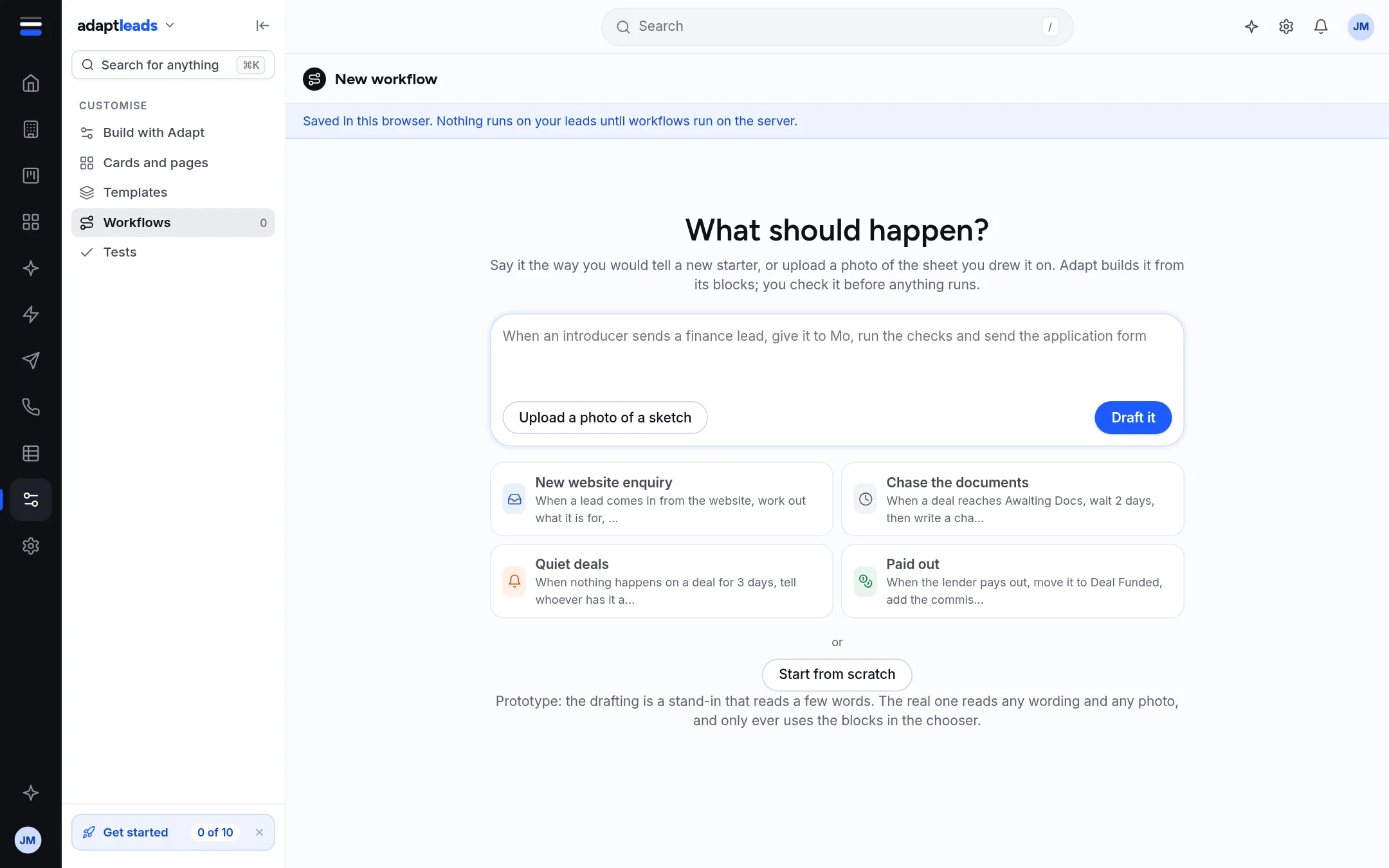
Build with Adapt
A chat beside the workflow can help. It offers Add a step, Change a step and Explain this. Nothing on the canvas changes until you press one of them and, for a new step, confirm what Adapt shows.
Turning it on
Turn it on (or Publish changes) marks the workflow live in the designer. A step that still needs a setting stops it and the designer shows which one. This does not make it run on a real lead.
What does not work yet
- No workflow acts on a lead.
- Photo upload says Adapt does not read a photo of a sketch yet. Say it in words.
- Ask us to add a block and Send it to the team send nothing.
- Adding a person to your team in Customise adds them in your browser only. Nobody is emailed.
Full pages: Build a workflow, Test a workflow on a pretend lead and What Workflows and Customise cannot do yet. What you can do today instead: do the step by hand. Add a task (Add a task) or a campaign. See known-issues/workflows-and-customise and Agents and Workflows problems, by message.