Caller console
Where a team lists businesses to ring, hands them to callers, and reads what happened. Adapt does not place the calls.
The Caller console is a screen that tells a person who to ring, holds what they need while they are on the call, and records how it went. It is not a dialler. Adapt never places a call, records one or listens to one. The caller dials on their own handset and presses Start call on screen so the record knows they are on it.
Two places, two jobs
| Place | Who uses it | What it is for |
|---|---|---|
Caller Console in the Adapt Leads left menu (#/caller) |
The person who runs calling for your account (an operator account) | Look at every team, list, person and correction. Give a list to a team. Write the script. |
The callers' console at cc.adaptleads.co.uk |
Team managers and sales execs | Work a list: ring, log the outcome, book call backs. |
Callers do not need an Adapt Leads account. A team manager is invited by email, picks a password, and invites their own callers. They see only the lists they have been given.
Who can open Caller Console in Adapt Leads
Only operator accounts. Anyone else sees "The caller console is for operator accounts" and is told to ask whoever runs Adapt Leads to add their sign-in address. That message is about access, not a paused account.
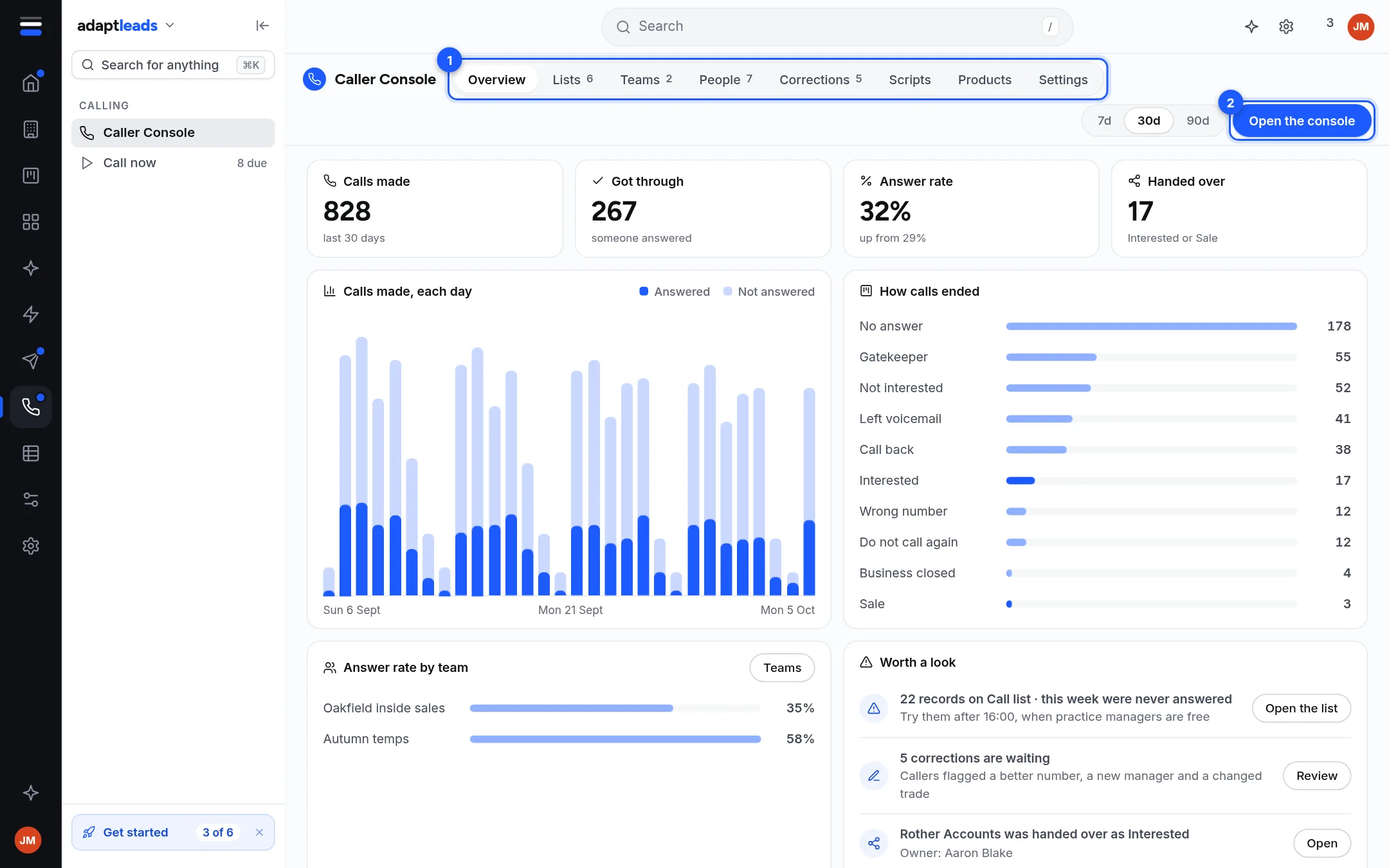
The tabs
| Tab | What it shows | Page |
|---|---|---|
| Overview | Calls made, got through, answer rate and handed over for the last 7, 30 or 90 days. Calls each day. How calls ended. Answer rate by team. A "Worth a look" list. | Caller reports and the Overview tab |
| Lists | Every list sent to the console, who holds it, how much is left. | Call lists and handing them to a team |
| Teams | One page per team: its calls, answered share, handed over, and calls by day. | The team view in the Caller console |
| People | Everyone with access, with their team, role, calls and last call. | Invite and remove callers |
| Corrections | What callers were told on the phone that the record does not hold. | Wrong numbers and corrections |
| Scripts and Products | What the callers see on screen during a call. | Scripts and products for a calling team |
| Settings | The five answers the setup asked for, and archived teams. | Caller console settings |
The left menu also has Call now, a read-only look at what is on the floor. See Call now, the read-only look at the floor.
How a list gets to a caller
- Pick businesses in Adapt Leads and choose Send to…, then the caller console. See Send businesses to the Caller console.
- The list lands in Lists with no team. Nobody can ring it yet.
- You give it to a team. The team manager hands it to a caller.
- The caller rings, logs an outcome, and the result comes back: a handover becomes a deal in the CRM, an objection becomes a permanent suppression, and a correction waits for you.
What it does not do
- It does not dial, record or transcribe calls.
- It does not check numbers against the TPS or CTPS registers. Read Calling rules and the law (PECR, TPS and your duties) before anyone rings.
- It does not let a caller create a lead, edit the book, or see another caller's records.
- It does not show a figure it cannot count. A number it does not hold says "not counted yet" or is left out.
- Call lists and handing them to a teamHow lists arrive in the Caller console, what the counts mean, and how to give a list to a team.
- Send businesses to the Caller consolePut the phone numbers of businesses you chose on the console as a call list, split for several callers.
- Make a call in the callers' consoleDial on your own handset, press Start call, log what happened and move to the next business.
- Call now, the read-only look at the floorA page in Adapt Leads that shows what is on the floor right now. It does not place calls or log outcomes.
- Call outcomes and what each one doesThe ten outcomes a caller can log, what happens to the business next, and the extra questions some of them ask.
- Call backsPromises to ring someone at a set time, kept as their own list and owned by the caller who booked them.
- Wrong numbers and correctionsHow a caller flags a record that is wrong, and how you review those notes in the Corrections tab.
- The team view in the Caller consoleOne page per calling team with calls, answered share, handed over and calls by day, plus the manager's pages.
- Invite and remove callersInvite a team manager, let them invite callers, and switch someone off the same day they leave.
- Calling rules and the law (PECR, TPS and your duties)Adapt screens numbers against its own do-not-call list only. It does not check TPS or CTPS. This page says what that means for you. Guidance, not legal advice.
- Phone numbers and what each label meansWhich number a caller is shown first, how other numbers are shown, and what the shared page tag and the phone types mean.
- Caller reports and the Overview tabWhat the Overview tab and a manager's Results page count, and what each number does not mean.
- Scripts and products for a calling teamWrite what callers see on screen, then push it to the team. Nothing reaches the callers until you push it.
- Caller console settingsThe five answers the setup asked for, and archived teams. Most buttons here are not connected yet.
- Why a business comes back in the queueAn outcome that does not finish a business schedules the next attempt, with widening gaps, up to five tries.
- Caller console problems and what to doThe handful of things that come up in the callers' console, and the first thing to try.