Log a call outcome
Pick the honest outcome after a call, and answer Who told you that? so the right thing stops.
You will have recorded how a call went, so the business is handled correctly next.
Steps
- Press Start call, make the call, then press End call. The outcomes are locked until you do.
- Under How did it go, pick one of the ten outcomes below.
- If you picked Call back, set the day and time: Set a call back.
- If you picked Wrong number or Do not call again, answer Who told you that?
- If you picked Interested or Sale, fill the questions in the Learned tab. A handover cannot be saved until they are filled. Tap an answer to set it, tap again to clear it.
- Press Save and next.
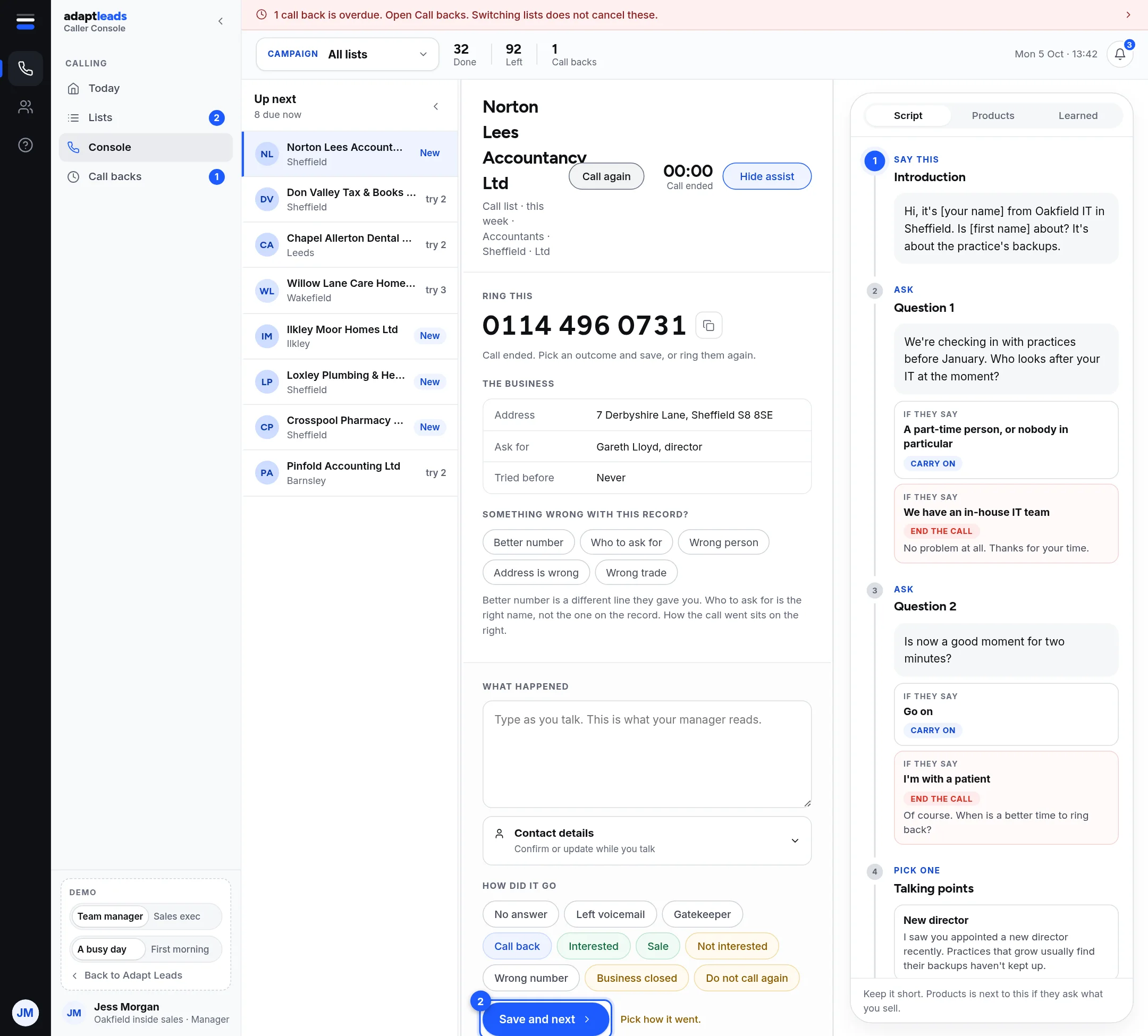
The ten outcomes
| Outcome | What happens next |
|---|---|
| No answer, Left voicemail, Gatekeeper | Comes back later, on a fixed rhythm |
| Call back | You set the time. It goes to Call backs. |
| Interested, Sale | Handed over to whoever picks the lead up |
| Not interested | Finished. A plain no is not a request to stop. |
| Wrong number, Business closed | Finished |
| Do not call again | Finished, and contact stops |
Who told you that
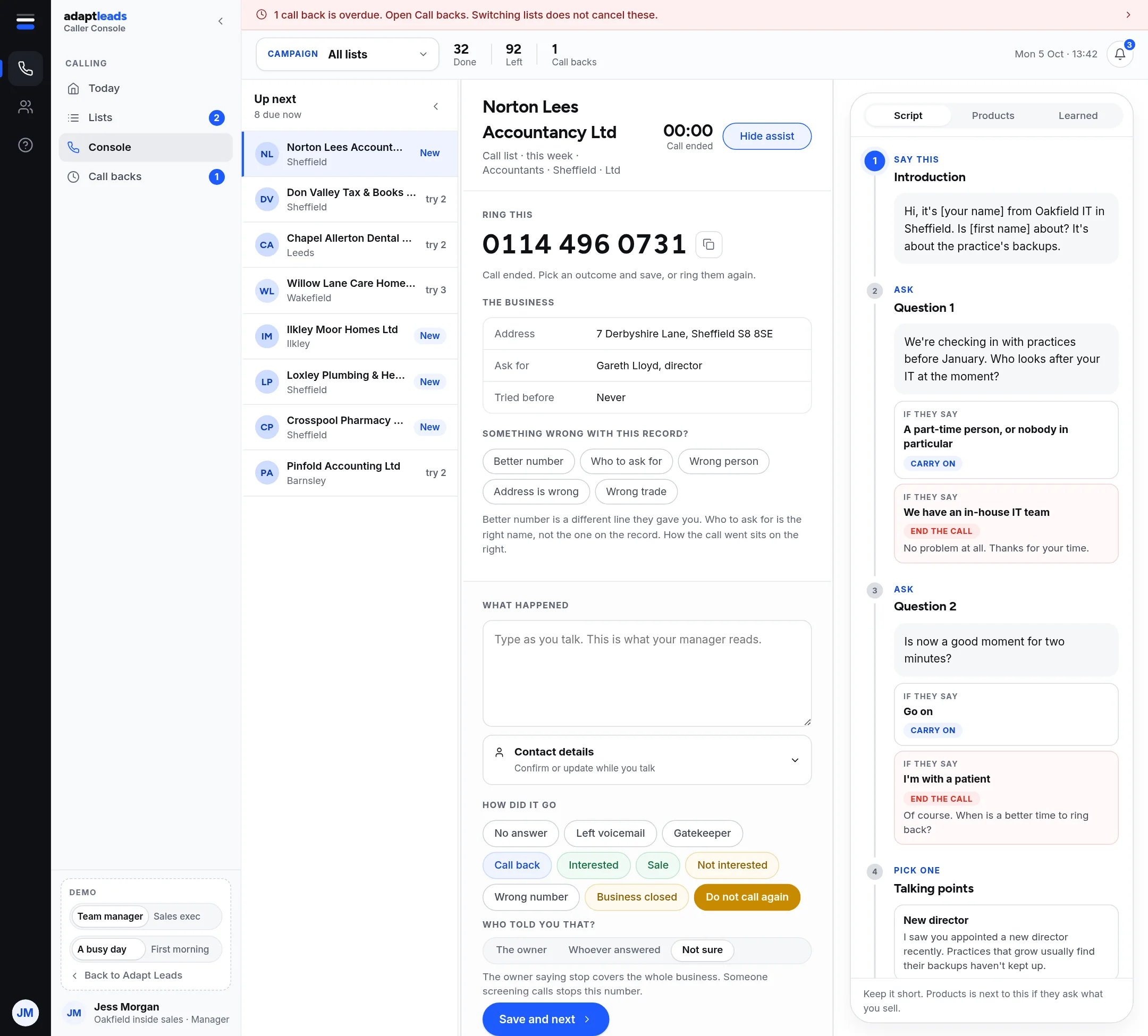
| You pick | What happens |
|---|---|
| The owner | The whole business comes out, on every channel. |
| Whoever answered | That number stops. The business stays. |
| Not sure | The whole campaign stops for that business, on every channel. |
Answer honestly. If you cannot tell, Not sure is right.
Take care
Do not call again acts at once. There is no review queue and you cannot undo it. If someone asks to be removed, however they sound, log it the same day. Do not use it for a plain no.
More: Call outcomes and what each one does and Why a business comes back in the queue.