Add businesses to a list from Find
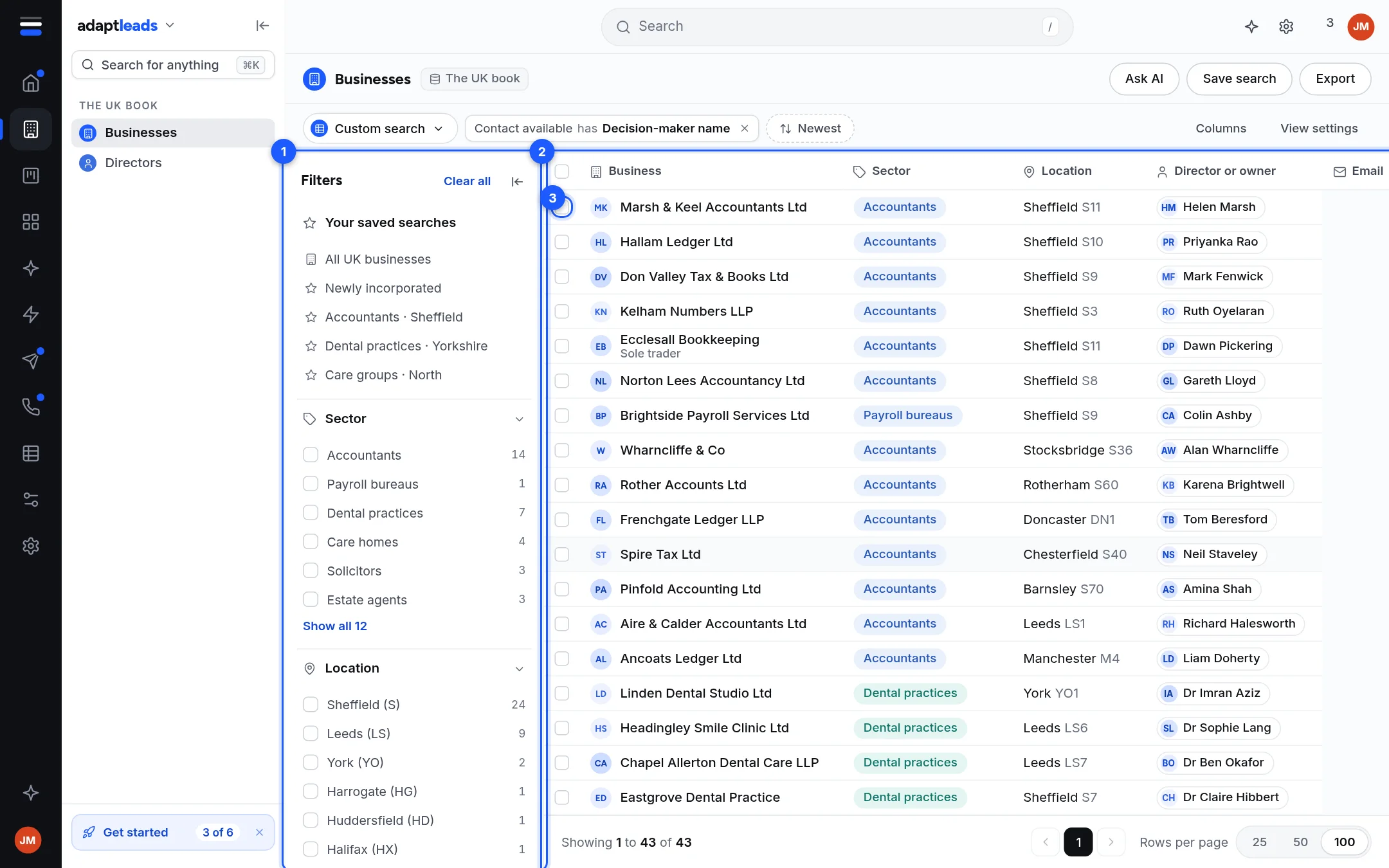
Tick rows on Businesses or Directors, press Add to list and choose a list.
You will have the businesses you chose on a list. Nothing is revealed, exported or sent.
Steps
- On Businesses or Directors, run a search. See Find 100 accountants in Sheffield.
- Tick the box at the left of each row you want. The box in the header row ticks every row on the page.
- A bar appears showing "N selected". Click Add to list.
- In the menu, "Add N businesses to a list", click a list. Or choose New list... to make one with these in it.
A message says "Added N to {list}". If some were already there, it says how many: "Added 7 to Sheffield accountants. 3 were already on it." If all were, it says "Already on {list}".
From a record
Open a record and click Add to list in its header card. A menu shows your lists with how many businesses each holds. You can also add from a person page, a directors row and an Enrich a list result.
Limits
- You can tick only the rows on the page in front of you. Raise Rows per page to 200 to act on more.
- Selections go in batches of 500.
- A business is on a list once, however many times you add it.
- Changing page, filters or area clears the ticks. Press Escape or the cross to clear them yourself.
Good to know
Adding does not reveal and does not use an export. Only revealed businesses go into an export file. See Export a list to CSV.
Taking businesses off
There is no remove control. To keep a smaller set, make a new list and add only those. See Make a list.
What happens next
From the bar you can also press Send to... to hand the selection to an email campaign or the caller console. See Tick rows and act on several at once.
If something goes wrong
If Add to list does not appear, nothing is ticked. If the list is missing from the menu, it may be archived. See Record and search problems, by message.