Move a deal through a pipeline
Drag a deal card to a new stage, close it as Won or Lost, and edit it from its own page.
You will have a deal in its new stage, with the move on its timeline.
Steps
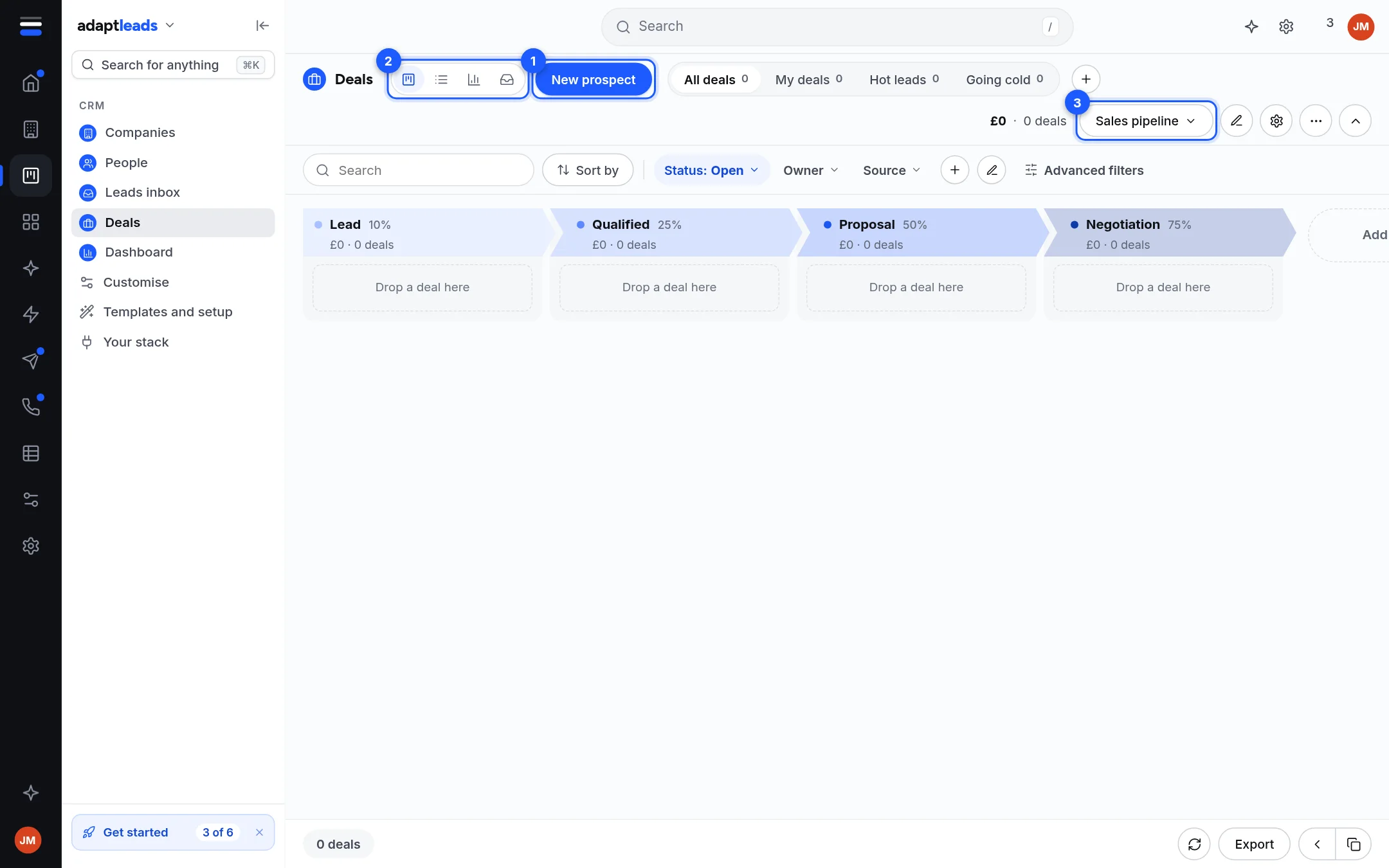
- Open Deals. The board shows one column for each stage. A new CRM has one pipeline, Sales pipeline, with Lead, Qualified, Proposal, Negotiation, Won and Lost.
- Drag the deal's card to another column. It saves in its new stage.
- To close it, drag it to Won or Lost. That ends the deal. With the Basic automations on, Lost asks for a reason, and Won and Lost stamp the day.
Find a deal first
Use the search and the tabs All deals, My deals, Hot leads and Going cold. Status switches between Open, Won and Lost. Owner and Source filter further, and Sort by orders the cards. A second pipeline shows in the pipeline picker.
Open a deal
Click a card to open its page. You can change the value, expected close, owner, source and notes there. Each edit saves one field at a time, with a reason kept in the change log. Archive hides a deal and offers to bring it back. Nothing is deleted.
What you will see
Each column shows its win chance and the value and number of deals in it. The total at the top counts the deals shown.
What does not happen
- You cannot yet change the stages, products or sources: Customise shows them read-only for now (Customise the CRM).
- Clone this deal and Merge duplicates say not connected and do nothing. Create a new deal and copy the details.
- Nothing you do to a deal changes the UK book.
Problems: CRM problems, by message. More: Deals and pipelines.