Change your plan
Pick a plan on Plan and billing and pay through Stripe. Cancelling has no button yet.
You will be on a new plan, with its monthly export allowance starting at once.
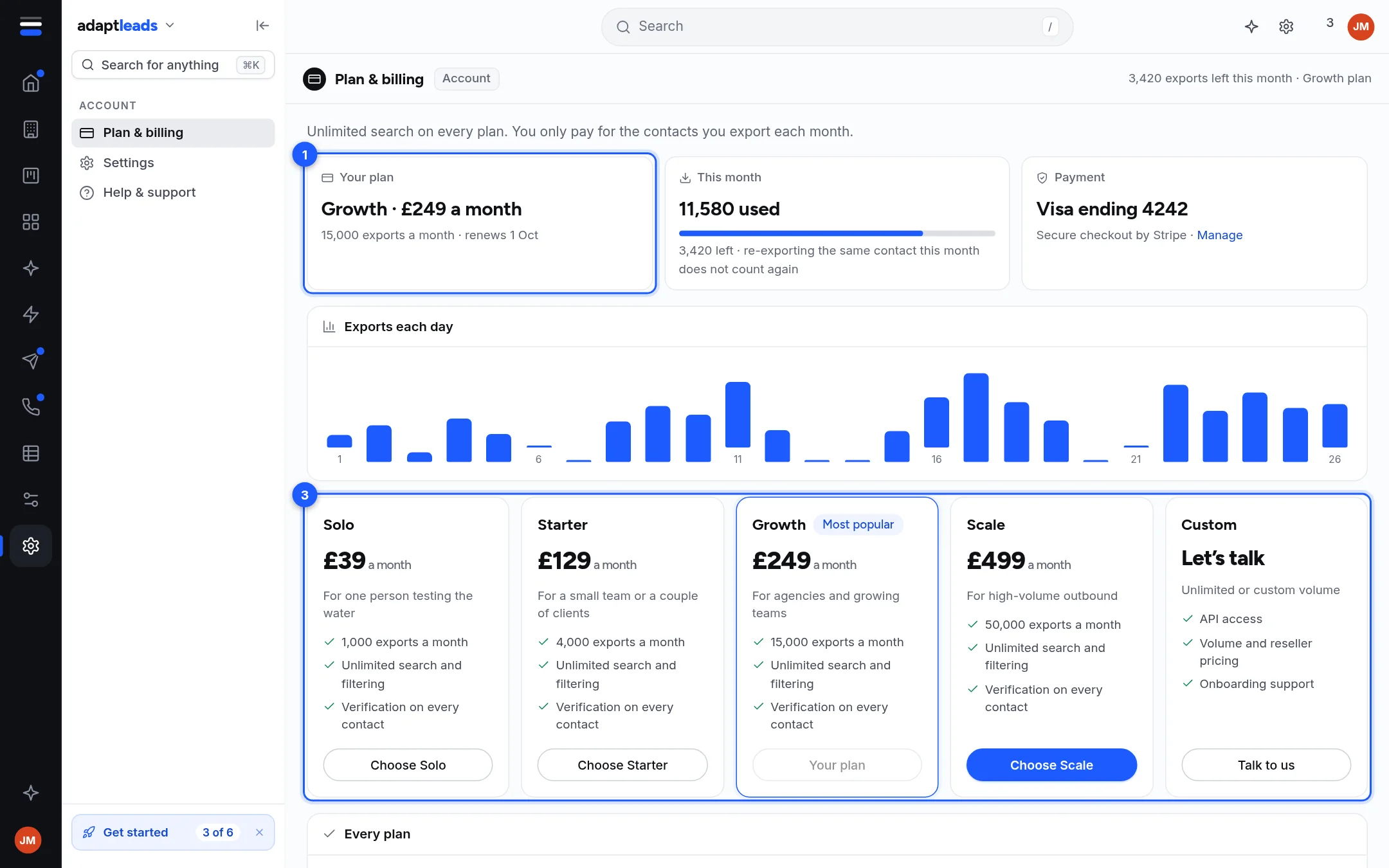
The picture is the design demo with sample figures. Plan names, prices and allowances are in Plans and prices. Searching is free on every plan: the plans differ only in how many contacts you can export each month.
Before you start
Check how many exports you have left. It is shown at the top right of Plan and billing, and in the product name menu. See Exports and your monthly allowance.
Steps
- Open Plan and billing in the Account area of the side menu, or from the product name menu.
- Find the plan you want. Your own plan shows a disabled Your plan button.
- Press Choose Starter (or Solo, Growth, Scale).
- A confirmation says you will go to Stripe to pay the price a month for the exports a month. Press Go to Stripe.
- Pay on Stripe's page. Nothing is charged until you confirm there.
- You return to the app. Your allowance changes at once and the used count resets to zero.
For more than Scale, press Talk to us under Custom.
What happens next
Stripe emails a receipt to your account email. Card details are held by Stripe and never by Adapt. See Download your invoices.
Moving down
Paying for a smaller plan sets the smaller allowance when the payment goes through. Check what you have left first, because the used count resets.
Cancelling
If something goes wrong
If Stripe does not return a valid checkout page you see "Stripe did not return a valid checkout page. Nothing was charged." Try again later. If you paid and the plan did not change, email hello@adaptleads.co.uk with your account email. See Export and credit problems, by message.