Build your first email campaign
Create a draft campaign, add leads, write the emails, set the schedule and get it ready to launch.
You will have a campaign that is saved as a draft and ready to approve. Nothing sends while it is a draft.
Before you start
- A connected sending mailbox with warm-up on: Connect a mailbox to send email from, Warm up a new mailbox.
- Read The rules for cold email, PECR and UK GDPR. You choose who you email, and the law applies to you.
Steps
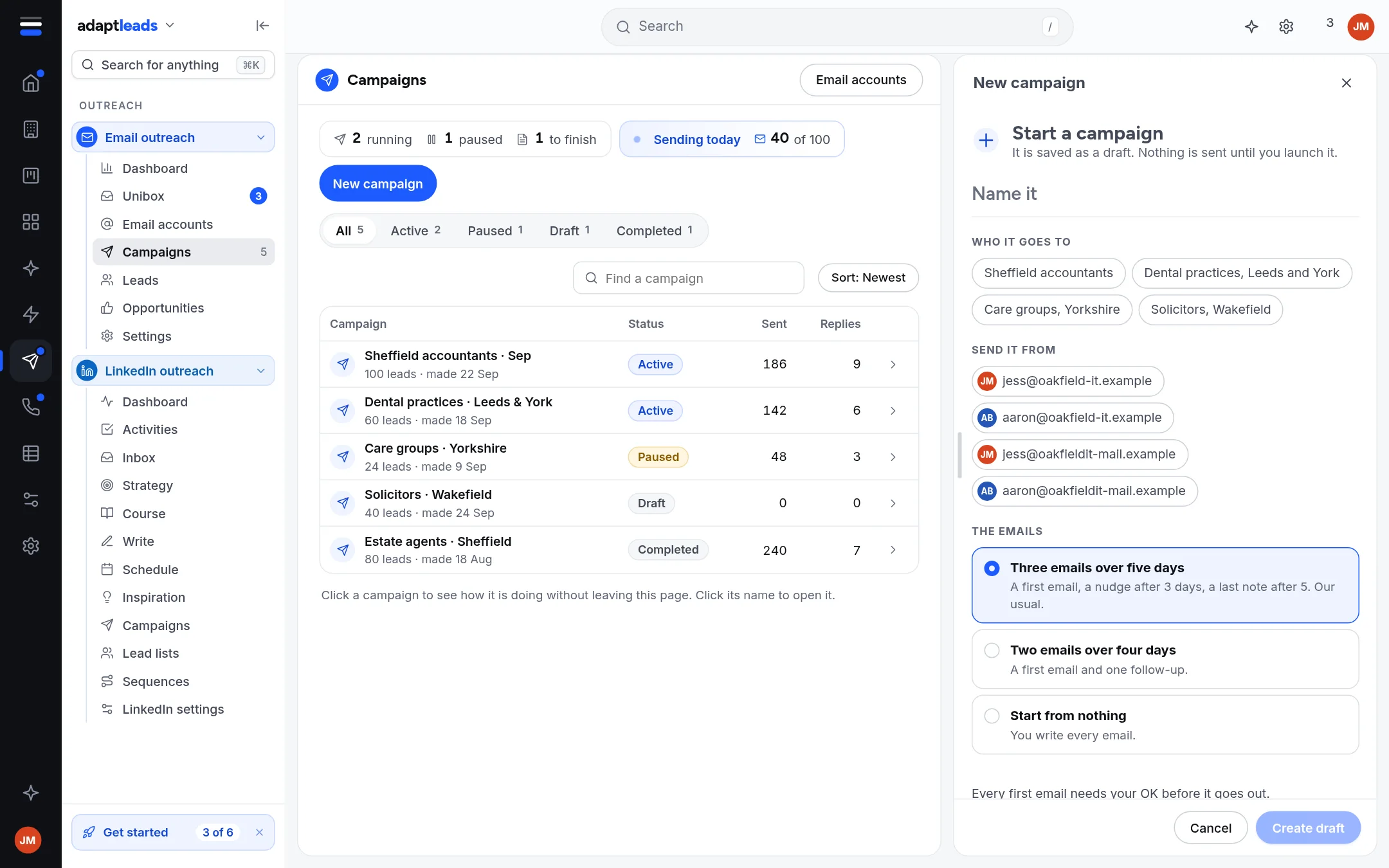
- Open Email outreach, then Campaigns, then New campaign.
- Type a name. Tick your sending mailbox (you can leave it and choose later in Options). Choose how many emails: Three emails over five days, two over four days, or one.
- Click Create draft. The campaign opens on its Leads tab.
- Add people: Add leads to an email campaign.
- Write the emails: Write an email sequence.
- Open Schedule. Check the days, the sending window and the time zone: Set the schedule and sending hours.
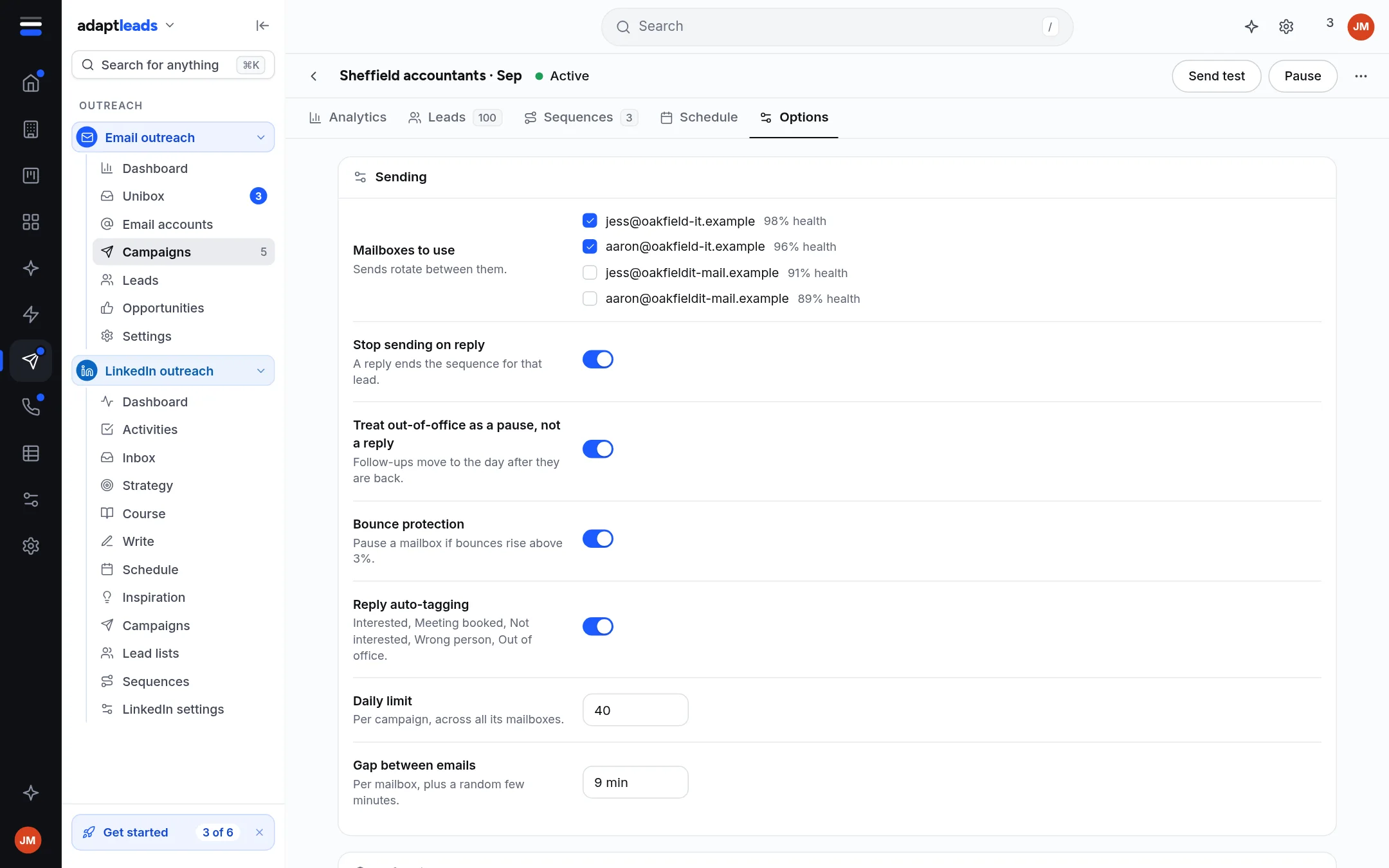
- Open Options. Tick the mailbox and check the Daily limit. The safe start is about 30 a day for each mailbox.
- Click Save.
What you will have
A draft with leads, steps, a schedule and a mailbox. Under Before it can launch on the Options tab you can see what is still missing. The last steps, the spam check, approval and launch, are in Launch an email campaign (the approval step).
Nothing is sent by accident
A draft sends nothing. Agents and Ask Adapt only prepare emails for you to approve.
If something is greyed out, hover over it: it says what is missing. See Campaigns for every part of the page.