Save a search
Name a set of filters on Businesses so you can reopen it in one click.
You will have a named search you can open in one click from Businesses or the Lists area.
Steps
- On Businesses, set the filters you want. See Find 100 accountants in Sheffield.
- Click Save search at the top right. It does not show on the first screen before any filter is on, or on Directors.
- Type a name, for example "Accountants in Sheffield". It can be up to 80 characters.
- Check the list of what the view keeps, then click Save view.
- The page says "Saved. Find it under your views."
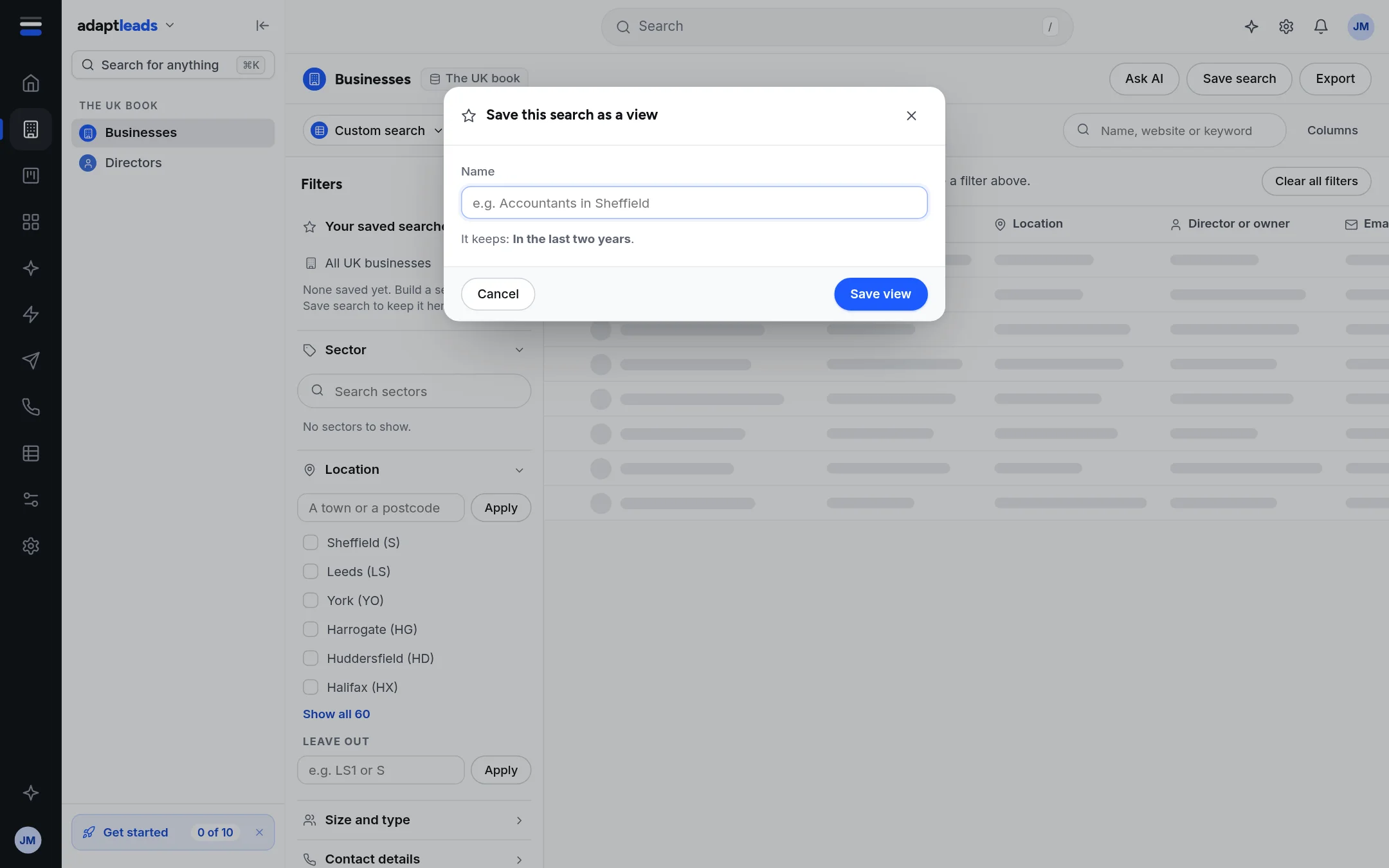
You can also open the menu on the search name above the table (it says "Custom search" until you save) and choose Save current as a view.
Open it again
- On Businesses, under Your saved searches at the top of the Filters panel.
- On the first screen, from the buttons under the four cards.
- In the table's bar, click the search name and choose from Saved views.
- In the Lists area, under Saved searches in the left panel.
All UK businesses in the same list clears every filter.
What is kept
A saved search keeps sector, location, the keyword, company size and type, newly incorporated, and the contact filters Verified email, Decision-maker name, Phone number, Website and Social profiles. It does not keep sub-sectors you left out, a postcode area you left out, owner or director email, business email (any), Email status, the company details (chain, registered away, on the register), Founded years or People on file. If your filters include something that is not kept, the save box says so and the filter stays on your screen but is not part of the view.
Limits
- A saved search is yours. It is not shared with your team.
- Saving does not run the search. Opening it does.
- There is no button to remove a saved search. Email hello@adaptleads.co.uk if you need one taken off.
What happens next
Open it whenever you want fresh results. To act on them, tick rows and press Add to list: see Add businesses to a list from Find.
If something goes wrong
If the saved view returns different rows from before, the book has changed, or a filter that is not kept was on when you saved. See Record and search problems, by message.