Close your account
Export what you want to keep, cancel any plan, then close the account in Settings, Danger zone.
You will have closed your account. Sign-in ends straight away, and you cannot reopen it from the app.
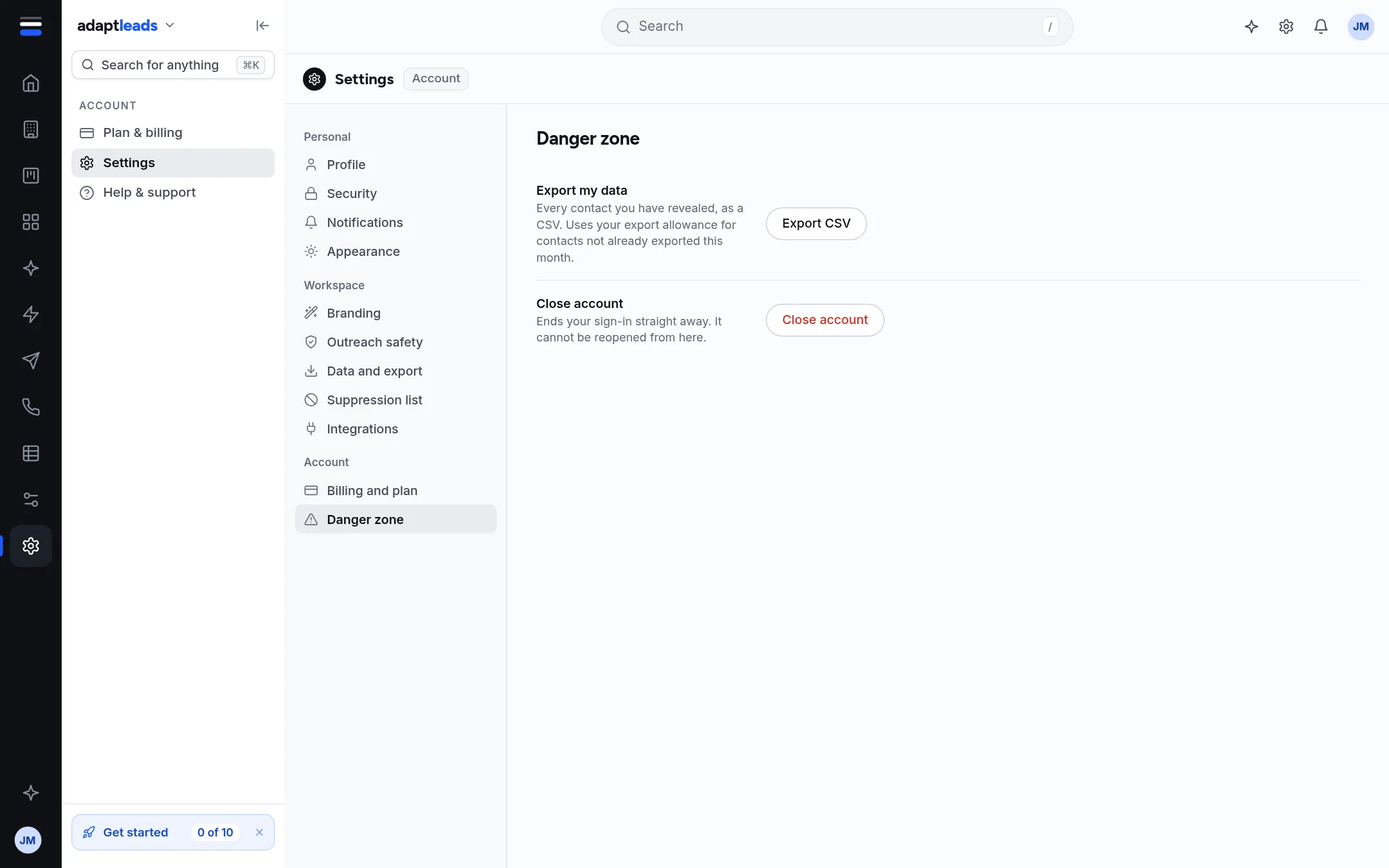
Closing ends your sign-in straight away
You cannot undo it from Settings. Do steps 1 and 2 first.
Steps
- Export what you want to keep. Open Settings, then Danger zone, and press Export CSV beside Export my data. It exports every contact you have revealed. Contacts not already exported this month use your allowance. See Export everything you hold in Adapt Leads.
- Cancel any paid plan. Closing does not cancel a card subscription by itself. There is no cancel button, so email hello@adaptleads.co.uk. See Change your plan.
- In Danger zone, press Close account.
- A box asks you to type CLOSE. Type it, then press Close account again.
- You are signed out.
What happens next
Signing in again gives "This account has been closed". The server marks the account closed. It does not delete the account or anything that belongs to it. The product's older wording about deleting after 30 days does not match what the live app does. See Retention: how long Adapt keeps things.
If you want your personal data removed
Closing is not the same as erasure. To have personal data removed, use the Remove my data link at the foot of the Adapt Leads website, or email hello@adaptleads.co.uk. See Delete your data (erasure).
What closing does not do
- It does not cancel a subscription.
- It does not contact anyone on your lists.
- Ask Adapt can never close an account for you.
If something goes wrong
If the button does nothing, check you typed CLOSE in capitals and nothing else. If you closed by mistake, email hello@adaptleads.co.uk from the account address and say so. Other sign-in messages are in I cannot sign in.