Customise the CRM
Add, rename, hide and delete fields, switch views and automations on or off, and see which parts are still read-only.
Customise under CRM changes how your CRM is set up. Only the owner or an admin can change it.
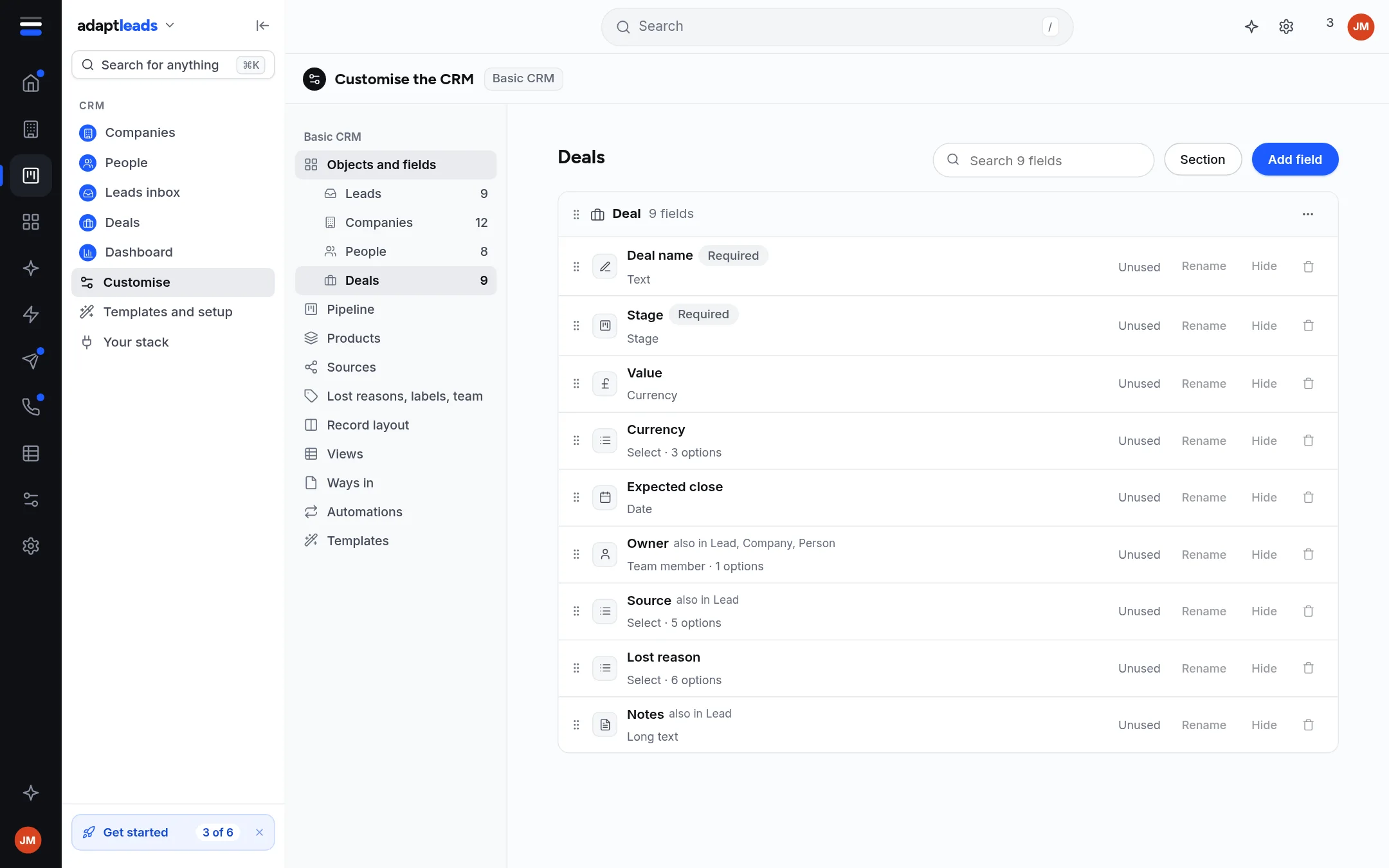
The parts
| Part | What you can do today |
|---|---|
| Objects and fields | Pick Leads, Companies, People or Deals. Add field, Rename, Hide, or delete a field. A Section groups fields. Each field says how many records use it, or "Unused". |
| Pipeline | Read-only for now. |
| Products | Read-only for now. |
| Sources | Read-only for now. |
| Lost reasons, labels, team | Read-only for now. |
| Record layout | Read-only for now. |
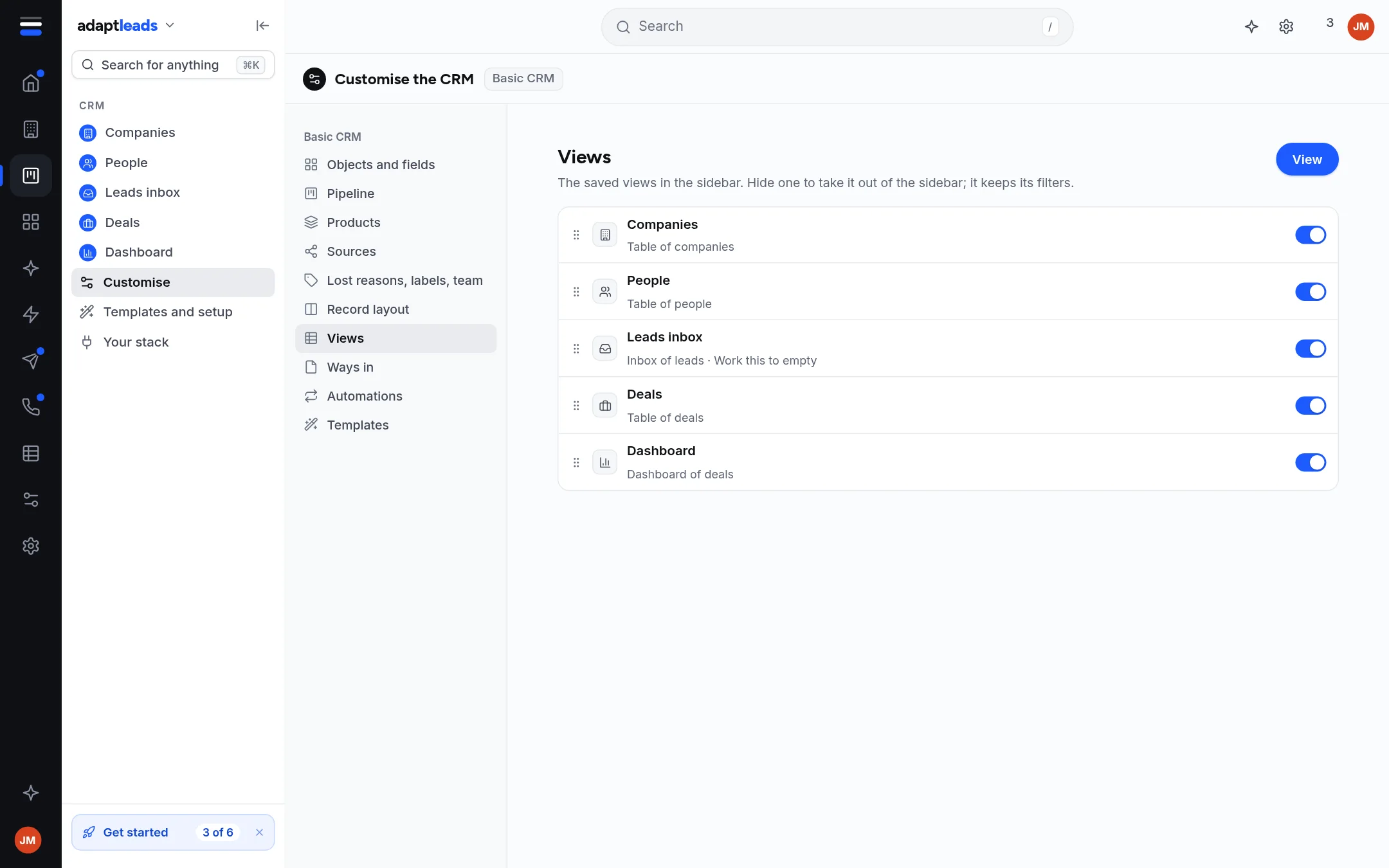
| Views | Switch a view in the left menu on or off. |
| Ways in | Read-only for now. |
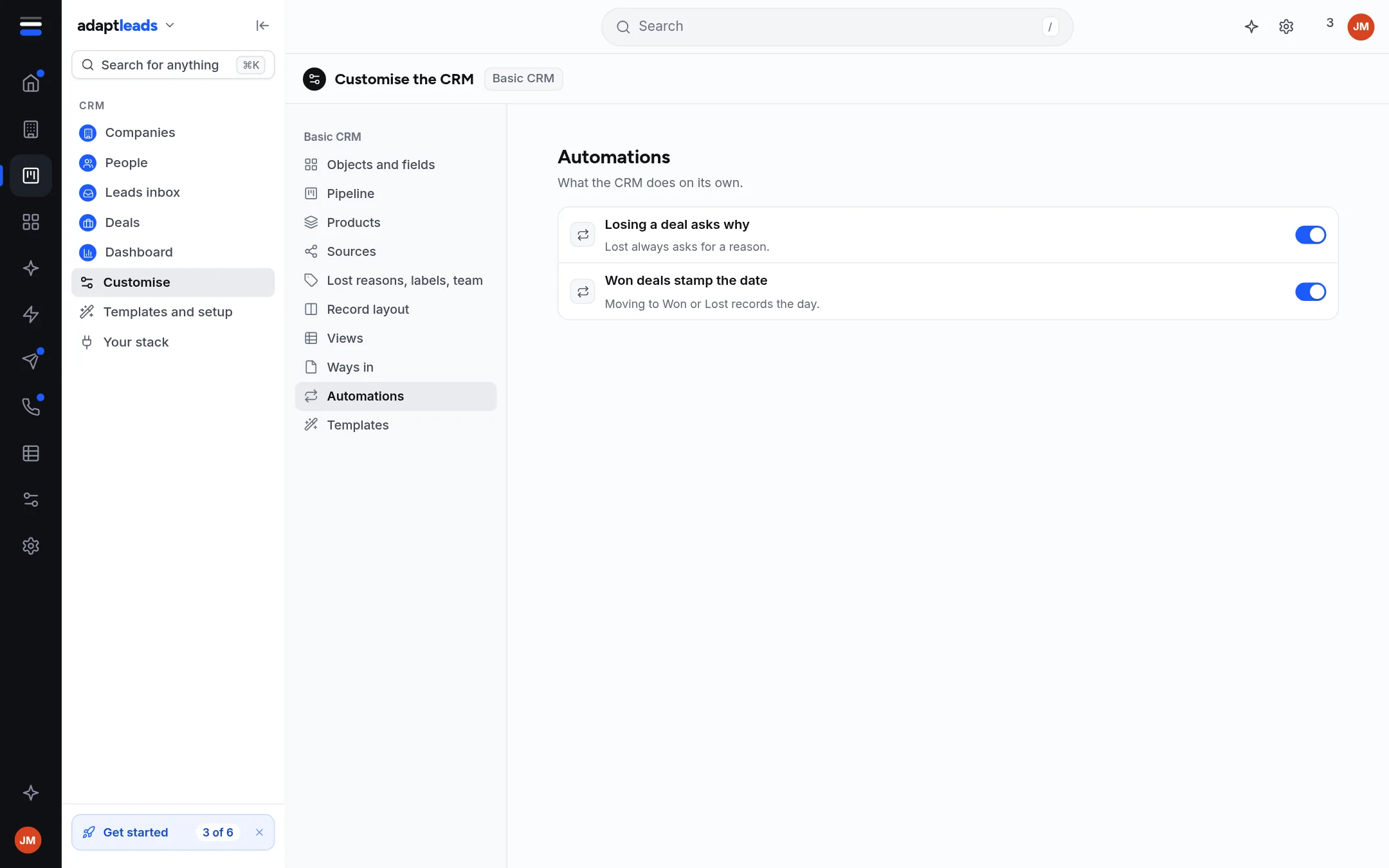
| Automations | Switch each automation on or off. |
| Templates | Run the setup again, or save your setup as a file. |
Where a part is read-only, the page says "This part is read-only for now". Fields, views, automations and templates save as you change them. Stages, products, sources, option lists, layout and ways in become editable later.
Add a field
- Open Objects and fields and pick the object.
- Press Add field.
- Name it, pick a type, pick the section, and say whether it is required or sensitive.
- Press the add button. The field appears in its section and on the record.
A sensitive field is held: it never appears in a list, export or import preview, and stays held through any template change. Some fields the CRM works from, such as stage and status, can be hidden but never deleted. Deleting a field says how many values it clears; a field with values keeps them in each record's change log unless it was sensitive, in which case they are gone for good.
Do not confuse this with the app-wide Customise area, which builds workflows and cards. See Customise, what can be changed.