The Feed: signal cards, rings and filters
The Feed lists the businesses with news in the last 120 days, strongest first, with filters, search and a setup chip.
The Feed is the first page of Adapt Insights: one card for each business with news, newest and strongest first.
Open it from Adapt Insights then Feed in the left rail. The number beside Feed is how many businesses have a live signal.
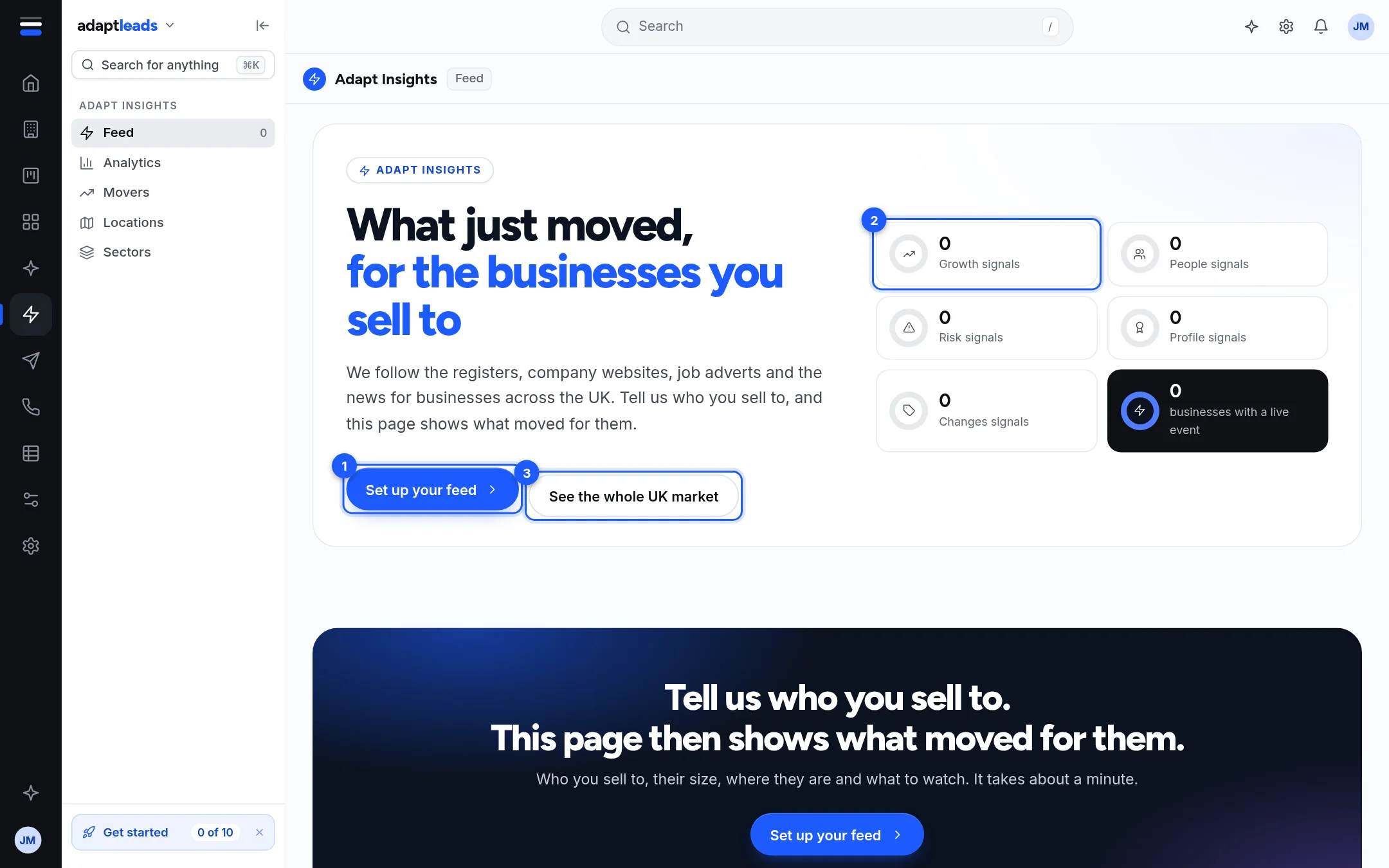
The top of the page
| Part | What it does |
|---|---|
| Headline banner | A finding drawn from your feed, such as who is hiring or who changed leaders, with a See them button that filters the cards. It can turn over by itself every seven seconds, stops while your pointer is on it, and does not move for anyone whose device asks for reduced motion. It also has previous and next controls. |
| Six rings | Growth, People, Risk, Profile, Changes, and the total businesses with a live event. Click one to show only that group. |
| Set up your feed or Edit my feed | Opens the five-step setup. See Set up your feed: who you sell to, and where. |
| See the whole UK market | Drops your feed and shows every business with news. |
The rings count the whole 120-day window, not only the cards on screen.
The cards
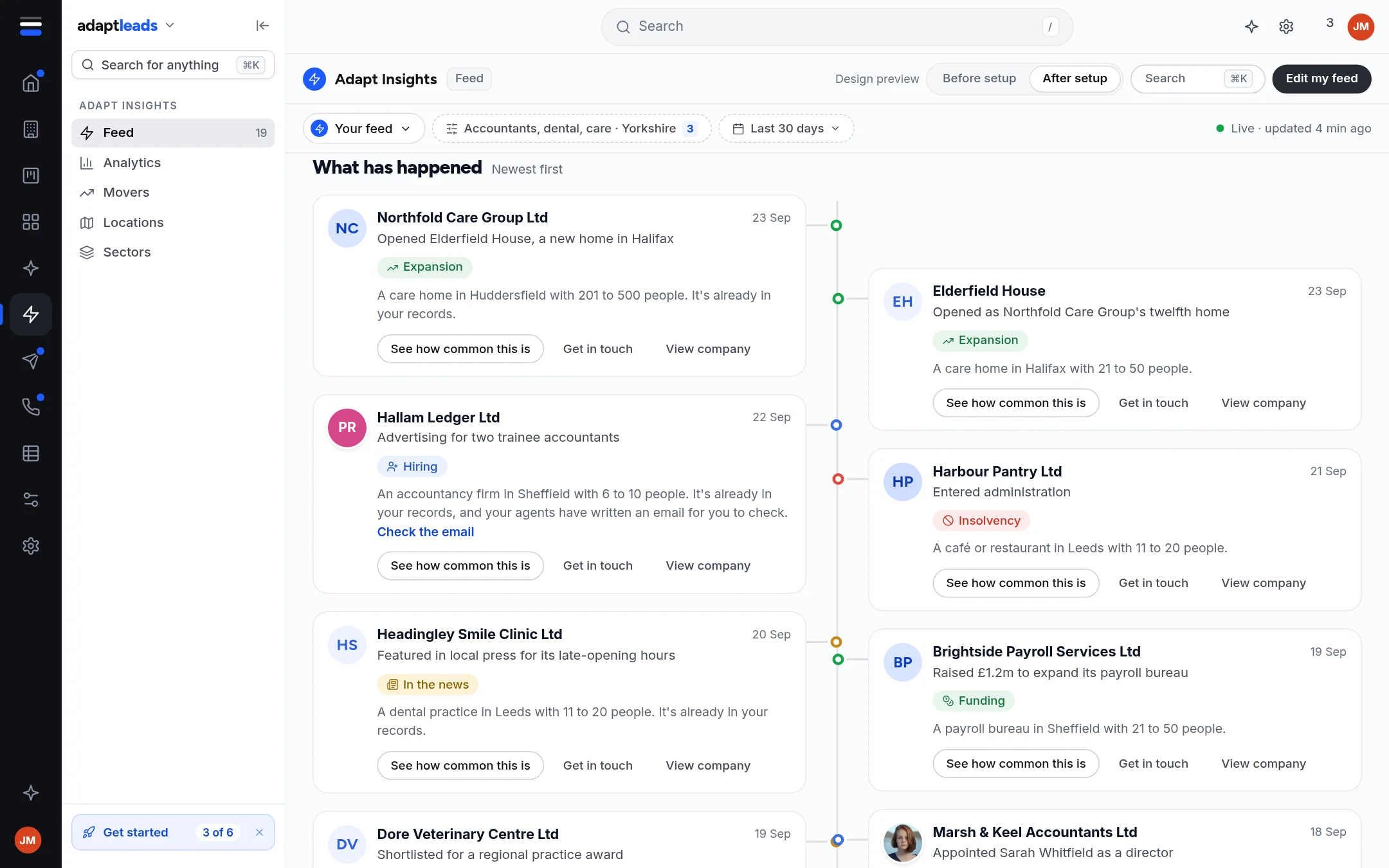
This picture comes from the design build. It shows a Design preview switch, a 30-day window, a Check the email link and a line about agents writing an email. A live account has none of those: the window is 120 days and agents do not write from a card.
Each card shows the business name, the date, the headline, a coloured kind-of-signal label, and a line such as "A payroll bureau in Sheffield with 21 to 50 people." Where Adapt matched a story to a business by its name only, the card says Matched by name, check the story. Where the business is already in your records, it says so. A story link, Read the story, opens the original page in a new tab.
Each card has three buttons:
- See how common this is compares the signal with other businesses. On a live account it says Not counted yet, because Adapt does not count how common a signal is month by month yet.
- Get in touch opens a small menu: Add to a list, Open the record, and Have your agents write to them, which is not connected. See Turn a signal into an action.
- View company opens the company record on its Signals tab.
How many cards you see
The Feed holds at most the 400 strongest businesses from the most recent news. It shows 20 at a time, with Show more. At the bottom it says That is all and tells you whether you are seeing everything or only the strongest. To see others, narrow the feed with a filter or your setup.
What the Feed leaves out
- Strike-off risk is not in the default view. It appears under the Risk ring. It is a flag on the register, and the date Adapt has is the day it saw the flag, not the day it was raised.
- Some businesses and stories are withheld for privacy reasons. For a sole trader the business name is the person's name, so a business that has asked not to be shown does not appear.
- A story that reaches a crowd of businesses at once is not shown as news about any one of them.
To narrow the Feed, see Filter and search the Feed.