Warm up a mailbox
What warm-up is, how to turn it on and tune it, and what the app does and does not do about it.
Warm-up builds a new mailbox's reputation by sending small amounts of real email between your warm-up inboxes, which open the messages and reply to some of them. Turn it on before a mailbox sends a campaign. About two weeks is the safe start.
What it does
Warm-up sends real emails from your mailbox to your other warm-up inboxes. They open them and reply to about 30% by default. Warm-up emails never go to your leads and do not count against campaign limits. This means you need at least one warm-up inbox connected as well as your sending mailbox: see Connect a mailbox.
Turn it on
- Open Email accounts.
- Click the flame in the mailbox's row. It must say Connected. A red flame means fix the connection first.
- Read the confirmation. It says how many emails a day will go, and that it is real email.
- Click Turn on warm-up. Click the flame again to pause it.
Tune it
Click a mailbox row to open its Warm-up panel. It shows a health ring and these settings.
| Setting | What it does | Default shown |
|---|---|---|
| Increase by | Emails added each day | 1 |
| Warm-up limit | Most warm-up emails in a day | 10 |
| Reply rate | How often warm-up emails get a reply | 30% |
| Weekdays only | Rests at the weekend | Off |
| Read like a person | Opens and reads each warm-up email first | Off |
| Skip the slow ramp | Starts at the limit. Only for a mailbox that is already warm. | Off |
| Spam protection, Mark as important, Open rate | Shares of warm-up mail rescued from spam, flagged important or opened | 100%, 0%, 100% |
| Warm the tracking domain | Also warms a custom tracking domain | Off |
| Filter tag | A tag that keeps warm-up mail out of the main inbox. New makes one. | none |
An empty box is saved as the grey number shown inside it. Raising a speed setting asks you to confirm, because it sends more real email.
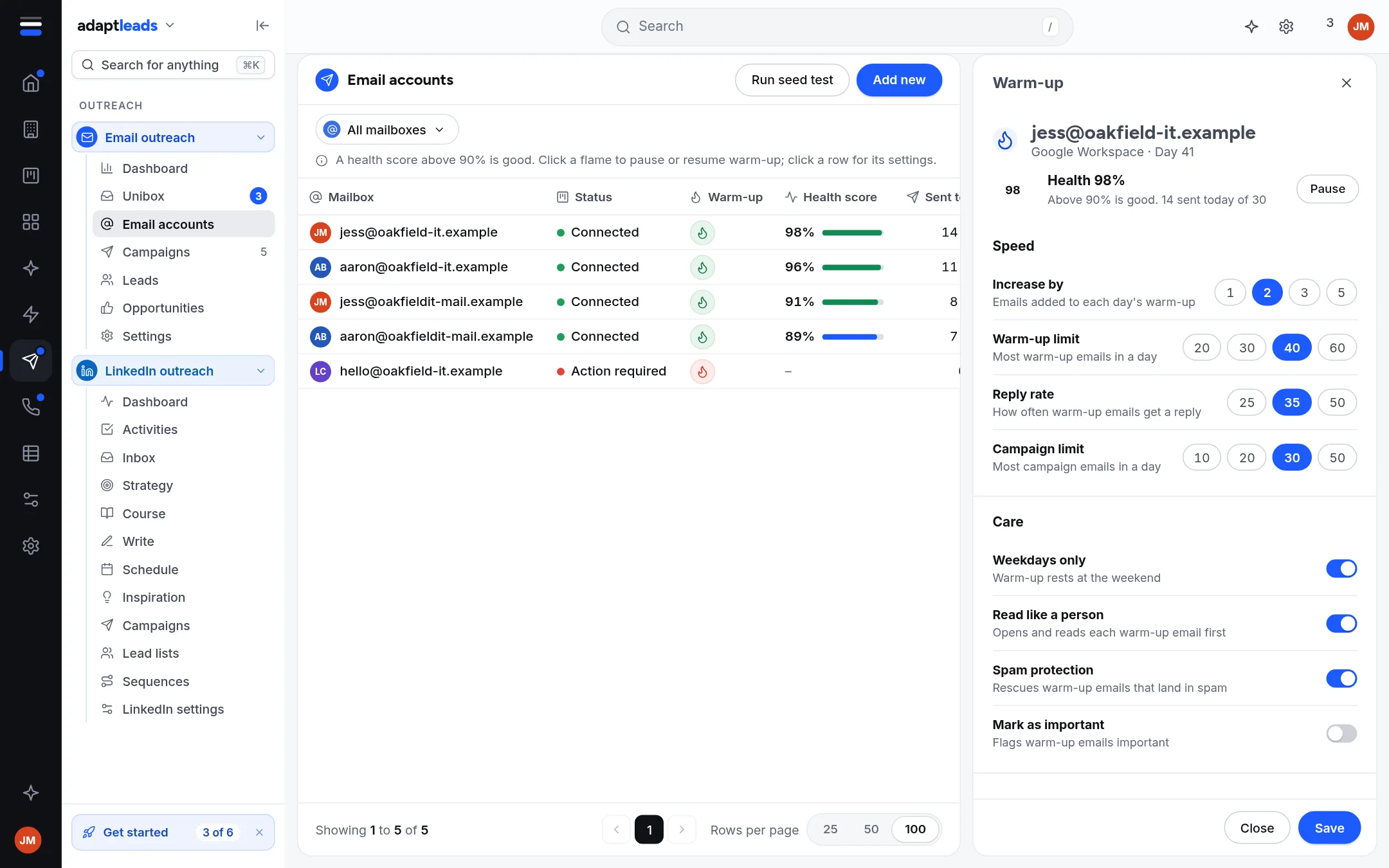
Health score
Health is a percentage worked out once there is warm-up mail to measure. Above 90% is good. Until then the page says Not measured yet. Do not read a missing score as a bad one.
What a campaign checks
A campaign's launch checklist includes Mailboxes warmed up and shows how many of its mailboxes have warm-up on. It does not block launch if they have not. Warming first is your choice, and the safe one.
Warm-up is not a guarantee
Warm-up helps. It does not make an unauthenticated domain, a poor list or spammy copy land in the inbox. See Deliverability basics.