The Search agent
Search reads your saved feed and prepares up to a few 'reason to call' cards, each citing the signal behind it.
Search finds the few businesses worth a call this week and prepares each reason to call as a card for you to approve.
What it reads
With the AI helper on, which is how the server was set on 10 October 2026, Search reads the signals on your saved feed (see Set up your feed: who you sell to, and where) and chooses at most five. For each it prepares a reason to call: a reminder card built from the signal. The business, the evidence and the date come from the signal, not from the AI. A reason that cites no signal is refused. How sure it may sound is capped by how old the signal is. It prefers newer signals, changes in who runs the business, contract wins and hires, and businesses that fit what you sell.
If you have not saved a feed, it says so and cannot prepare reasons, because there is nothing to cite. If you name a sector and a place, it may show a few matching businesses.
What it hands you
- Reason to call cards, with how sure it is (high, medium or low) and the signal behind each.
- A short summary of how many reasons it found.
- Only if your instruction asks: a reveal or an enrichment card (a reveal spends a credit, and only after you approve), or a list.
At most six cards per run.
What you type
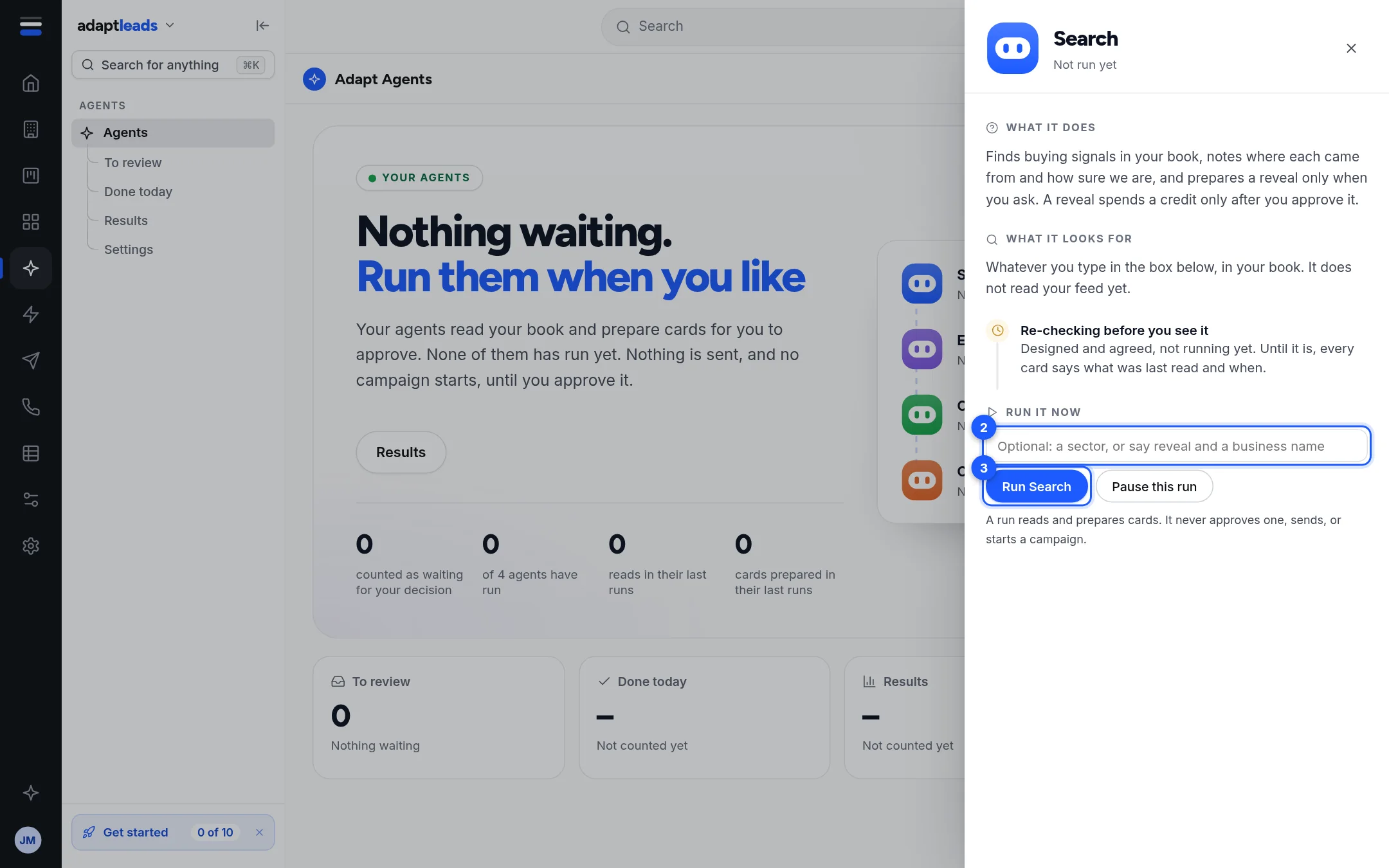
The box is optional. Examples: "reveal Oakfield IT" or a sector. With nothing typed it asks itself "What is worth a call this week, from the businesses on my saved feed?"
Where it works
It reads your feed and your book. It writes nothing to a record. Approving a card happens in Ask Adapt.
What it can never do
Send, start a campaign, spend a credit before you approve, or invent a signal, a date or a business. It does not say where information comes from, and it does not name a person.
When it fails
- If your plan's AI runs for the day are used up, you see a plain message and no run starts. They reset at midnight.
- If the AI helper cannot answer, the run is closed as failed and you see a plain message. Search does not quietly do something else.
-
Cards expire 30 minutes after they are prepared.
The Search panel says "Whatever you type in the box below, in your book. It does not read your feed yet." and Settings says "Search does not read your feed". Both describe the older keyword path. Treat the server behaviour above as current, and expect the wording to change.