Read the Email dashboard
What each tile, chart and panel on the Email outreach dashboard shows, and which figures the app does not count.
The dashboard is the first page in Email outreach. It adds up your campaigns and shows how your mailboxes are doing.
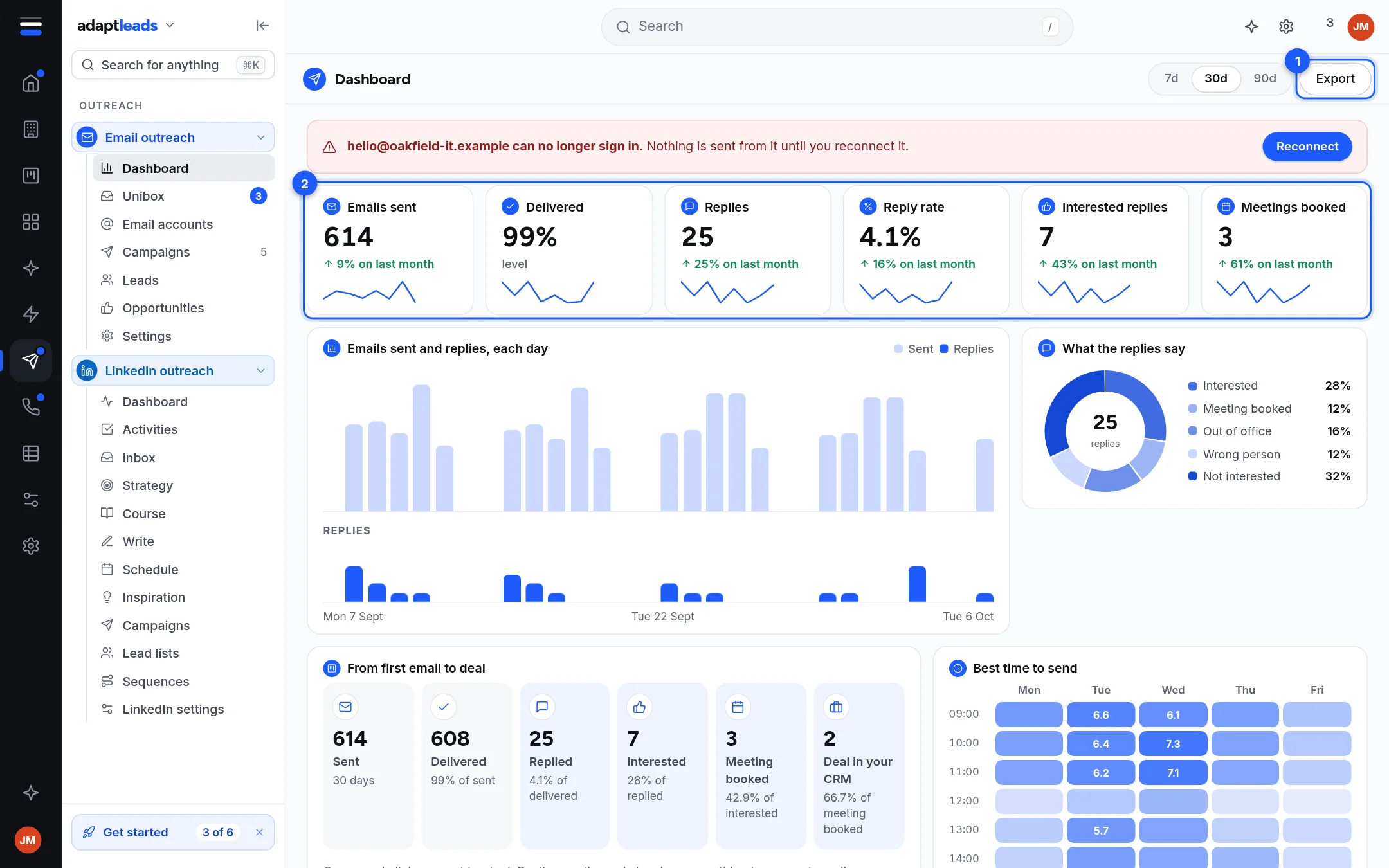
The picture is the design build with sample data. In the live app some panels read Not counted yet where the sample shows a number. This page describes the live app.
What is on the page
| Part | What it shows |
|---|---|
| Banner (red) | A mailbox that can no longer sign in, with a button to fix it. It cannot send or warm up until fixed. |
| Six tiles | Emails sent, Replies, Reply rate, Interested replies, Meetings booked, Deals in your CRM. All are all-time totals. Click one for a side panel that explains it and splits it by campaign and mailbox. |
| Replies chart | Replies per day (per week over 90 days). The 7d, 30d and 90d buttons change this chart only. |
| What the replies say | The replies in that period by tag: Interested, Out of office and so on. |
| From first email to deal | Sent, Replied, Interested, Meeting booked and Deal in your CRM, with each step as a share of the one before. |
| Campaigns | Each campaign with status, sent, replies, reply rate and interested count. Click a row for its side panel. |
| Mailboxes and warm-up | Warm-up emails for the last 14 days and a card per mailbox with its health and today's warm-up count. |
| Deliverability | Did not deliver, Asked us to stop, and the SPF, DKIM and DMARC result for each sending domain. |
| Export | Saves the campaigns table as adapt-outreach-campaigns.csv. |
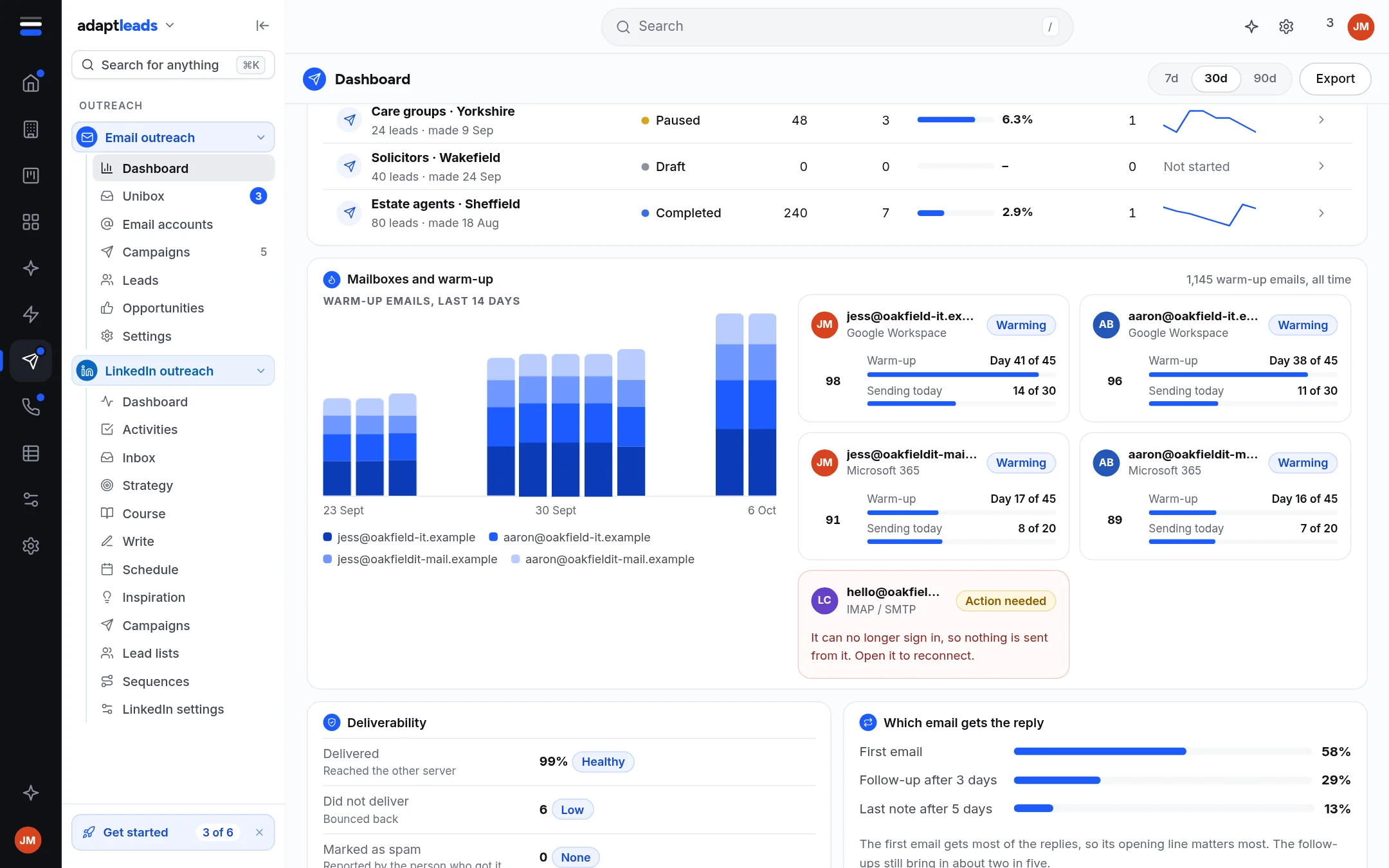
What is not counted
The page tells you plainly instead of showing a made-up figure:
- Emails sent by day. The app keeps a total for each campaign, not the day each email went.
- Delivered, and Marked as spam.
- Best time to send, because the hour of each send is not kept.
- Which email of a sequence got the reply.
- Opens and clicks. They are never tracked.
Meetings and deals
Meetings booked and Deals in your CRM come from Opportunities from email replies. They read your latest 200 opportunities, and the tile says so when you have more.
Common jobs
- Find out what a number means: Reports and what the numbers mean.
- Fix a mailbox flagged in red: Connect a mailbox.
- See where the replies are: The Unibox: read and sort replies.