Leads in a campaign and on the Leads page
Where email leads come from, the Leads page, a campaign's Leads tab, and what each lead status means.
Email outreach keeps its own pool of leads. Each campaign picks its recipients from that pool. A lead needs an email address to be added to a campaign.
The Leads page
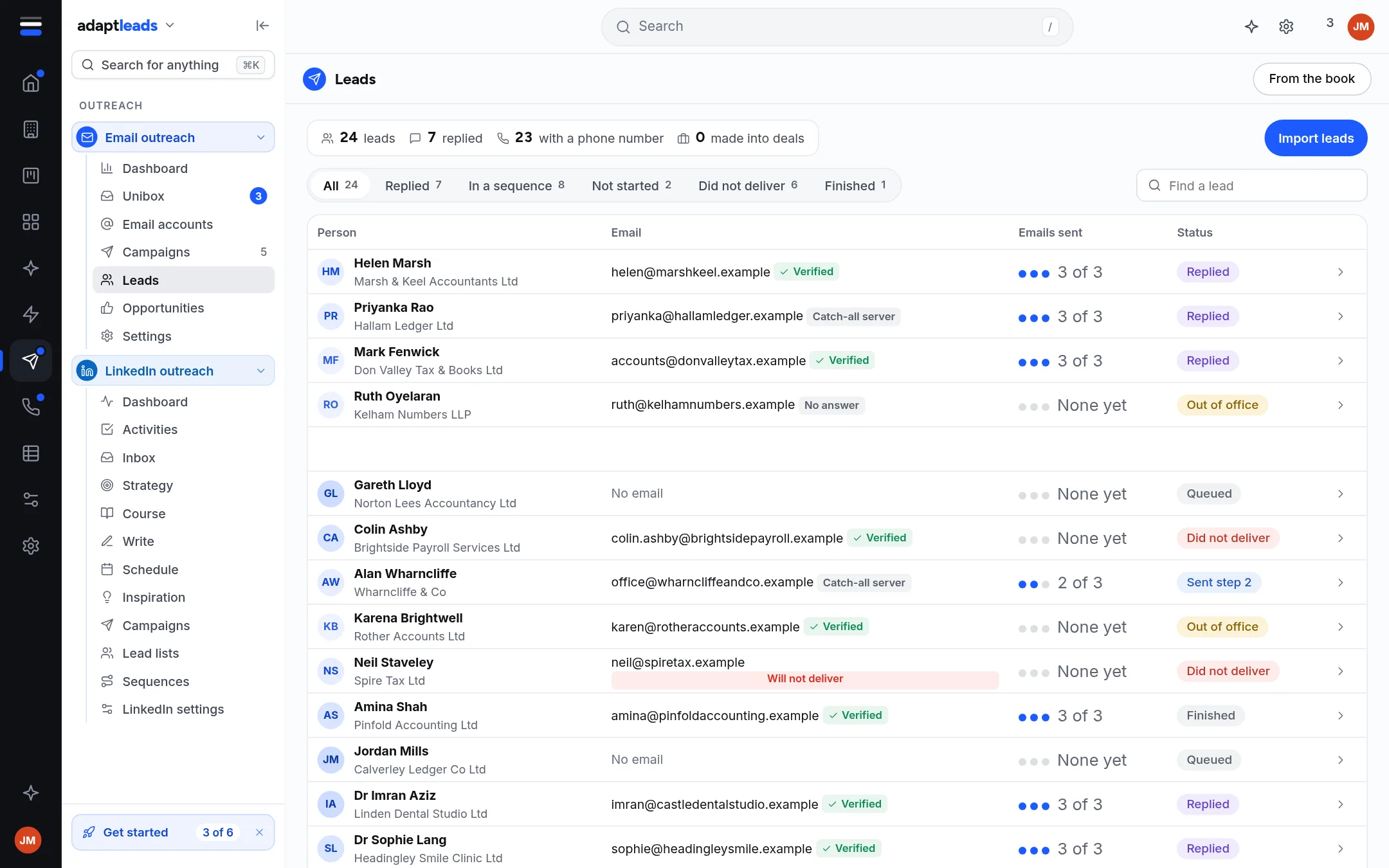
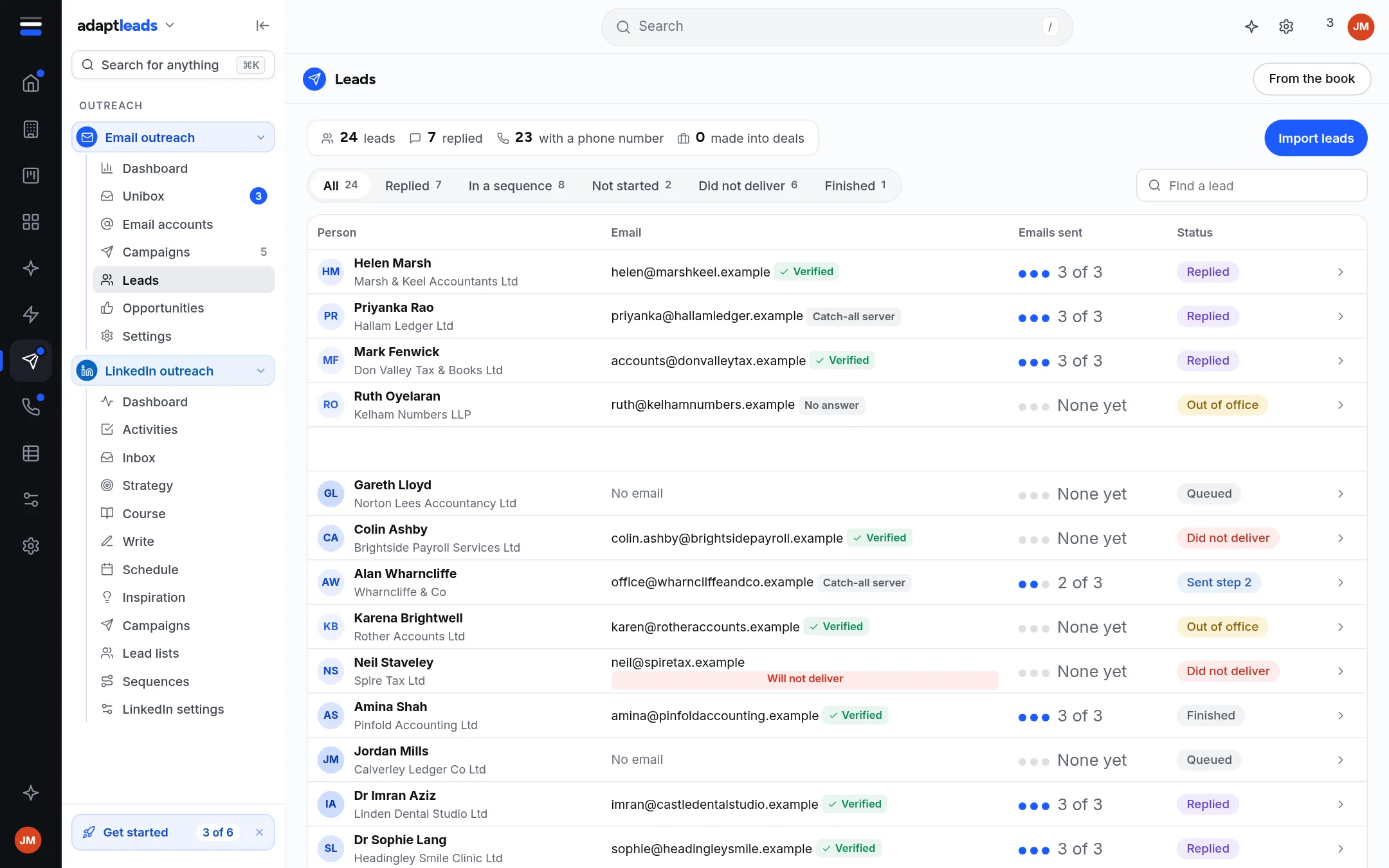
It shows a summary strip (leads, how many replied, with a phone number, made into deals), a filter row, a search box and the table. Counts are for the page you are on, and the page says so. It loads 200 at a time with Previous and Next. Click a row for a side panel, and Edit details to change the lead. Edits save to the lead in Email outreach only, and an email address cannot be cleared.
Import leads and From the book are at the top: Import leads for email from a CSV, a paste or a list.
A campaign's Leads tab
The tab lists recipients with name, email, city and status, and Add leads offers:
| Choice | What it does |
|---|---|
| From your Outreach leads | Pick from the pool (first 200). Leads with no email are greyed. |
| Upload a CSV | Up to 5,000 rows |
| Paste email addresses | One per line |
| Find them in Adapt Insights | For campaigns written for each lead: Writing emails with Adapt |
| From an Adapt Leads list | Use Send to on a list or search in Adapt Leads, then come back |
Adding leads to an Active campaign asks first, because they will be emailed at its next send.
Lead statuses
| Status | Meaning |
|---|---|
| Lead | No reply yet |
| Interested | Replied with interest |
| Meeting booked / Meeting completed | Set from a reply or an opportunity |
| Won, Lost | Set on the opportunity |
| Not interested, Wrong person, Out of office | From the reply tag |
A lead marked Do not contact shows a red pill and is never emailed.