Sending limits and why they exist
The daily limit, the random daily range, the gap between emails and the other options on the Options tab.
Limits keep a mailbox from sending in a burst, which is what gets cold email marked as spam. The safe start is about 30 emails a day for each mailbox.
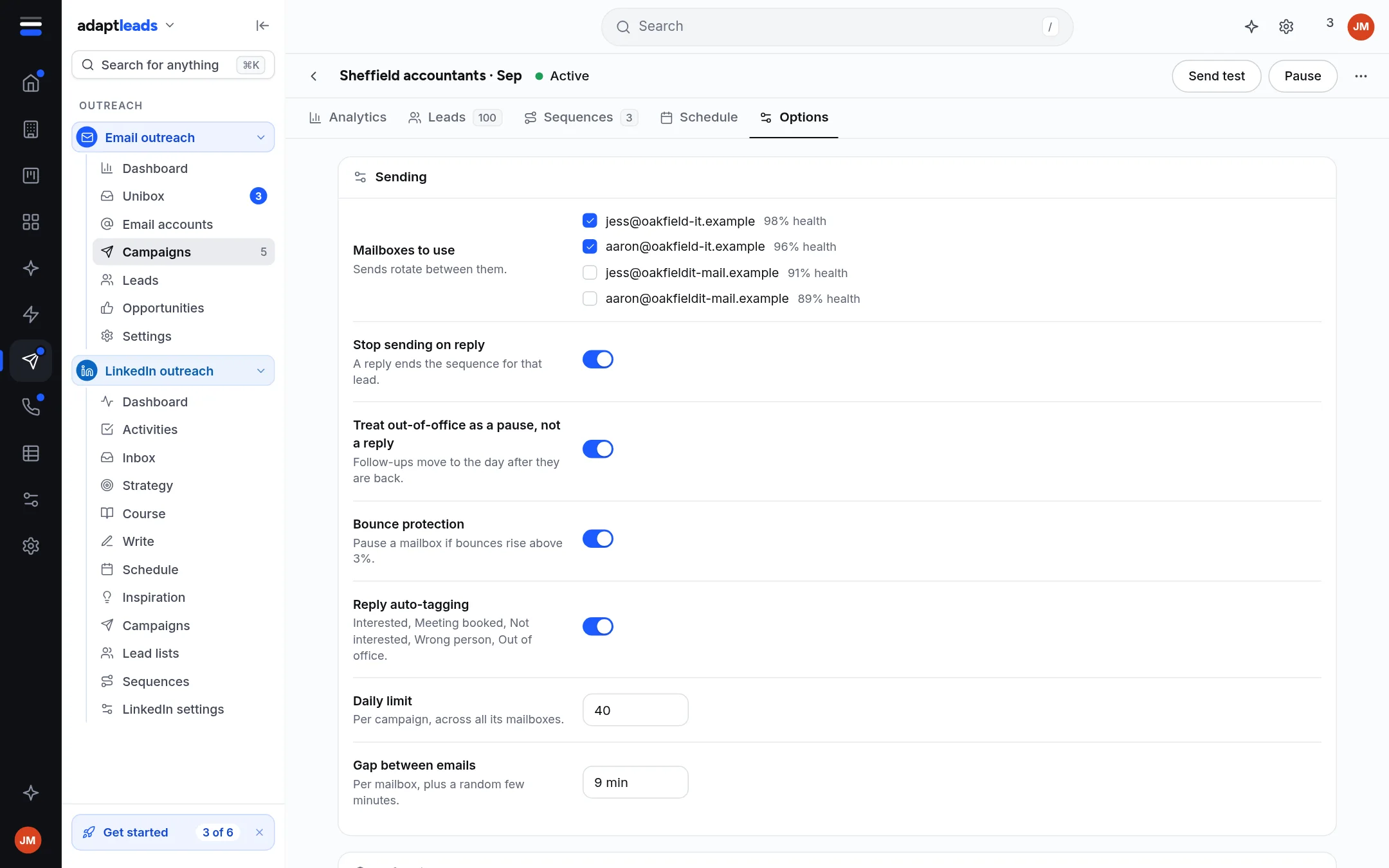
The Sending panel
| Option | What it does |
|---|---|
| Mailboxes to use | Tick connected sending mailboxes. Sends take turns between them. Warm-up inboxes cannot send campaigns. |
| Daily limit | The most emails a day across all its mailboxes. Default 30. Use N sets 30 for each mailbox ticked. |
| Vary it each day | Optional. Set a minimum and maximum and each day uses a different number in that range. The maximum is capped at 20. Leave both at 0 to use the daily limit. |
| Gap between emails | Minutes between emails from one mailbox, plus a random few more. Default 9 plus up to 5. |
| Stop sending on reply | A reply ends the sequence for that lead. On by default. |
| Bounce protection | Skips addresses known to bounce and pauses sending if bounces climb. On by default. |
More options
Open Show all 16. Open tracking and link tracking are Off and cannot be turned on. Everything else is Not available yet: custom tracking domain, plain text only, most new leads a day, new leads before follow-ups, pick the best A/B variant, match the provider, stop on an automatic reply, stop for the whole company on a reply, unsubscribe header, send to addresses that fail checks, CC and BCC, tags, campaign owner, limit per company.
Why they matter
A new mailbox that sends hundreds of emails on its first day looks like spam to receivers. Ramp up with warm-up first. Raise the daily limit slowly and watch bounces and replies. If bounces rise, stop and clean the list.
Out of office
An out-of-office reply counts as a reply, so no more follow-ups go to that lead.