LinkedIn settings, the extension, AI assistants and your AI key
Download the extension, see if it is working, let an AI assistant ask to start a campaign, and where your AI key lives.
These two sections are under Your browser.
Chrome extension
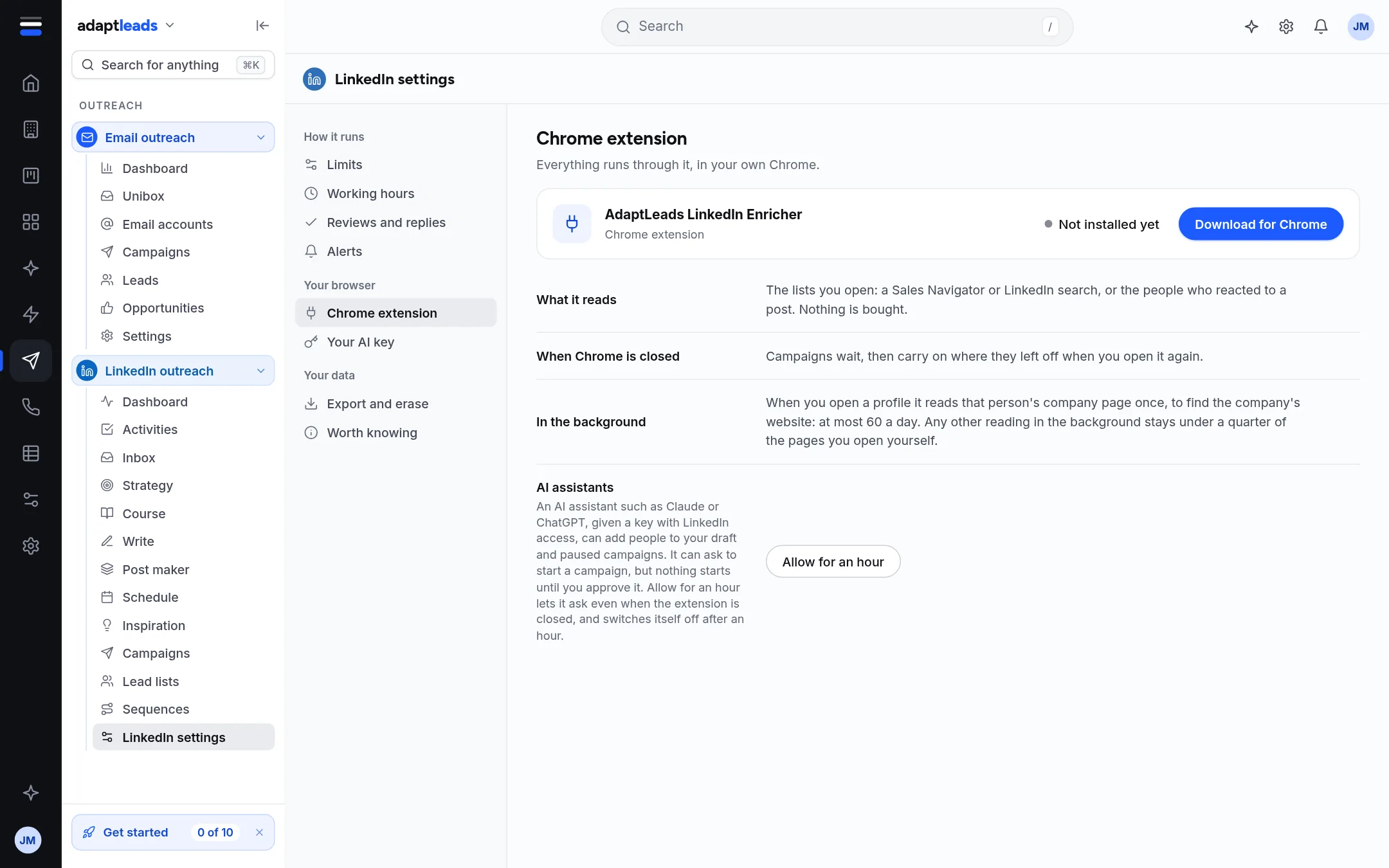
The card is called AdaptLeads LinkedIn Enricher (the extension itself calls itself Adapt Leads). It shows the version, and a status.
| Status | Meaning |
|---|---|
| Not installed yet | This account has never heard from an extension. |
| Installed | Installed in this browser. |
| Working now | The server heard from it recently. |
| Not running now | It worked a campaign before, not recently. |
| Update ready | A newer version is available. Press Download. |
Download for Chrome downloads the zip. Chrome will not install it from outside the store, so you load it by hand. See Install the extension. The extension is not updated by Chrome either: see Update the extension.
The card also shows who it is signed in as on LinkedIn, when the server last heard from it, what it reads, that campaigns wait when Chrome is closed and carry on when you open it, and that in the background it reads a person's company page once, at most 60 a day.
AI assistants
An AI assistant such as Claude or ChatGPT, given a key with LinkedIn access, can add people to your draft and paused campaigns. It can ask to start a campaign, but nothing starts until you approve it yourself. It can never start one.
Allow for an hour lets it ask even when the extension is closed, and switches itself off after an hour. It asks first. While allowed, the card says until what time, and Stop now ends it.
Your AI key
The key lets you use Ask in the extension. It is kept in the extension on your computer, goes only to that provider, and is never typed on this page. Adapt never sees it, and the provider bills you. There are six providers. See Extension settings and Ask.