The LinkedIn dashboard
Invites, acceptance, replies and post numbers for your LinkedIn work, and what each card does and does not count.
The dashboard shows how your LinkedIn outreach and posting are going, using only numbers Adapt actually holds.
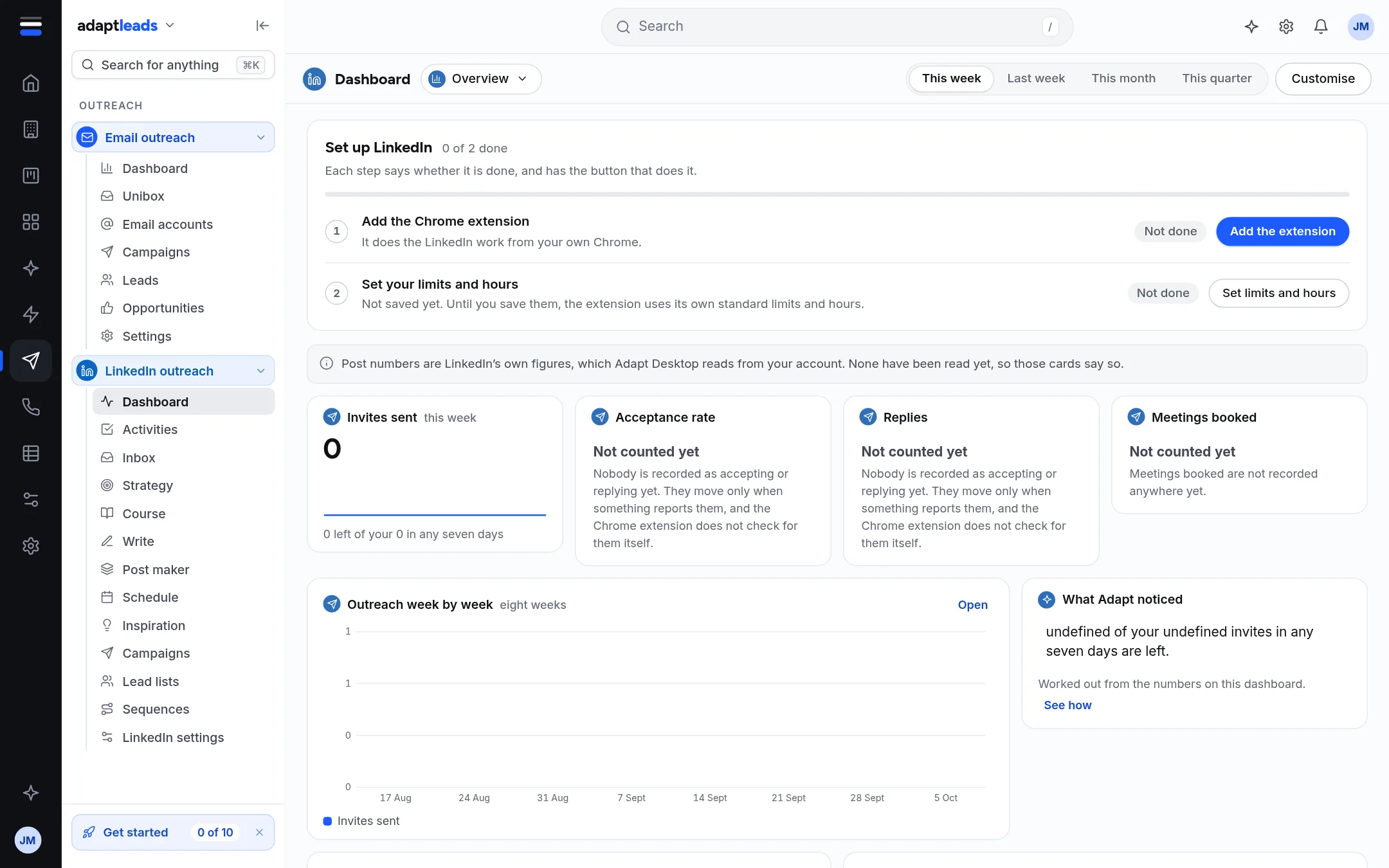
Set up LinkedIn
A new account starts with a card, Set up LinkedIn, with two steps. Each step says whether it is done and has the button that does it.
- Add the Chrome extension. The button is Add the extension. See Install the extension.
- Set your limits and hours. The button is Set limits and hours. Until you save them, the extension uses its own standard limits and hours. See LinkedIn settings, limits and working hours.
The cards
| Card | What it shows | State |
|---|---|---|
| Invites sent | Invites this week, with how many are left of your seven-day budget | Counted |
| Acceptance rate | Share of invited people who accepted | Not counted yet |
| Replies | People who replied | Not counted yet |
| Meetings booked | Meetings | Not counted yet |
| Outreach week by week | Eight weeks of invites sent, with accepted and replied | Invites counted; the rest only when something reports them |
| What Adapt noticed | A few plain sentences worked out from the numbers on this page, with the sum shown under See how | Worked out here |
Accepted and replied only move when something reports them, and the Chrome extension does not check for either. So a zero is never shown as "nobody accepted". It says Not counted yet.
Post numbers
Impressions, reactions, comments and reposts are LinkedIn's own totals. They come from Adapt Desktop, which reads them from your own LinkedIn. Until it has read your posts, the page says so and those cards say they are not counted. They are totals across the posts read so far, not a week-by-week history.
Time range and Customise
Choose This week, Last week, This month or This quarter at the top right. Customise lets you arrange the boards. Board layouts are kept in this browser for this account, not on the server, so another computer starts with the standard layout.
What it does not do
- It does not estimate the numbers it cannot count.
- It does not show a sample unless you are in a demo account. In a demo account the post numbers are examples, and the page says so.