LinkedIn settings, limits and working hours
Set your daily and weekly limits and your working hours, and what Cautious, Balanced and At the cap do.
You will have limits and working hours saved on your account, which the extension reads each time it starts a run.
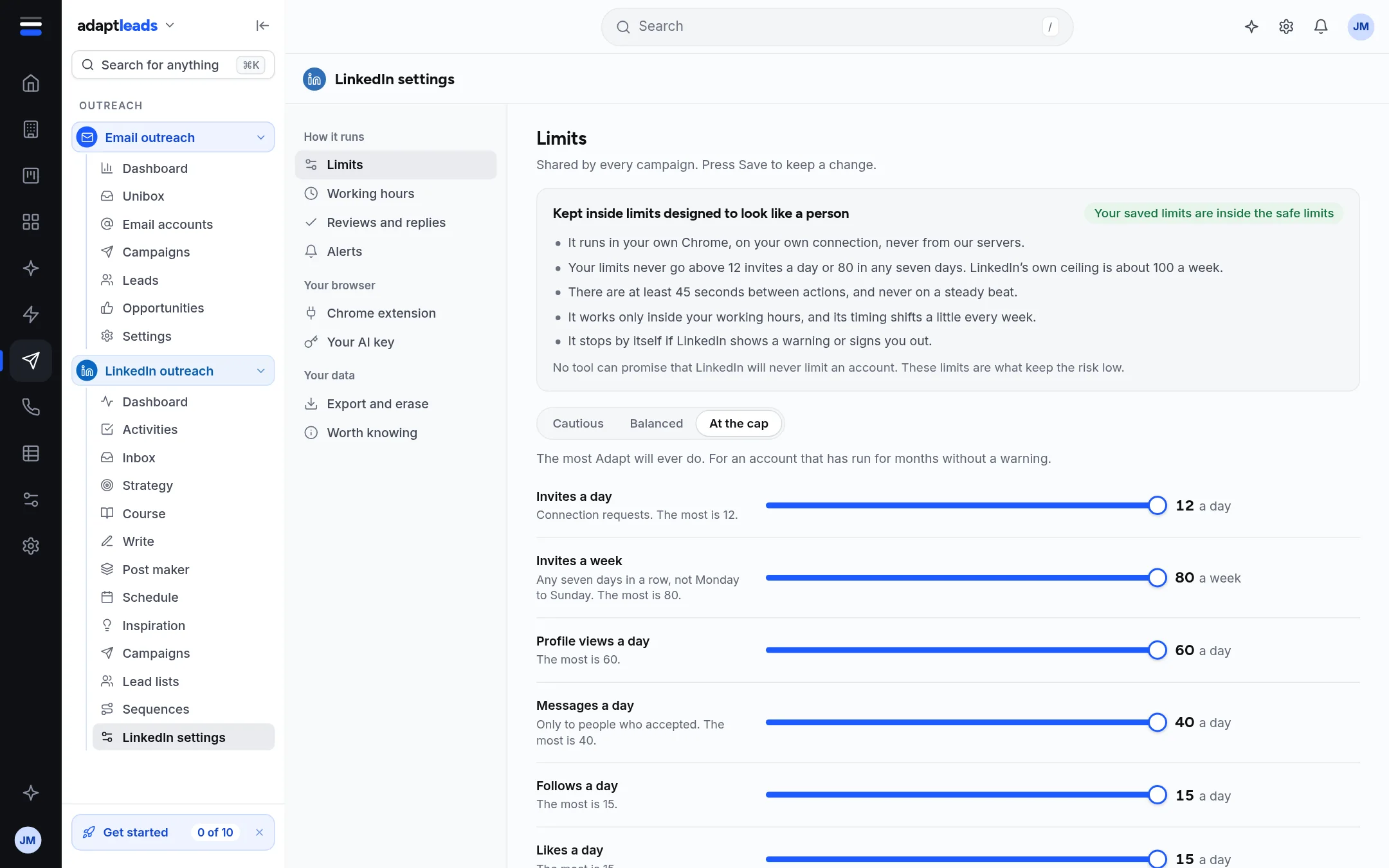
Limits
- Open LinkedIn settings, then Limits (under How it runs).
- Choose Cautious, Balanced or At the cap, or drag a slider.
- Press Save. It asks first and lists each change, and warns if you raised one.
| Preset | Who it suits |
|---|---|
| Cautious | A new account, or one LinkedIn has warned before. |
| Balanced | The standard numbers: 10 invites a day and 80 a week. Right for most accounts. |
| At the cap | The most Adapt will ever do, for an account that has run for months without a warning. |
The sliders are Invites a day, Invites a week, Profile views a day, Messages a day, Follows a day and Likes a day. Each says its maximum. A bar shows whether your saved limits are inside the safe limits. Undo drops changes you have not saved.
If you never save, the extension uses this week's rhythm (a different set of figures for each account each week, always inside the safe band).
Working hours
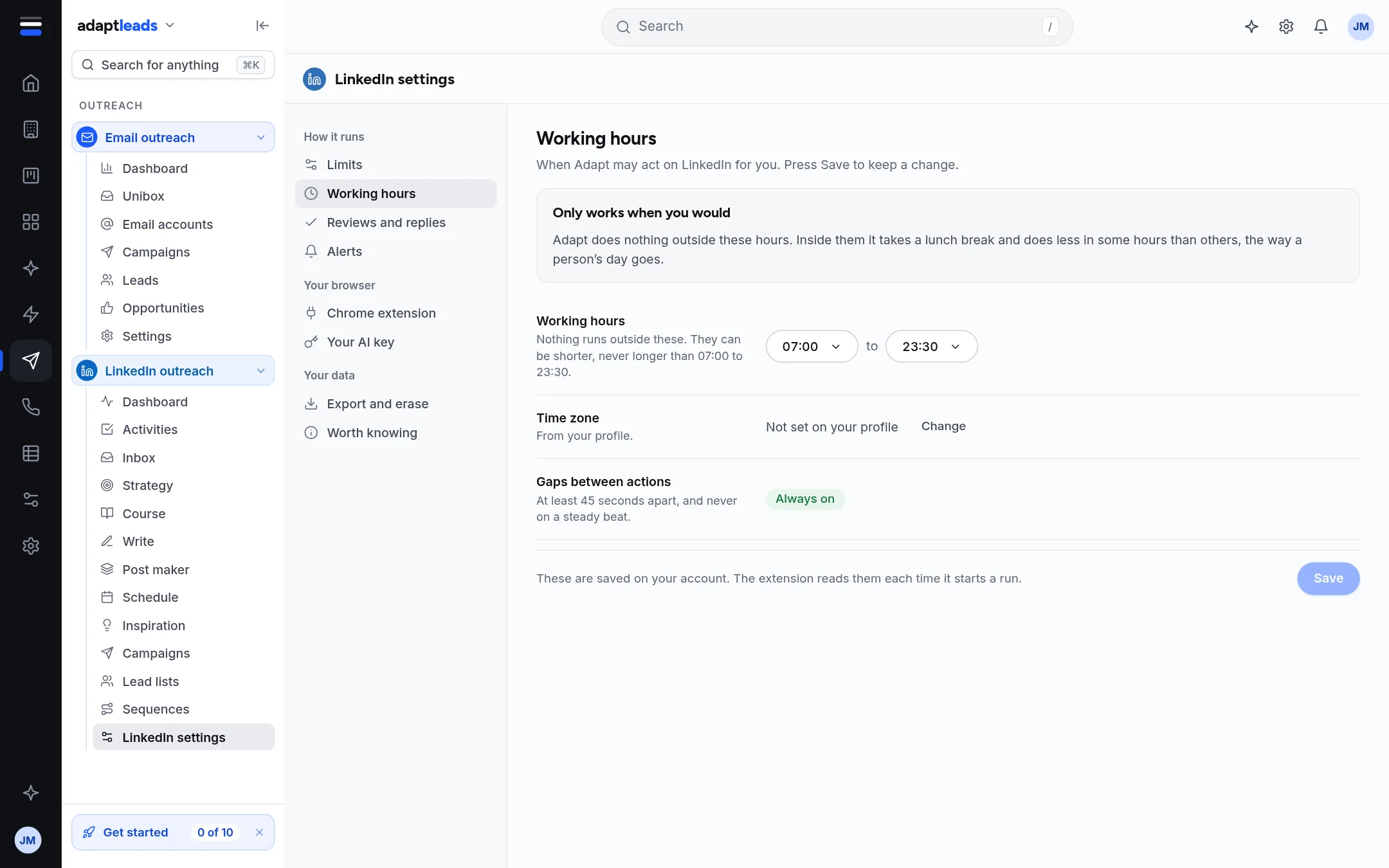
- Open Working hours.
- Choose a start and end time. They are clamped to 07:00 to 23:30 and can be shorter, never longer.
- Press Save.
The time zone comes from your profile. The extension works on the clock of the computer it runs on. Gaps between actions are at least 45 seconds and never regular. Inside your hours it also takes a break and does less in some hours, the way a day goes.
Things that are not here
- A campaign does not take its own share of the limits. All your campaigns share them.
- A new account is not ramped up over its first 30 days by Adapt. If your account is new, choose Cautious yourself.
Related: Limits and safety on LinkedIn.