LinkedIn campaigns
The list of your LinkedIn campaigns, what the status and numbers mean, and what the switch does.
A campaign is a list of people and the steps to take with them. The Campaigns page lists them and shows how each is doing.
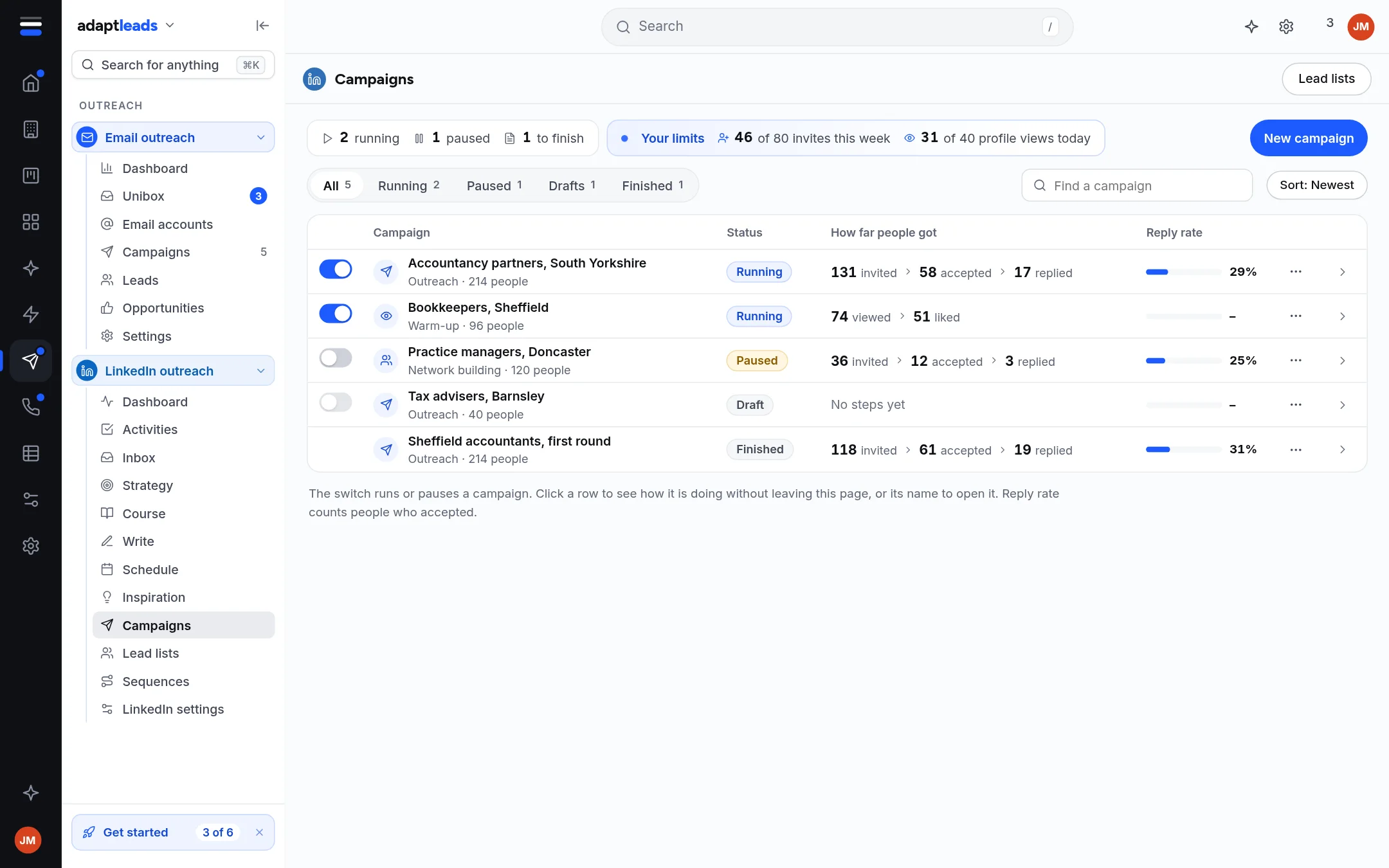
The list
Tabs filter by status: All, Active (the sample build says Running), Paused, Drafts and Finished, each with a count. Find a campaign searches by name and Sort changes the order. A line at the top shows how many invites you have used of your seven-day budget.
| Column | Meaning |
|---|---|
| Switch | Marks the campaign active or paused. It does not start or stop LinkedIn. |
| Campaign | Name, kind and how many people. |
| Status | Draft, Active, Paused or Finished. |
| Progress | How far through its people it has got. |
| How far people got | Counts of people by where they are now. |
| Reply rate | Replies as a share of people who accepted. |
A campaign with no steps says No steps yet. Click a row to open a side panel with how it is doing. Click its name to open the campaign page.
What the numbers mean
The counts are people by their current state: waiting, invited, accepted, replied, skipped or did not go. A step is reported as done by the extension for a profile view, a like and a follow as well as an invite. So a count of invites is only exact where the invite is the first step.
Accepted and replied move only when something reports them, and the extension does not check for them. A dash or Not counted yet means nobody has reported one. It does not mean nobody did.
The campaign page
Open a campaign for four tabs: Overview (where people are, and what happens next), Sequence (the steps), People (who, and where each person is) and Settings (name, working hours link, and Delete).
Active does not start LinkedIn
Making a campaign Active marks it only. Neither the extension nor Adapt Desktop reads that mark. To work through the people waiting, start a run yourself in the extension. See Run a LinkedIn campaign. Marking it paused later does not stop a run already going.