Integrations and Your stack problems, by message
Google Calendar and other connections that say Not connected, and what each message means.
Not connected
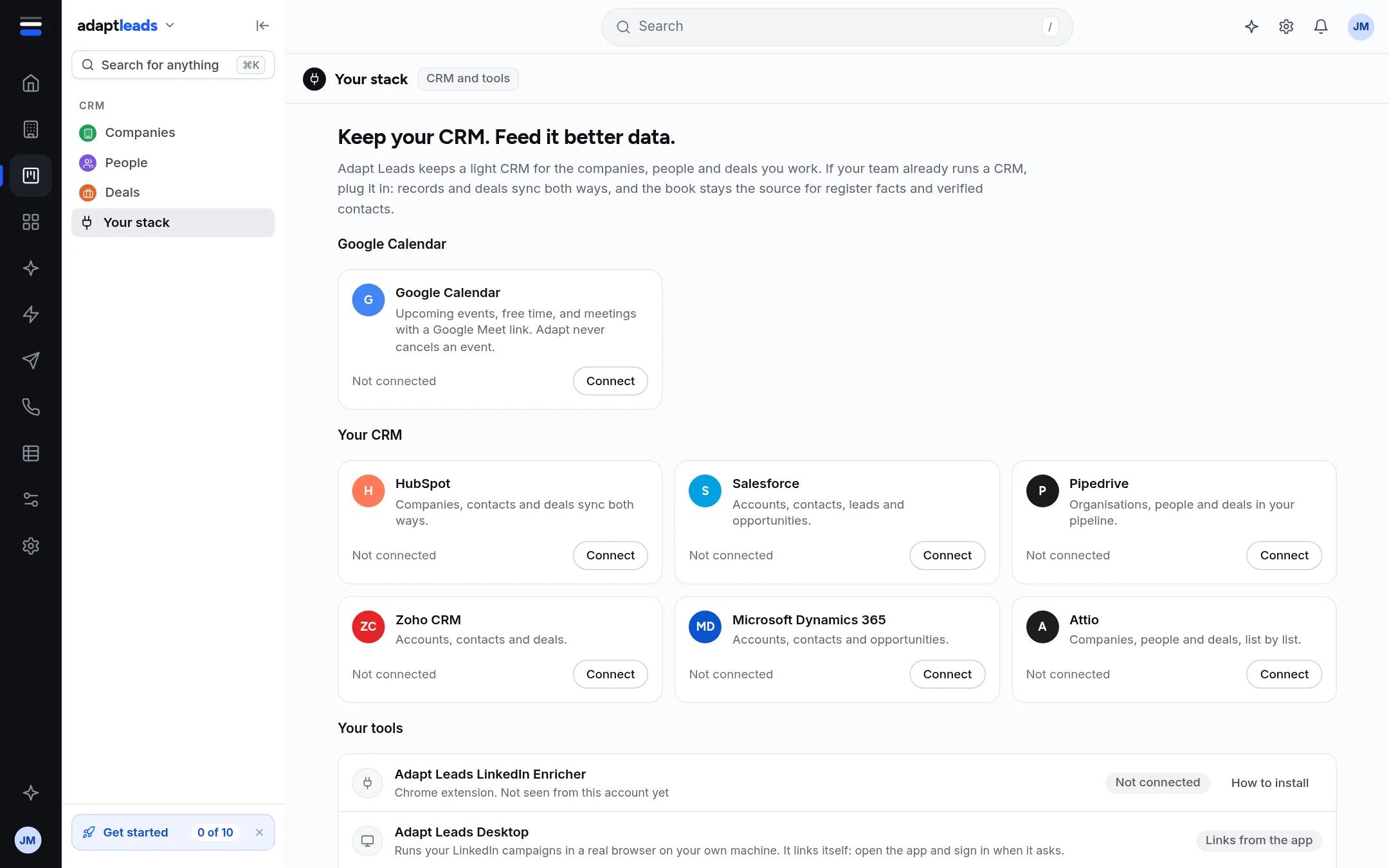
On Your stack a card shows Not connected until you connect it. For the Chrome extension see Chrome extension problems, by message. For Google Calendar see below.
Google Calendar was not connected. Press Connect to try again.
The Google window closed without finishing. Press Connect again. The more specific versions are:
| Message | What to do |
|---|---|
| That connection link expired. Press Connect to try again. | Press Connect and finish within a few minutes. |
| That connection link was not valid. Press Connect to try again. | Start again from Connect. Do not reopen an old window. |
| Google did not finish connecting. Press Connect to try again. | Press Connect and tick every permission Google asks for. |
| Google connected, but the calendar address could not be read. Try again. | Try again, with the same Google account. |
| Could not start the Google connection. Try again. | Try again in a minute. |
Adapt reads upcoming events and free time. It never cancels an event.
... sync is not built yet. This card shows what it will do.
The cards for other CRMs on Your stack show Not connected and a Connect button. Pressing it gives a short message, for example "HubSpot sync is not built yet. This card shows what it will do." Nothing is connected or changed.
This screen is not connected yet. Its content is already in the template.
On the Customise pages, some screens are drawn but have nothing behind them. See known-issues/workflows-and-customise.