Caller reports and the Overview tab
What the Overview tab and a manager's Results page count, and what each number does not mean.
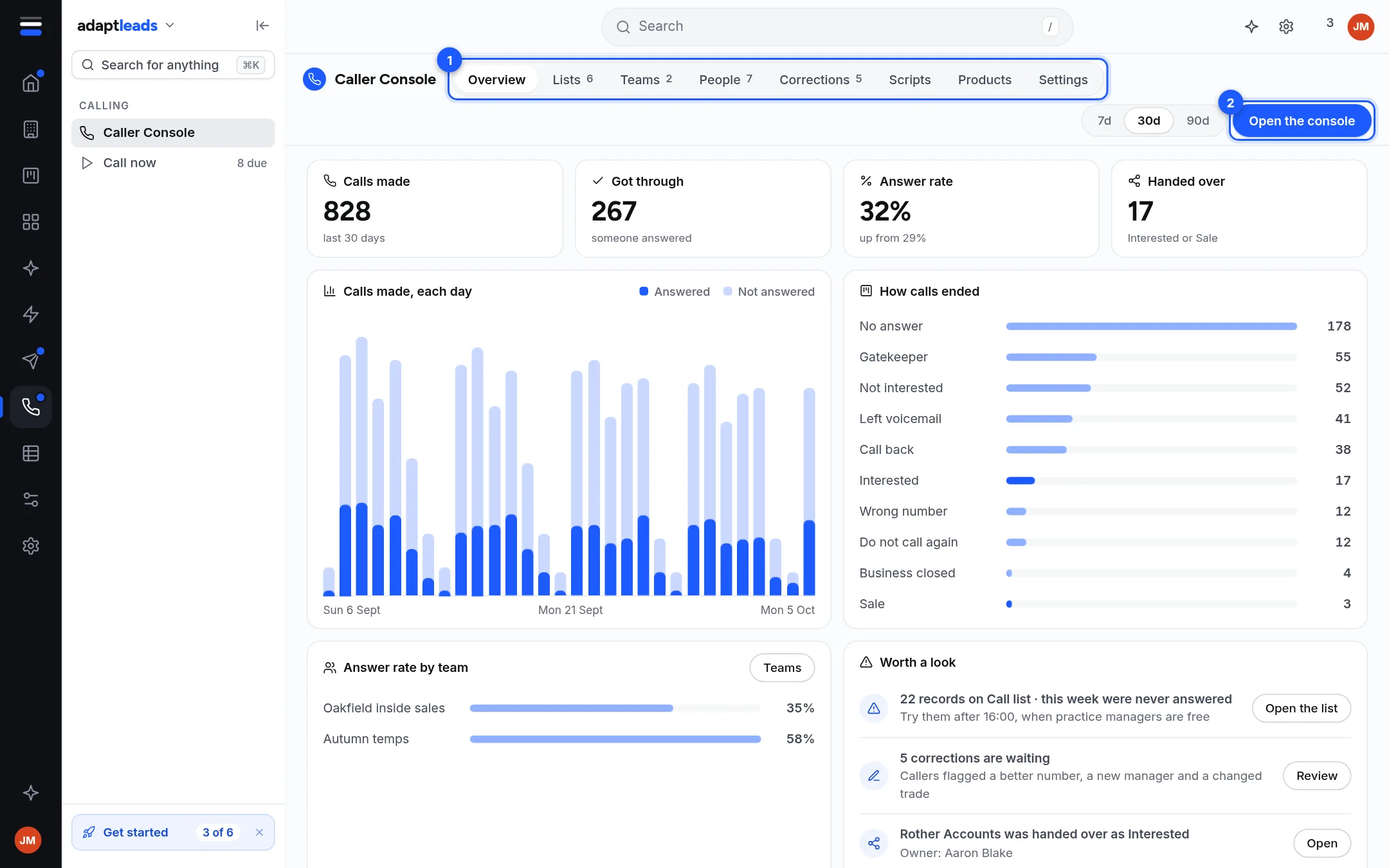
The Overview tab of Caller Console, and the Results page a team manager sees, count what callers logged. Both read from the live console, with a period of 7, 30 or 90 days on the Adapt Leads side.
What the numbers count
| Number | What it counts and does not count |
|---|---|
| Calls made | Outcomes logged. One business rung three times is three calls. |
| Got through | Somebody answered. Not that they were interested: a flat no counts. |
| Answer rate | Got through as a share of calls made. A very low rate usually points at the numbers, not the callers. |
| Handed over | Marked Interested or Sale and sent on. |
| Corrections | Record problems callers flagged. |
| Avg on a record (Results) | Time from opening a record to saving it. Not time on the phone. Adapt cannot see handsets. |
Parts of the Overview tab
- Calls made, each day: answered and not answered.
- How calls ended: one bar for each of the ten outcomes.
- Answer rate by team, with a button to Teams.
- Worth a look: lists such as records on a call list that were never answered, corrections waiting, and a business handed over as Interested. Each has a button that opens it.
Never answered is about the numbers
The count of records rung five times with no conversation is evidence about the numbers, not a verdict on those businesses or on the caller who rang them.
What is not shown
- Calls by the hour is in the design but not drawn in the live app.
- A figure the console does not send is left out or says it is not counted yet.
- On Adapt Leads Home and Reports, calls made, calls that got through and handovers can say "the caller console is not connected" until that link is made.
Call outcomes also reach the CRM: a handover becomes a deal. See Deals and pipelines.