Invite and remove callers
Invite a team manager, let them invite callers, and switch someone off the same day they leave.
You will have a manager who can sign in to the callers' console, run their own team and invite their own callers.
Invite a manager
- Open Caller Console, then Teams, and open the team. If it has no manager the button reads Invite their manager.
- Press Invite a manager (or Invite somebody on the team page).
- Type their name and email.
- Press Send the invite. They get a one-use link to set a password. It expires in 7 days.
- If the email did not go out, the window shows a link you can send yourself. An earlier invite to the same address stops working when you send a new one.
A manager account covers their own team only. They cannot see the book, another team or anything of yours. They pick their own password; nobody else sees it.
Callers are invited by the manager
In the callers' console, a manager opens People, then Add someone. The caller gets an email called "Your login for [your team]" from Adapt Leads Caller. The sign-in page is cc.adaptleads.co.uk. Forgotten your password? sends a reset link that works once and expires in an hour.
See and remove access
Caller Console, People lists everyone with access.
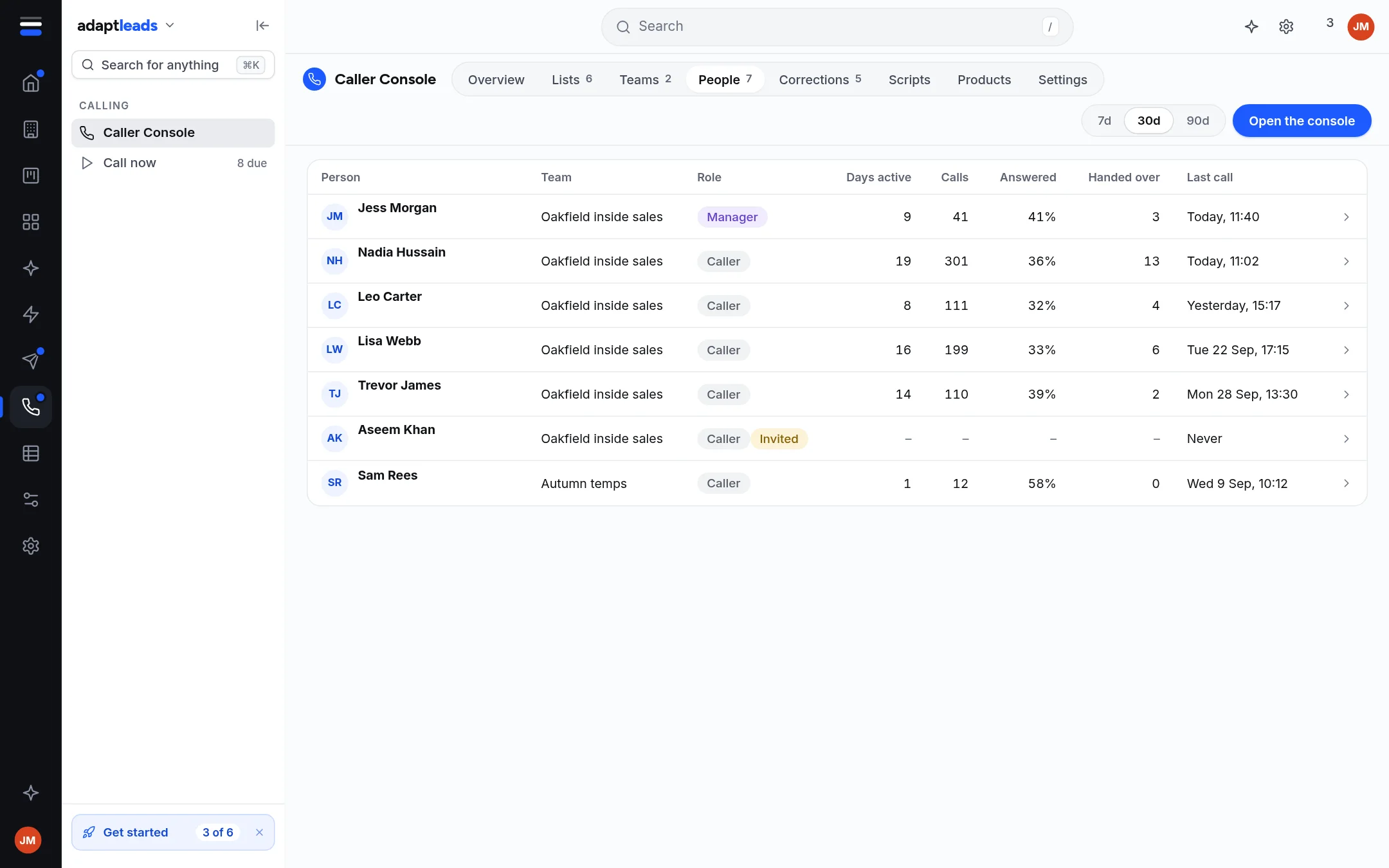
The columns are Person, Team, Role, Days active, Calls, Answered, Handed over and Last call. Open a person to see their days and calls. Their page has Remove access, or Give access back once removed. An invite that has not been accepted yet is not marked in the live app.
- Switching someone off takes effect on their next click.
- Their unworked records go back in the pool to be handed to someone else.
- Their logged calls stay. Removing someone never deletes their work.
Switch people off the same day they leave
A disabled account cannot sign in. It is the one housekeeping job that matters.
Roles
| Role | Sees | Can do |
|---|---|---|
| Sales exec | Today, Lists, Console, Call backs | Works the lists they were handed. |
| Team manager | All of that, plus What was said, Promises, Results, People | Hands out lists, moves a call back, adds and removes people. Can also call. |
| Operator (you, in Adapt Leads) | Caller Console in Adapt Leads | Every team, list and person. Gives lists to teams. |