Make a call in the callers' console
Dial on your own handset, press Start call, log what happened and move to the next business.
You will have rung a business, written down what was said, and logged one of ten outcomes, with the next business ready.
About the pictures
The pictures show the console's design with sample businesses and a sample script. Your own list, script and products will differ.
Before you start
- Your manager has handed you a list. Until they do, Today is empty.
- Sign in at
cc.adaptleads.co.ukwith the email and password you set from your invite. It works in any modern browser on a laptop or desktop. - Read Calling rules and the law (PECR, TPS and your duties) once. Numbers are not checked against TPS or CTPS.
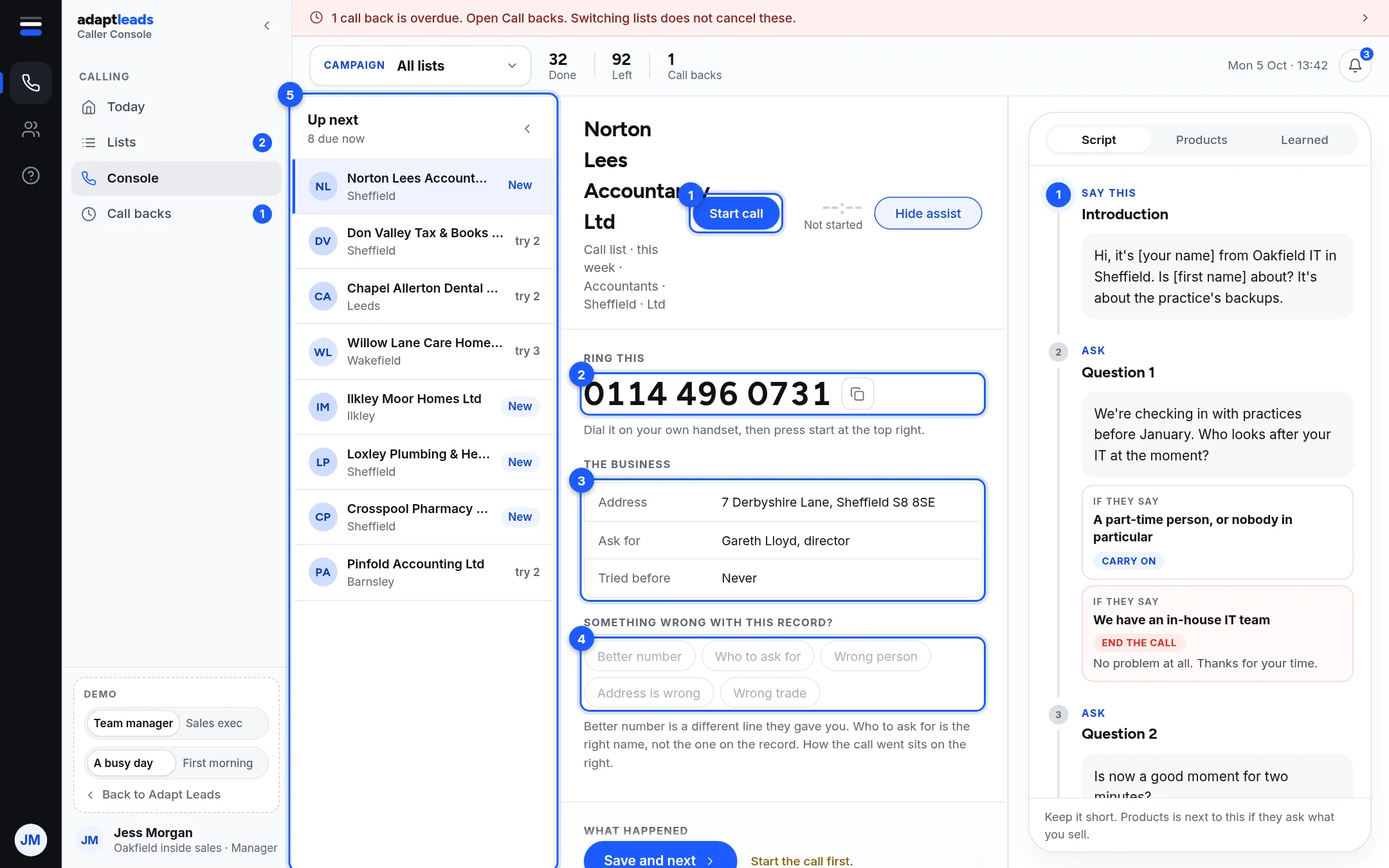
Steps
- Open Today and press Start calling on a list. If you have already begun, the button reads Carry on. The header names the campaign you are on.
- Read the business on the left and the script on the right. The number to ring is under Ring this (2).
- Dial the number on your handset. Press Copy if that is quicker.
- Press Start call (1). The timer starts and the button becomes End call. Outcomes, notes and flags stay locked until you press it.
- Type under What happened as you talk. This is what your manager reads. It is saved on your machine about once a second, and the time it last saved sits beside the box.
- Press End call when the call finishes.
- Under How did it go, pick one outcome. See Call outcomes and what each one does. Call back asks for a day and time. Wrong number and Do not call again ask Who told you that?.
- Press Save and next. The next business loads straight away. There is no skip.
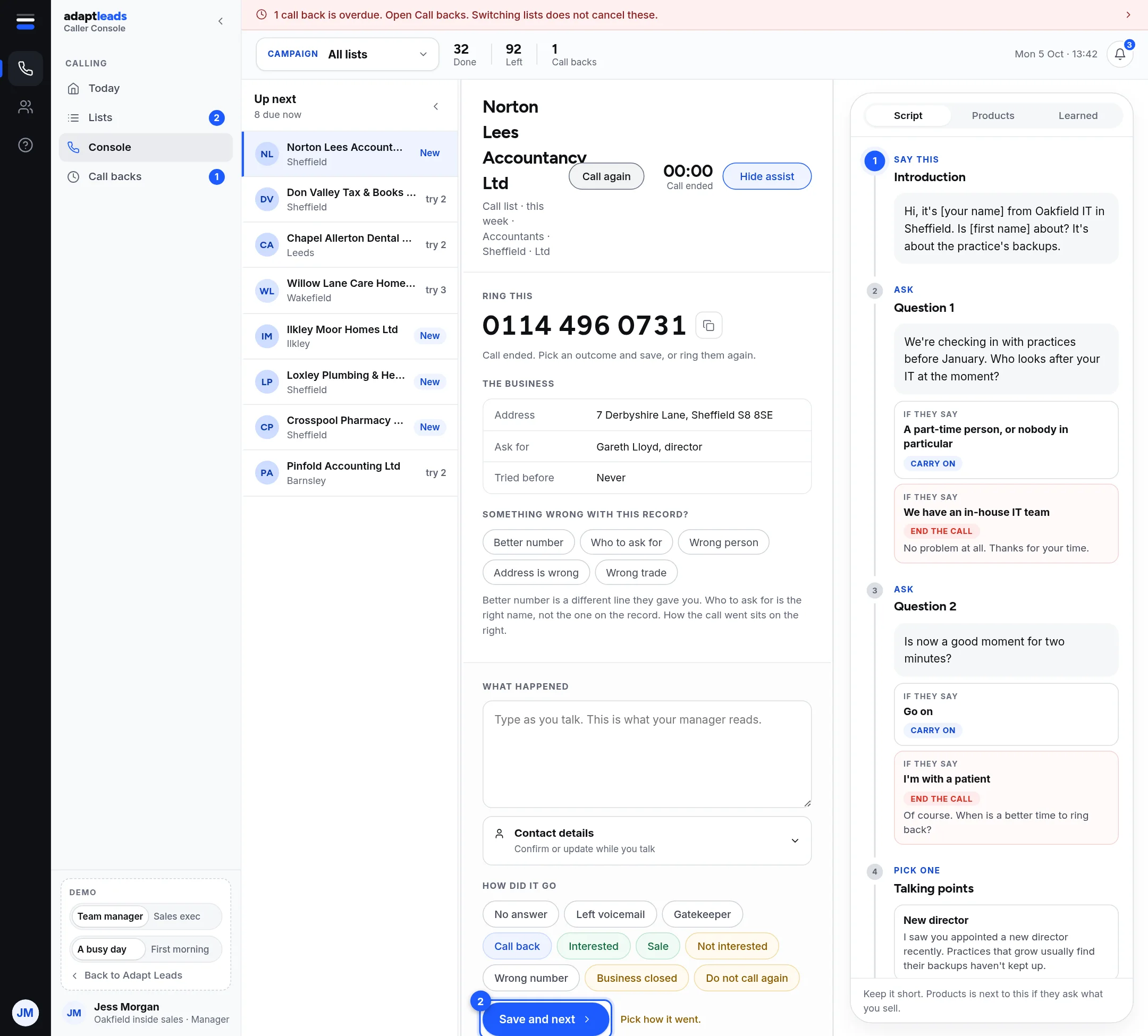
What the screen gives you
| Part | What it does |
|---|---|
| Up next (5) | A preview of what is coming, best first. try 2 means you have rung them once already. It is not a list to jump around in. |
| The business (3) | Address, who to ask for, how many times it has been tried, and any other numbers. |
| Something wrong with this record? (4) | One tap flags a problem. See Wrong numbers and corrections. |
| Script, Products, Learned | The assist panel. Hide assist gives you room on a small screen. Learned opens for Interested and Sale. |
| Timer | Counts time on the record, not time on the line. Adapt cannot see your handset. |
If you are interrupted
Everything you type is saved on your machine. Refreshing, closing the tab, losing your connection or being signed out does not lose the call you are in: come back and you land on that record with it all there. If you press Save and next with no connection, the call is held and goes by itself when you are back online. Pressing it twice does not log the call twice.
What does not happen
- Adapt does not dial, record or transcribe. Nobody listens.
- You cannot save an outcome until you have pressed Start call and End call.
- You cannot undo Do not call again. If you pressed it by mistake, tell your manager.
Something not working? See Caller console problems and what to do.