Search by describing who you want (Ask AI)
Type a sentence such as dental practices in Leeds with a verified owner email, and Ask AI sets the filters for you.
You will have the filters set for you, shown as chips you can check and change.
Before you start
Ask AI is on Businesses and Directors. It sets filters. It does not reveal, export or send anything, and it does not cost you anything.
Steps
- Click Ask AI at the top right. A panel opens beside the page.
- In the box, describe who you want. For example "Accountants in Sheffield with a phone number". Up to 300 characters.
- Press Enter, or click the arrow button.
- The panel says what it understood and lists the filters now on the page. The table updates at once.
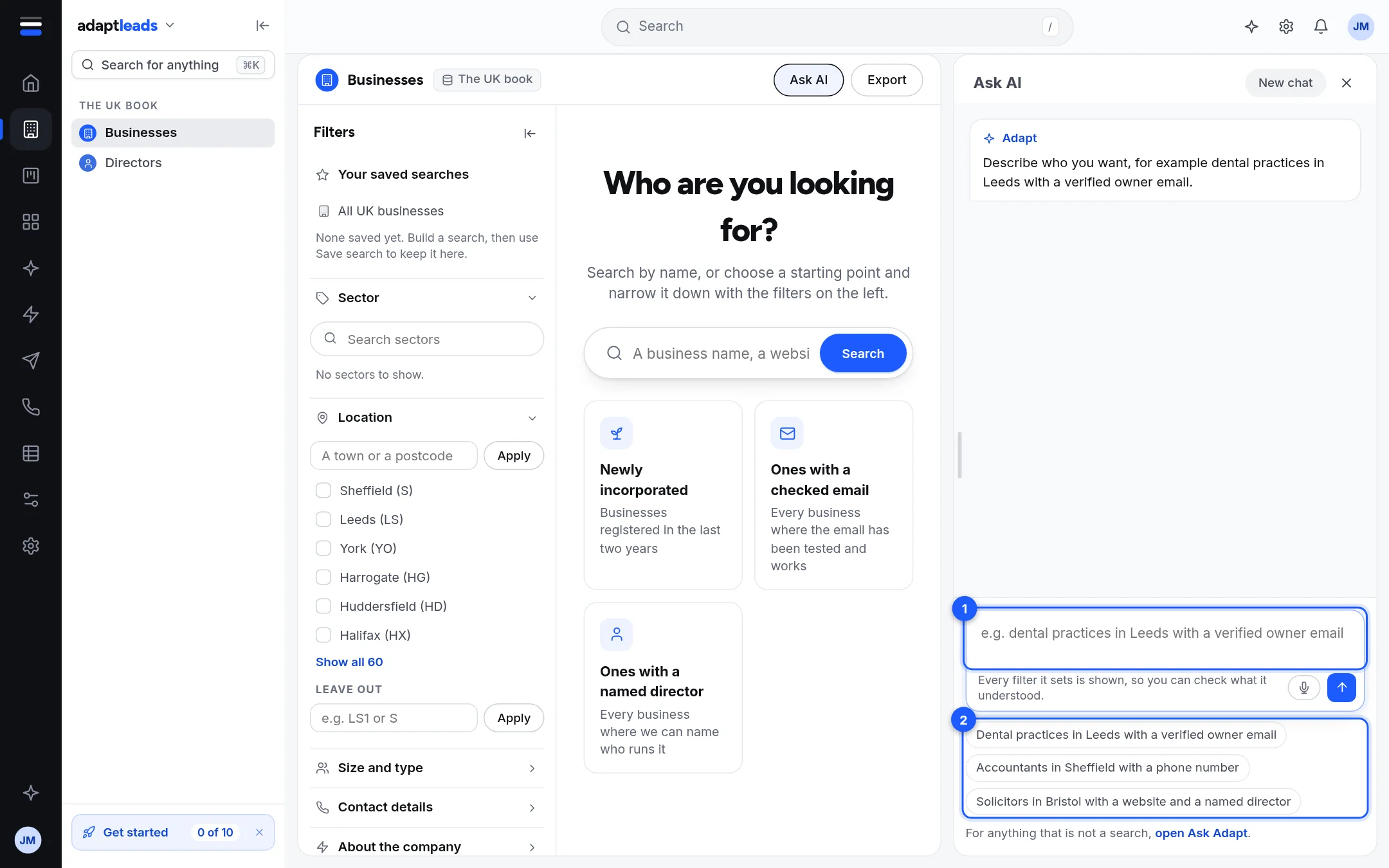
- The box. Describe who you want here.
- Examples. Click one to put it in the box.
What it can set
A sector, a place, a name or keyword, and these contact filters: verified email, decision-maker name, phone number, website. Anything else, such as company size or founded year, you set yourself in the Filters panel.
Things to know
- It replaces the filters you already had. The panel says "in place of the filters you had".
- Each filter it sets is a chip on the page and in the panel. Remove one with its cross.
- If your words do not turn into any filter, it says "That did not turn into any filters. Try a sector and a town." and offers Ask Adapt this instead.
- New chat clears the panel's conversation. It does not clear your filters.
- If the service does not answer, you see "Ask AI did not answer. Try again, or use the filters." Your filters are unchanged.
What it does not do
For anything that is not a search, such as "write an opener", open Ask Adapt: the panel has a link at the foot. See What Ask Adapt can and cannot do today.