Tasks and the Schedule
One calendar of CRM tasks, your LinkedIn posts and tasks kept on this device. Some sources are not connected yet.
The Schedule (under Home) draws what is due. It shows three things and nothing else.
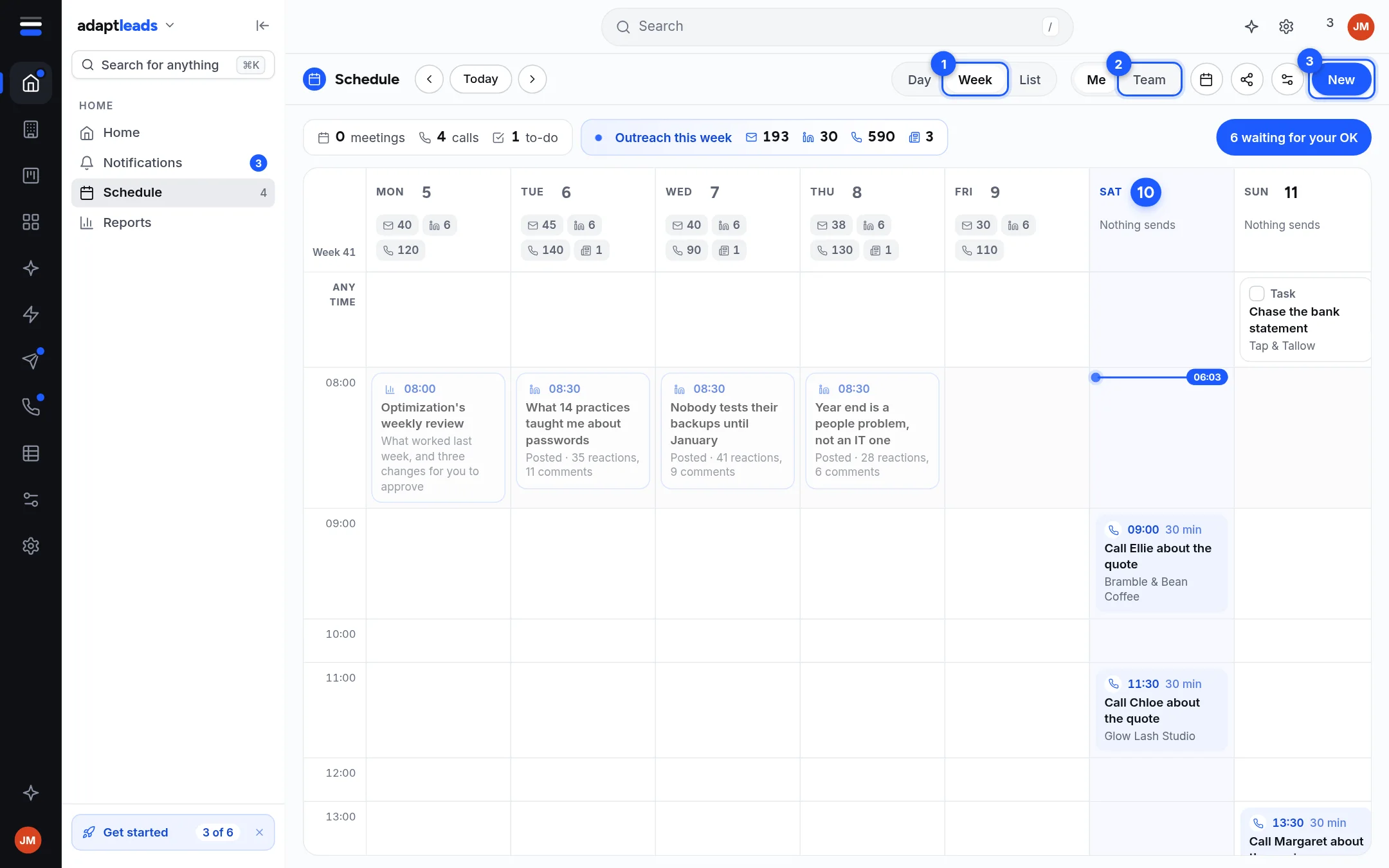
About the picture
The picture is the design with sample items. Your own Schedule starts empty.
What is on it
| Source | How it shows |
|---|---|
| CRM tasks | A task has a date and no time, so it sits under Any time on its day. Yours, or everyone's. |
| Tasks kept on this device | A task with no record behind it. It shows its time if it has one. |
| Your LinkedIn posts | At their hour, marked Goes out on LinkedIn, Posted or Did not go out. |
Controls
- Day, Week, List (1) and the arrows and Today.
- Me and Team (2) pick whose tasks.
- New (3) adds a task. A task on a record is written to the CRM. One with no record is kept on this device, and the page says which.
- Ticking and moving a task write to the CRM or the device.
Add a task to a record
Open the record, press Task, give it a title and a date, and save it. A Meeting is a task with a date. There is no calendar invite.
What is not shown
- Tasks across your records says it is not connected yet if the CRM does not answer; the page then shows device tasks and LinkedIn posts only. A record's own tasks are always on its page.
- Share your schedule is not connected. Nobody can see yours.
- How we reach out is not connected. Sending rules are in each tool's own settings.
- Google Calendar events do not show yet, connected or not.
- Counts of what goes out by email, on LinkedIn Activities and from the Caller console are not counted here.
- Call backs live in the Caller console. See Call backs.