Set up your CRM from a template
Pick a start, preview it, apply it, and undo it if you change your mind.
You will have a CRM with the objects, fields, pipeline and views of the template you chose.
Before you start
You need to be the owner or an admin of your organisation. Anyone else is told only the owner or an admin can change how the CRM is set up. Applying changes nothing until the last step.
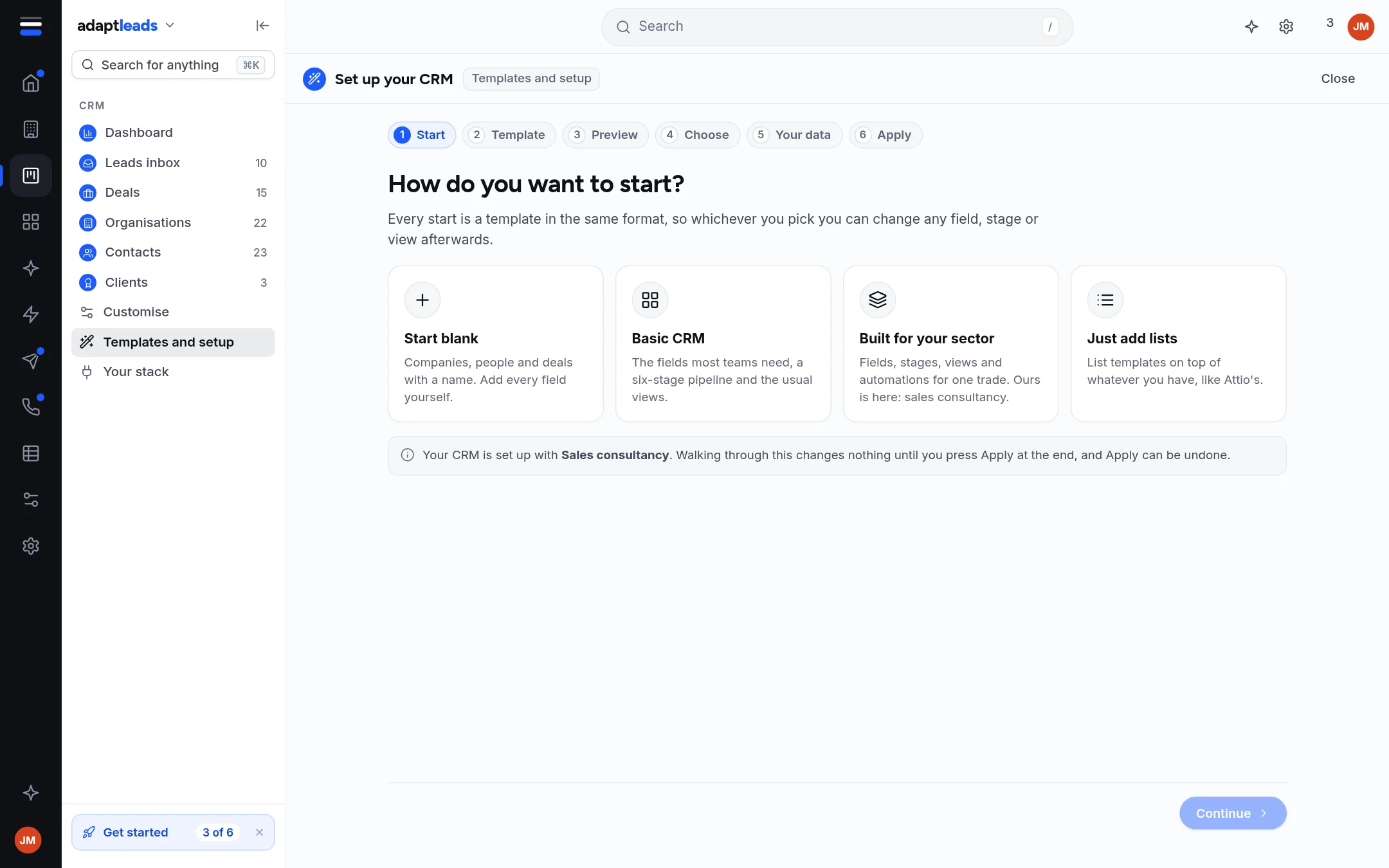
Steps
- Open CRM, then Templates and setup. A new account sees Set up your CRM instead.
- On How do you want to start? pick one:
- Start blank: Companies, people and deals with a name and nothing else. You add every field yourself.
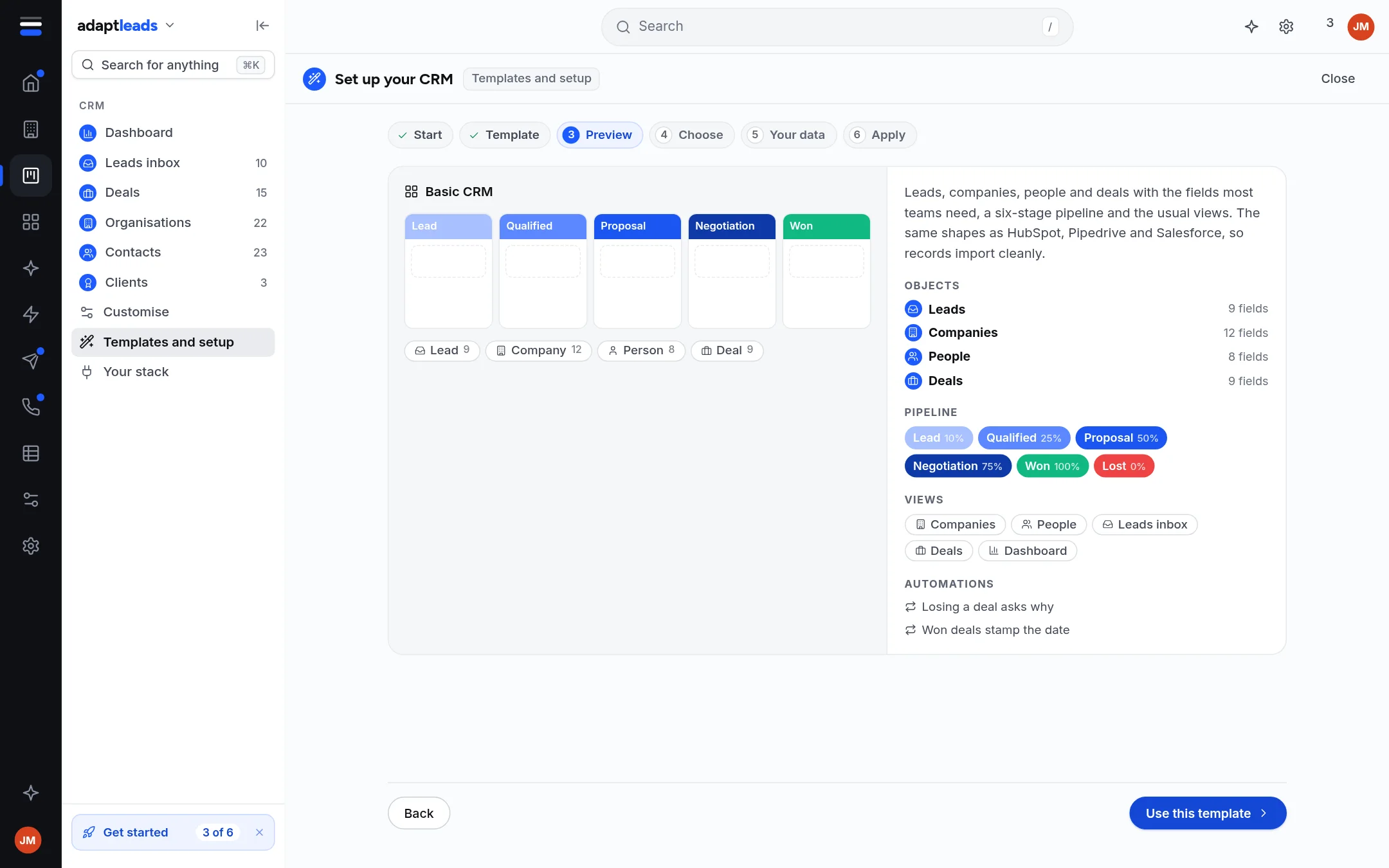
- Basic CRM: Leads, companies, people and deals with the fields most teams need, a six-stage pipeline and the usual views.
- Built for your sector: fields, stages, views and automations for one trade, such as salons, builders' and timber merchants, garages and car dealers, or the businesses that sell to them.
- Just add lists: list templates on top of whatever you have.
- Press Continue, and pick a template if you chose a sector.
- On Preview, check what goes in. Press Use this template.
- On Choose, pick which objects, sections and fields to keep, then Continue.
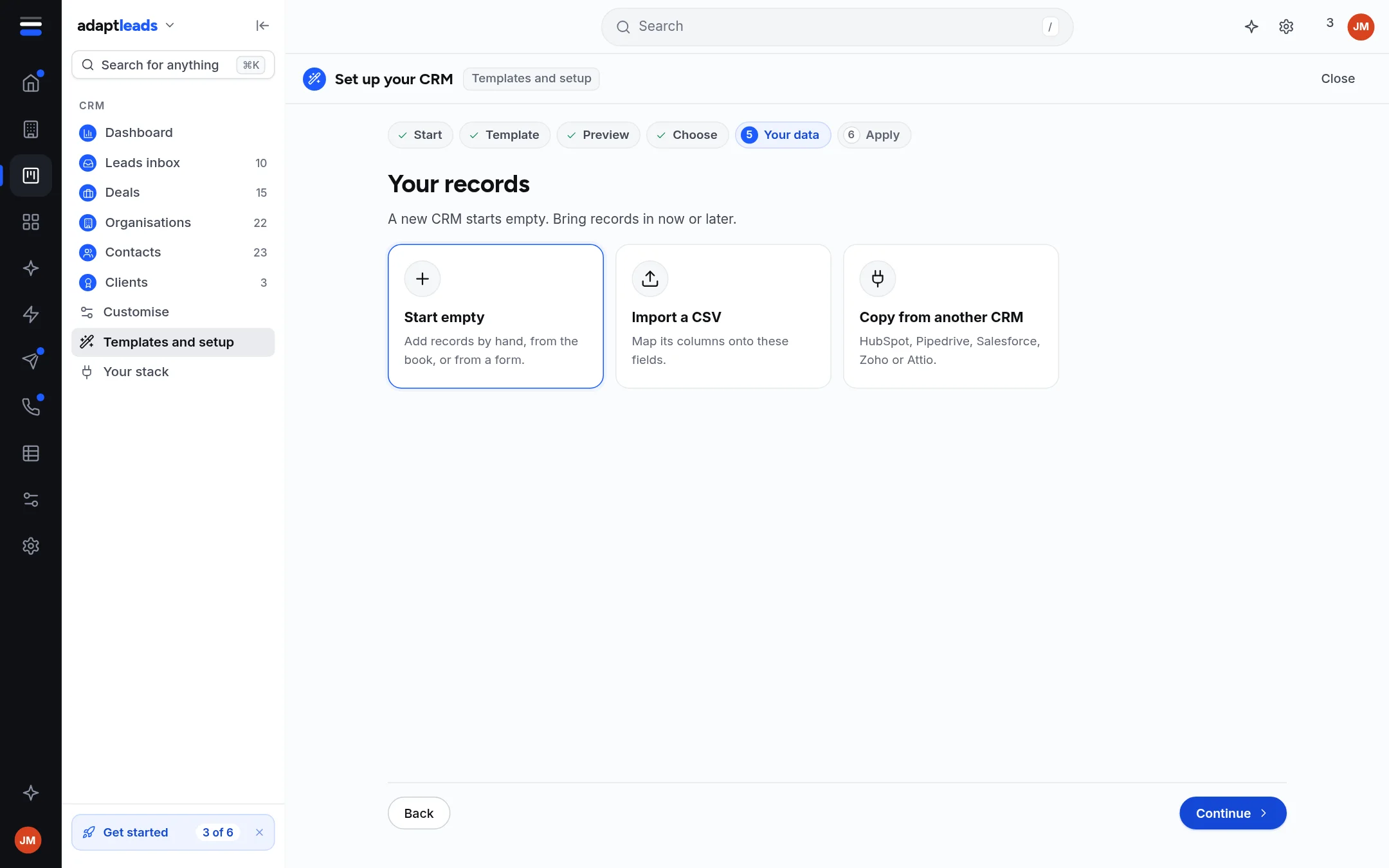
- On Your data, pick Start empty, Import a CSV or Copy from another CRM. A new CRM starts empty.
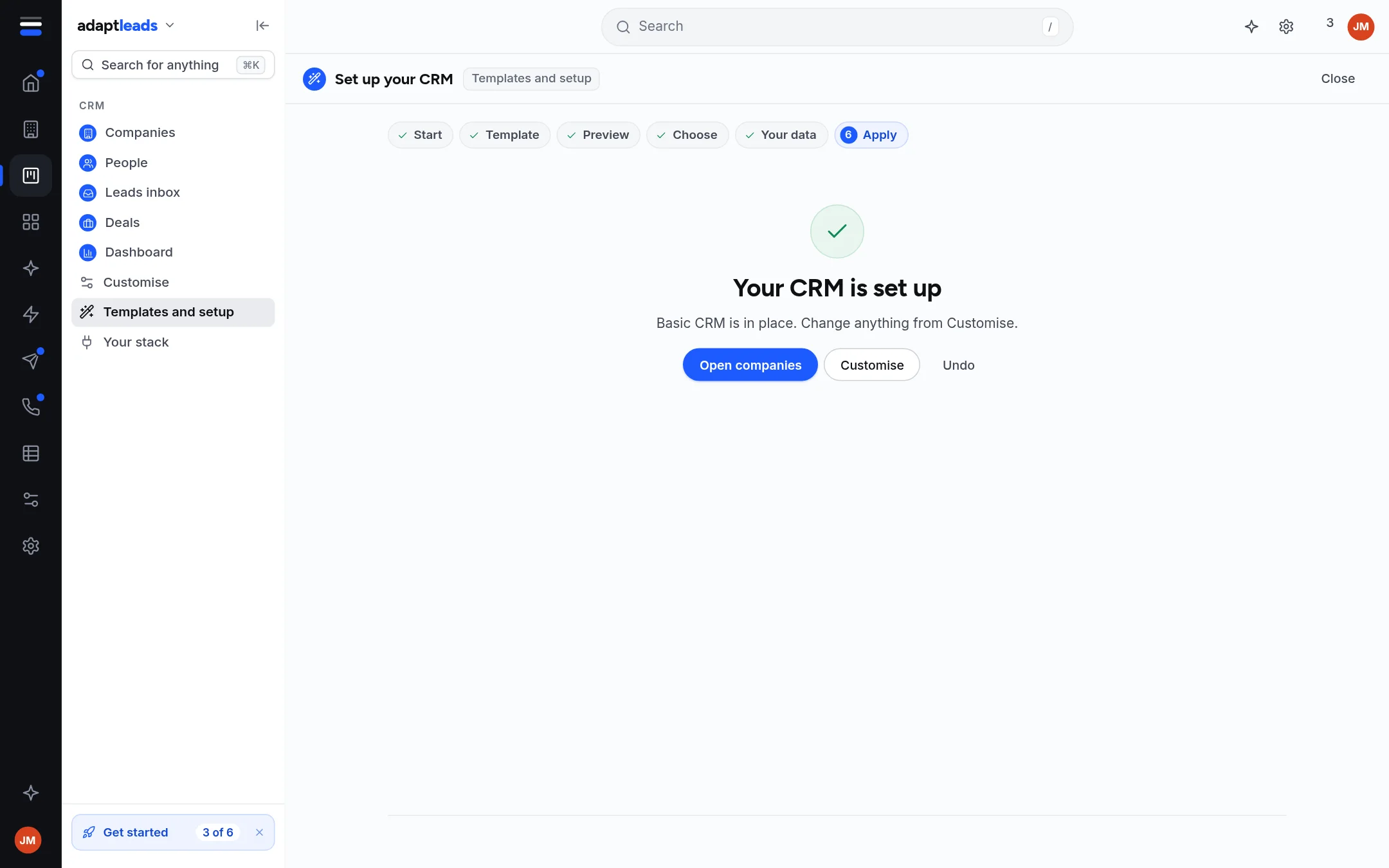
- Press Apply.
What the Basic CRM gives you
| Part | What is in it |
|---|---|
| Objects | Leads (9 fields), Companies (12), People (8), Deals (9) |
| Pipeline | Lead, Qualified, Proposal, Negotiation, Won, Lost |
| Views | Companies, People, Leads inbox, Deals, Dashboard |
| Automations | Losing a deal asks why, Won deals stamp the date |
The fields use the names other CRMs export, so a file from HubSpot, Pipedrive, Salesforce, Zoho or Attio imports without losing a column.
Afterwards
- Undo on the confirmation puts back what you had. Undo can go back through your last ten setups.
- Change anything from Customise. See Customise the CRM.
- A field you added as sensitive is held from the start, and a field once held stays held through any template change.
Walking through changes nothing
Going back and forth between the six steps changes nothing until you press Apply.