Customise, what can be changed
The Customise area builds workflows, cards, pages and templates. This page says which parts work and which are saved in your browser only.
Customise in the left menu is where you shape Adapt to your business. It has five pages. This is not the same as Customise inside the CRM, which sets up the CRM's fields. See Customise the CRM.
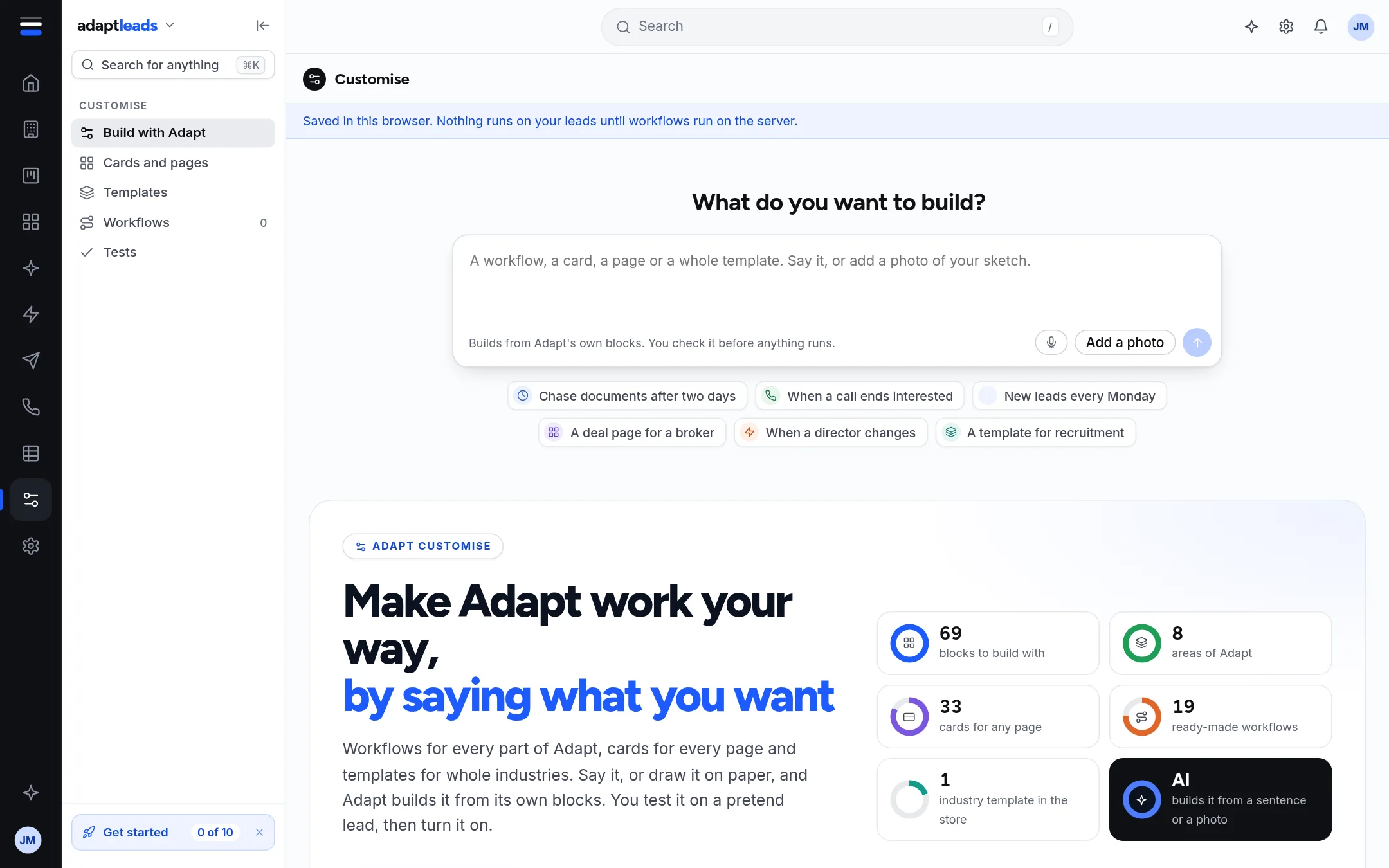
The five pages
| Page | What it is |
|---|---|
| Build with Adapt (1) | A box that asks "What do you want to build?". Say it in words and Adapt builds it from its own blocks. Chips such as "Chase documents after two days" fill the box. |
| Cards and pages | Cards and page layouts you can add to a record page, from a store. |
| Templates | The store of ready-made setups. See Templates for workflows and whole setups. |
| Workflows | Your workflows. See The Workflows page. |
| Tests | Pretend leads that play through your workflows. See Test a workflow on a pretend lead. |
Below the box, the start page counts what is available: 69 blocks to build with, 8 areas of Adapt, 33 cards for any page, 19 ready-made workflows and 1 industry template in the store.
What can be changed
- Workflows: build, test and turn on. Build a workflow
- Cards: Blank cards (Fields, Related records, Checklist, Chart and more) can be added to the deal page.
- Page layouts: a record's cards can be moved, folded or hidden. Saved layouts and views
- Templates: install one from the store.
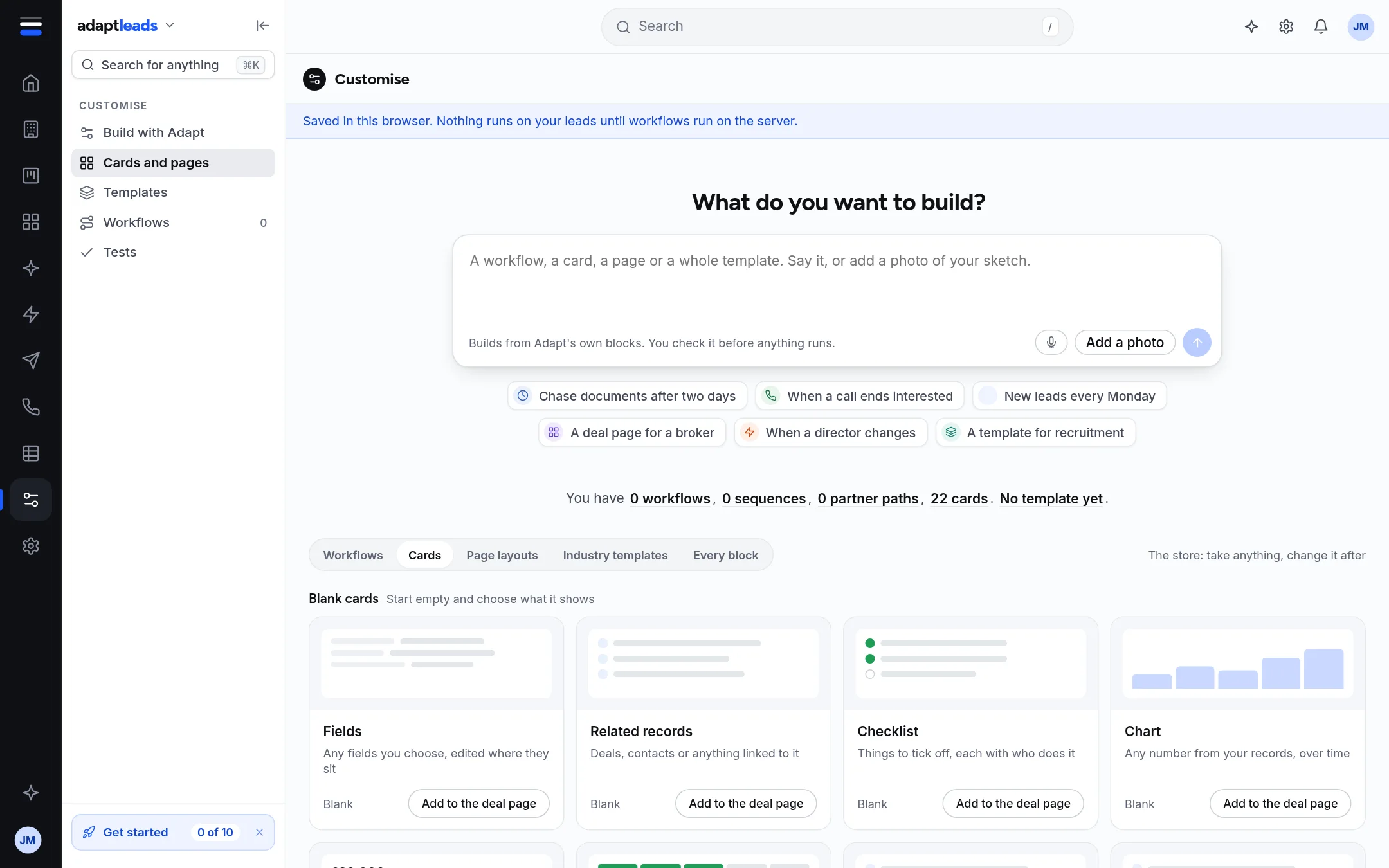
How it saves
There is no server behind Customise yet. What you build is kept in your browser and nothing runs on your leads. A blue line on every page says: "Saved in this browser. Nothing runs on your leads until workflows run on the server." You are whoever is signed in. Someone you add to your team is added in this browser, and nobody is emailed.
What is not connected
| Control | Today |
|---|---|
| Add a photo, Upload a photo of a sketch | Adapt does not read a photo yet. Say it in words. |
| Ask us to add a block | Nothing is sent. It would send your request to the Adapt team. |
| Send it to the team | Nothing is sent. |
| Build with Adapt drafting | A stand-in reads a few words. Words it cannot read build nothing. |
A guide, Learn workflows, walks through building, testing and showing one. Press Show me how on the Workflows page, or read it at #/learn/workflows.