Agents settings: what is and is not connected
The Settings page shows your business, who you sell to, sending, where signals go and your agents. Several cards say Not connected yet.
Open Agents then Settings.
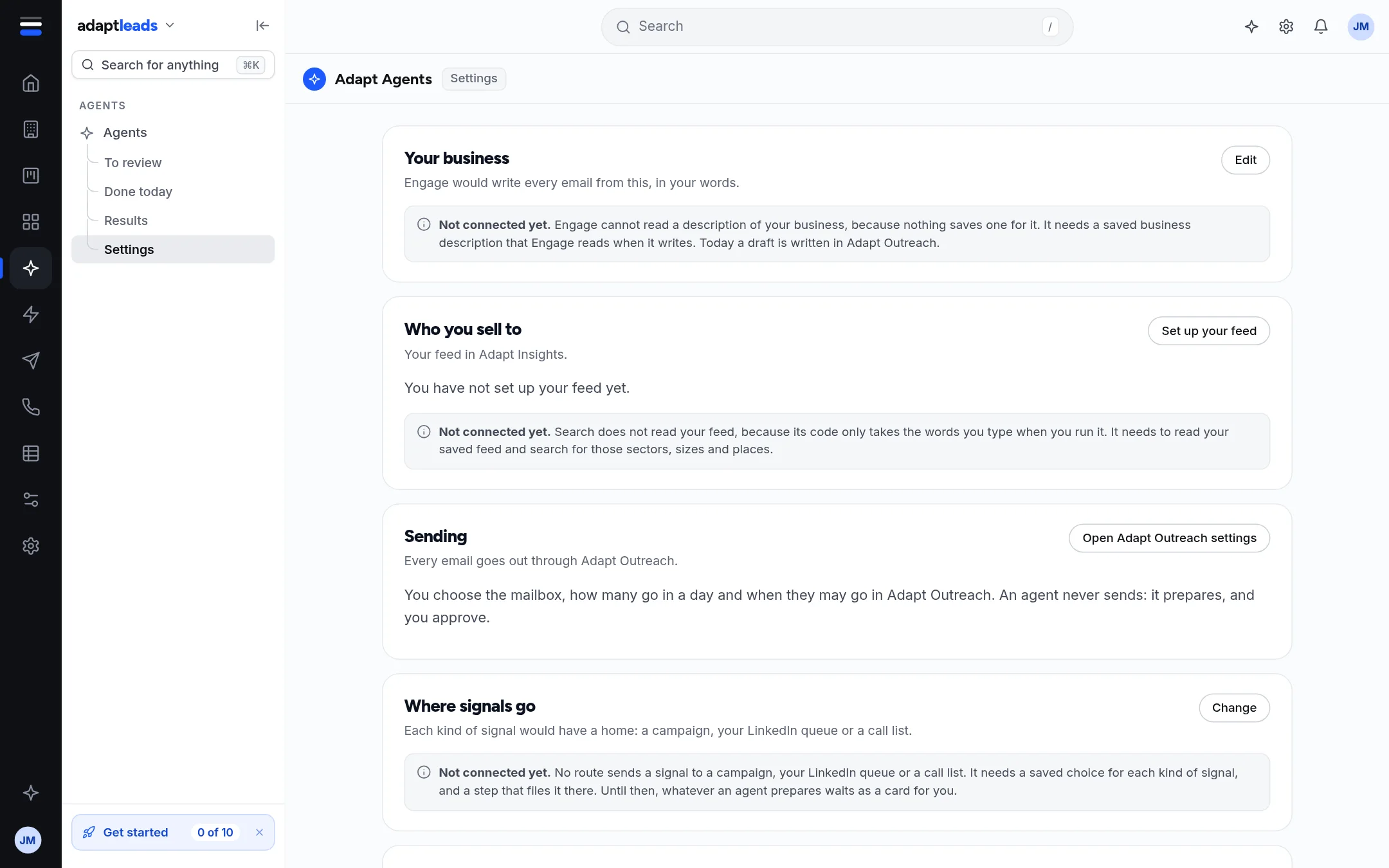
| Card | What it says and does |
|---|---|
| Your business | Not connected yet. Nothing saves a description of what you sell for Engage to read. Edit shows the same message. |
| Who you sell to | Shows your Insights feed, or "You have not set up your feed yet". Set up your feed or Edit your feed opens the five-step setup. A note says Search does not read the feed, which is out of date: see The Search agent. |
| Sending | Every email goes out through Adapt Outreach. You choose the mailbox, the daily number and the hours there. Open Adapt Outreach settings goes there. An agent never sends. |
| Where signals go | Not connected yet. No saved choice sends a signal to a campaign, your LinkedIn queue or a call list. |
| Your agents | Each agent, when it last ran, and Run or see what it does. Below, how the agents work together in six lines. There is no switch to turn an agent off. |
What to do instead
- For a business description, write it in Adapt Outreach when you write a campaign.
- For where signals go, add businesses to lists yourself: Turn a signal into an action.