Quick start: your first ten minutes
Create your account, set who you sell to, run a search and make a list in about ten minutes.
You will end with an account, a saved description of who you sell to, a first search, and a first list. Nothing here sends a message to anyone.
Before you start
You need a work email (or a Google account) and a business name. Public sign-up is not fully open yet: see Sign up and sign in.
The ten minutes
- Create your account at the sign-up page and answer the questions. Each answer is optional to finish except your name, email, business name and a password of 8 or more characters. See The sign-up questions explained. About 3 minutes.
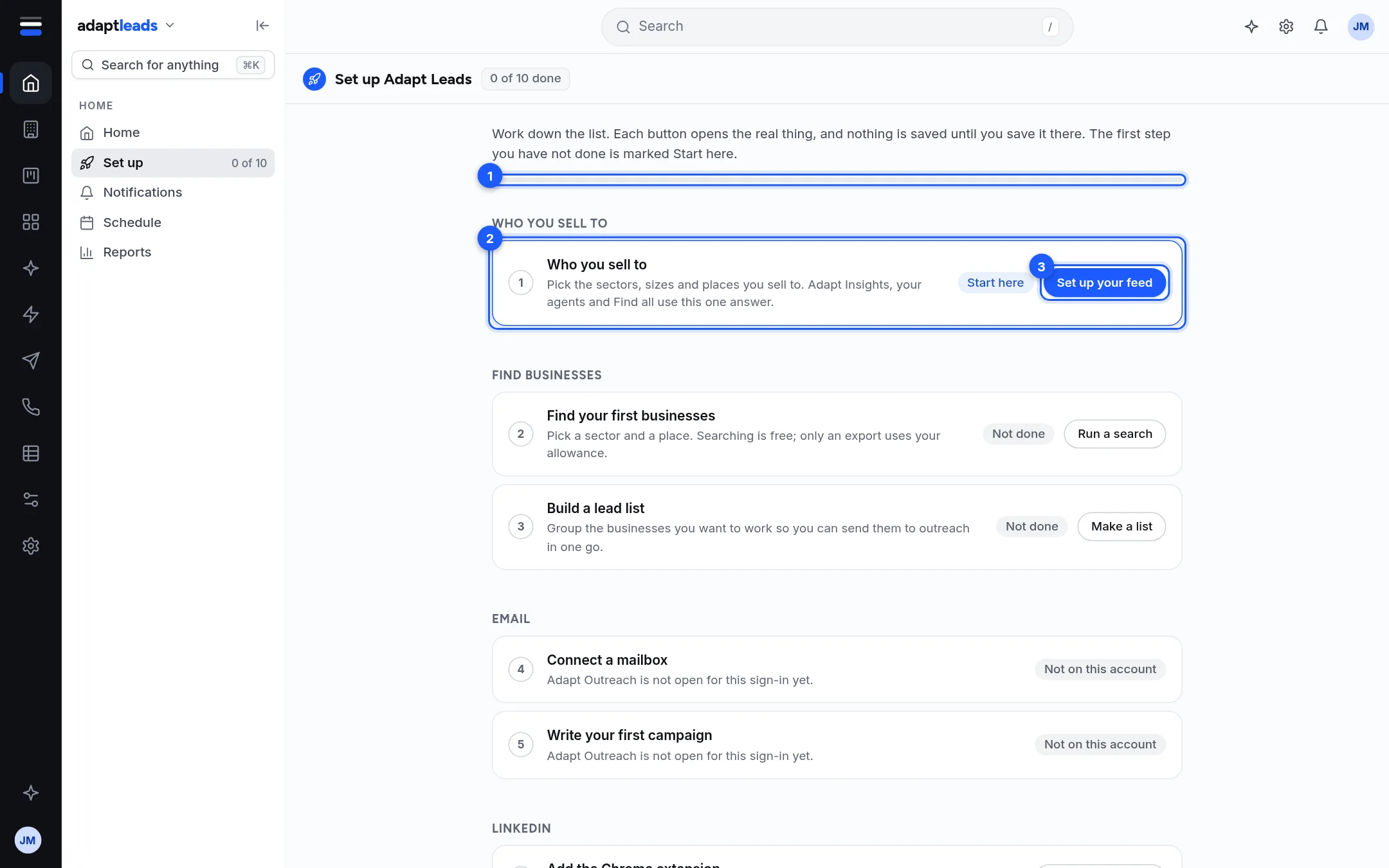
- Land on Set up Adapt Leads. A brand new account opens this page once, by itself. The first step you have not done is marked Start here.
- Press Set up your feed and pick the sectors, sizes and places you sell to. Adapt Insights, your agents and Find all use this one answer. See Set up: who you sell to. About 2 minutes.
- Press Run a search on the Find your first businesses card. Pick a sector and a place. Searching costs nothing. See Set up: find businesses and build a list. About 2 minutes.
- Make a list from what you found, so you can send it to outreach in one go. About 2 minutes.
- Come back to Set up (side menu, Home area) and check the bar moved.
What you can leave for later
Mailbox, campaign, Chrome extension, LinkedIn plan, caller console, CRM, branding and calendar can all wait. Each has its own page in Set up Adapt Leads: the Set up page.
If a card says Not on this account
Some areas are closed to some sign-ins, such as Adapt Outreach and the caller console. The card says so and you can carry on with the rest.