Notifications
The Notifications page lists replies, news on companies you hold and account activity, and sets your email alerts.
Notifications (side menu, Home area) is a list built from real activity, with your email settings on top.
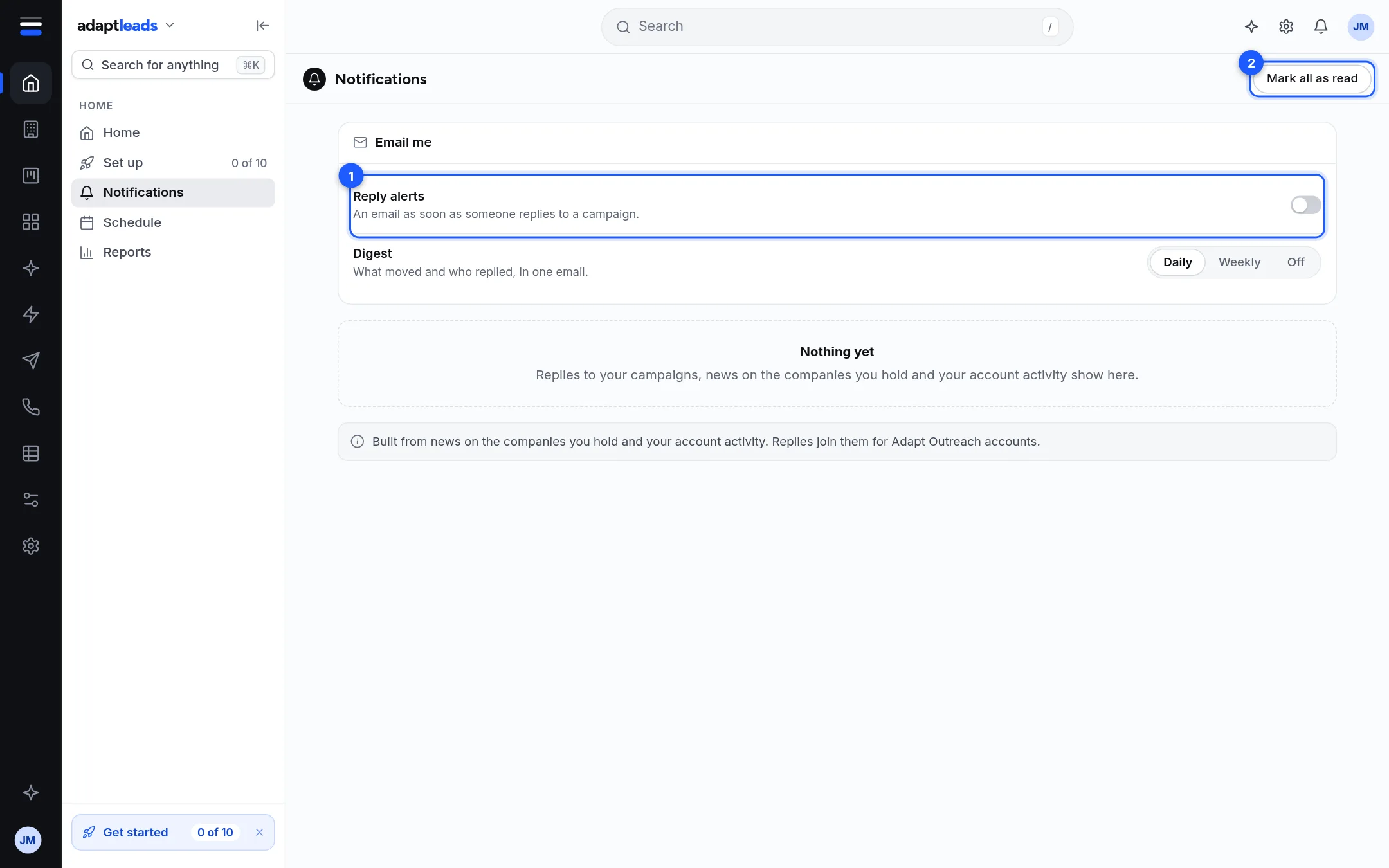
| Mark | Part | What it does |
|---|---|---|
| 1 | Email me | Reply alerts: an email as soon as someone replies to a campaign. Digest: What moved and who replied, in one email, Daily, Weekly or Off. |
| 2 | Mark all as read | Clears this list. |
These two settings are the same as in Settings, Notifications. They save as you change them. Your Adapt Insights email is set separately in Adapt Insights, Edit my feed.
The list
Newest first, up to 80 items:
- Replies to your campaigns (only if Adapt Outreach is open for you).
- News on companies you hold, including risks.
- Account activity such as a payment recorded or your starting allowance added.
A blue dot marks an item you have not seen. The bell on the top bar shows the number.
Limits
Marking as read here clears this list only. Replies keep their unread mark in Unibox. With nothing yet you see "Nothing yet". If some part did not load, the page says which.
Reply alerts start off
In a new account Reply alerts show as off until you switch them on.