The Ask box and its modes
The Ask box takes a question or a search. Its mode sets how Adapt answers.
The Ask box on Home (and at the foot of the Ask Adapt page) takes a plain-English question, a search, or a job such as "Get me 100 leads for Sheffield accountants". Press Enter to send. Shift and Enter starts a new line.
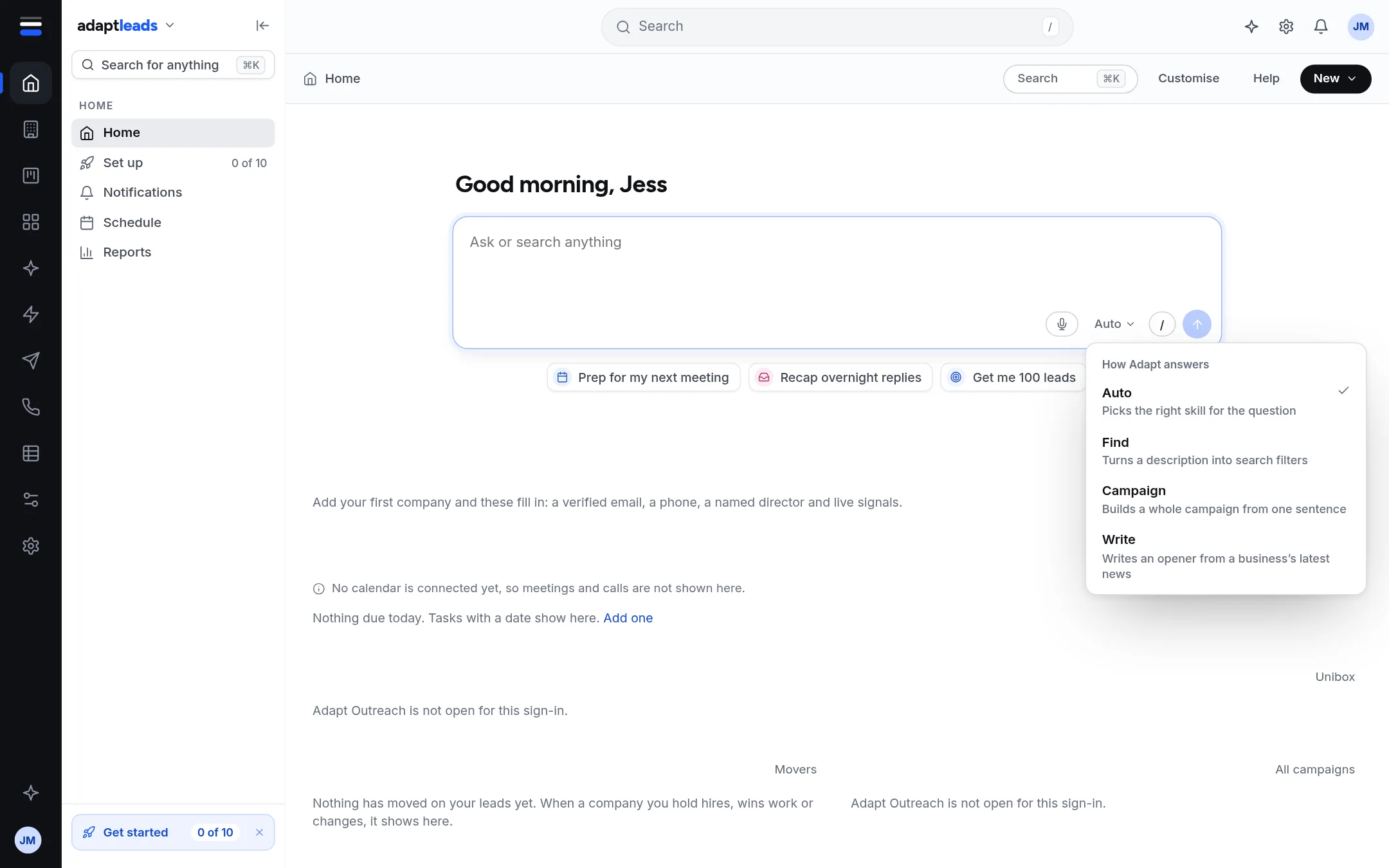
The modes
Press the mode button (it says Auto) to choose.
| Mode | What it does | Placeholder it shows |
|---|---|---|
| Auto | Picks the right skill for the question. | Ask or search anything |
| Find | Turns a description into search filters. | Describe the businesses you want |
| Campaign | Builds a whole campaign from one sentence. | Who and where? For example, 100 accountants in Sheffield |
| Write | Writes an opener from a business's latest news. | Which business? For example, Marsh & Keel |
The mode stays until you change it, and applies to the chat page too. In Find mode your words go into the chat as a find request. In Campaign mode a sentence is turned into "Build a campaign: ...". In Write mode it becomes "Write an opener for ...". Campaign mode only asks for a campaign: nothing starts without your approval card.
Search as you type
After two letters the box shows matching pages beneath it, with an Ask Adapt row at the top. Arrow keys move, Enter picks, Escape closes.
Next to the box
The microphone dictates (Speak to Ask Adapt: dictate and Talk). The slash button opens prompts (Prompts and the slash menu). The arrow sends. Sending an empty box says "Type a question, or / for a prompt".
Limits
200 questions per account a day by default, and a platform-wide daily ceiling. When yours is used you see "You have used today's N questions. They reset at midnight." See What Ask Adapt can and cannot do today.