The Home page
Home is where you start the day: the Ask box, the Today strip and tiles you can change.
Home (side menu, Home area, Home) has the Ask box in the middle, a Today strip under it, and tiles below. You can add, hide, move and resize tiles.
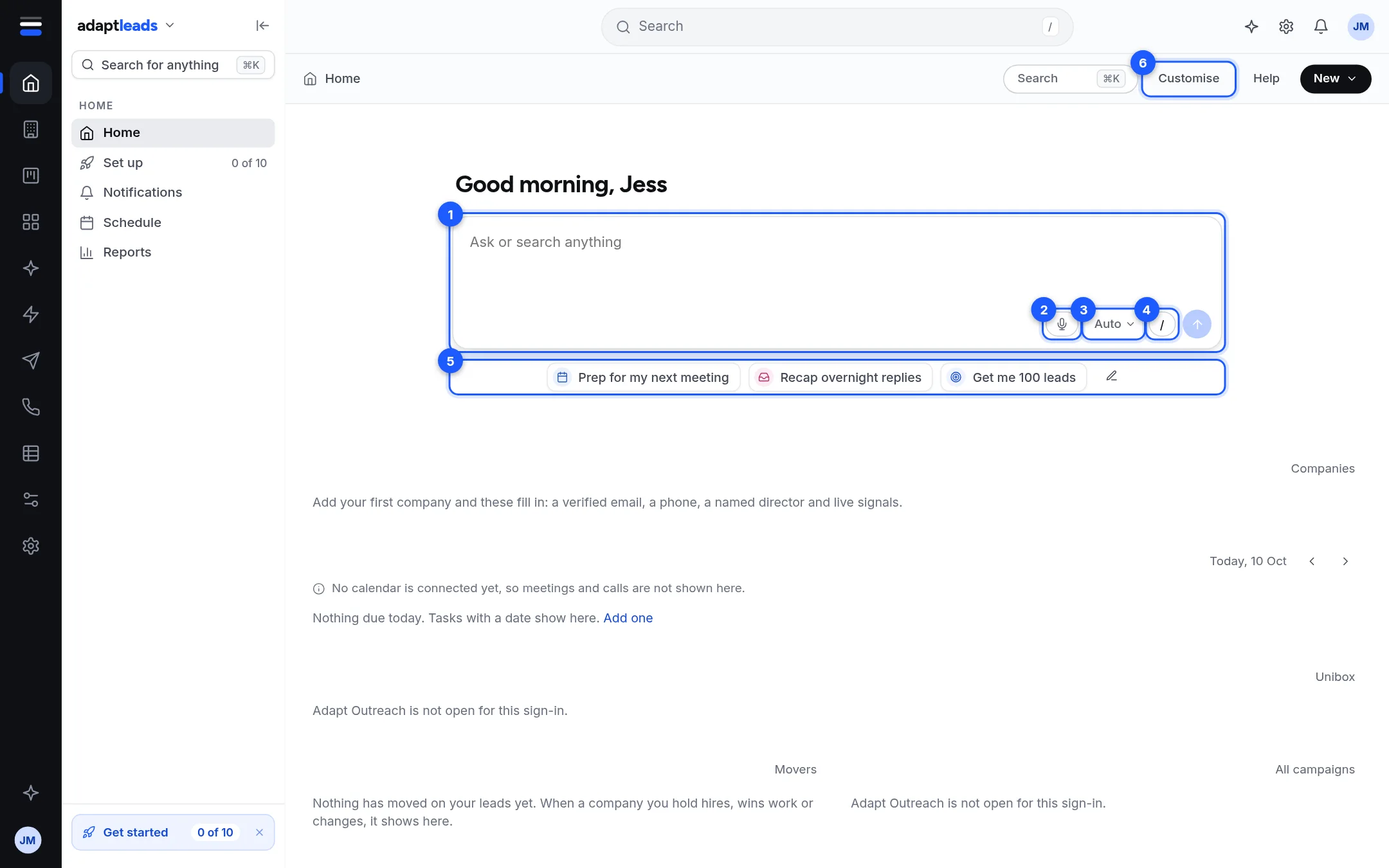
| Mark | Part | What it does |
|---|---|---|
| 1 | Ask box | Ask or search anything. See The Ask box and its modes. |
| 2 | Microphone | Dictate instead of typing. See Speak to Ask Adapt: dictate and Talk. |
| 3 | Mode | Auto, Find, Campaign or Write. |
| 4 | Slash button | Opens ready-made prompts. See Prompts and the slash menu. |
| 5 | Quick prompts | One click asks a ready-made question. The pencil edits them. |
| 6 | Customise | Changes what Home shows. See Customise your Home page. |
The greeting uses the first name on your profile.
What a new account sees
Tiles say plainly what is missing:
- Your records: "Add your first company and these fill in: a verified email, a phone, a named director and live signals."
- Agenda: "No calendar is connected yet, so meetings and calls are not shown here", and your dated tasks.
- Replies waiting: "Adapt Outreach is not open for this sign-in" if email outreach is closed to you.
- What moved: "Nothing has moved on your leads yet."
- Email campaigns: the same message when Adapt Outreach is closed.
The default tiles are Your records, Agenda, Replies waiting, What moved and Email campaigns. See Home tiles: what each one shows for every tile.
Sample data
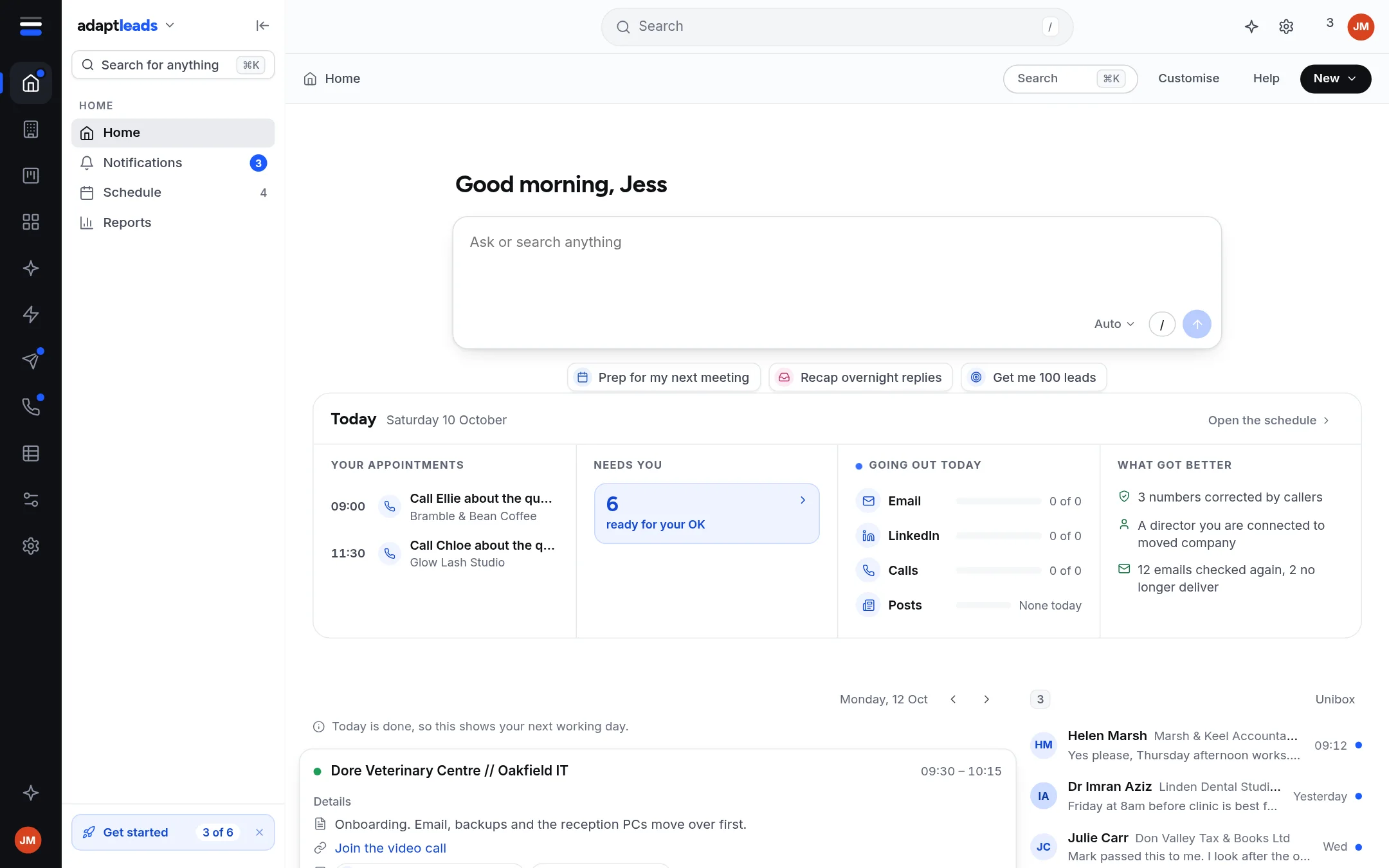
The picture above is the design demo with sample people, so you can see the tiles full. Your own Home shows your own data only.
Layout is yours, in this browser
The layout is saved per account in this browser. Another browser starts from the default layout.