Read a company record
A tour of the company record page, from the header and tabs to the cards on the right.
A company record is the page for one business. Click a row in Businesses, a list or your revealed records to open it. Everything on it is read-only except your own notes and tasks.
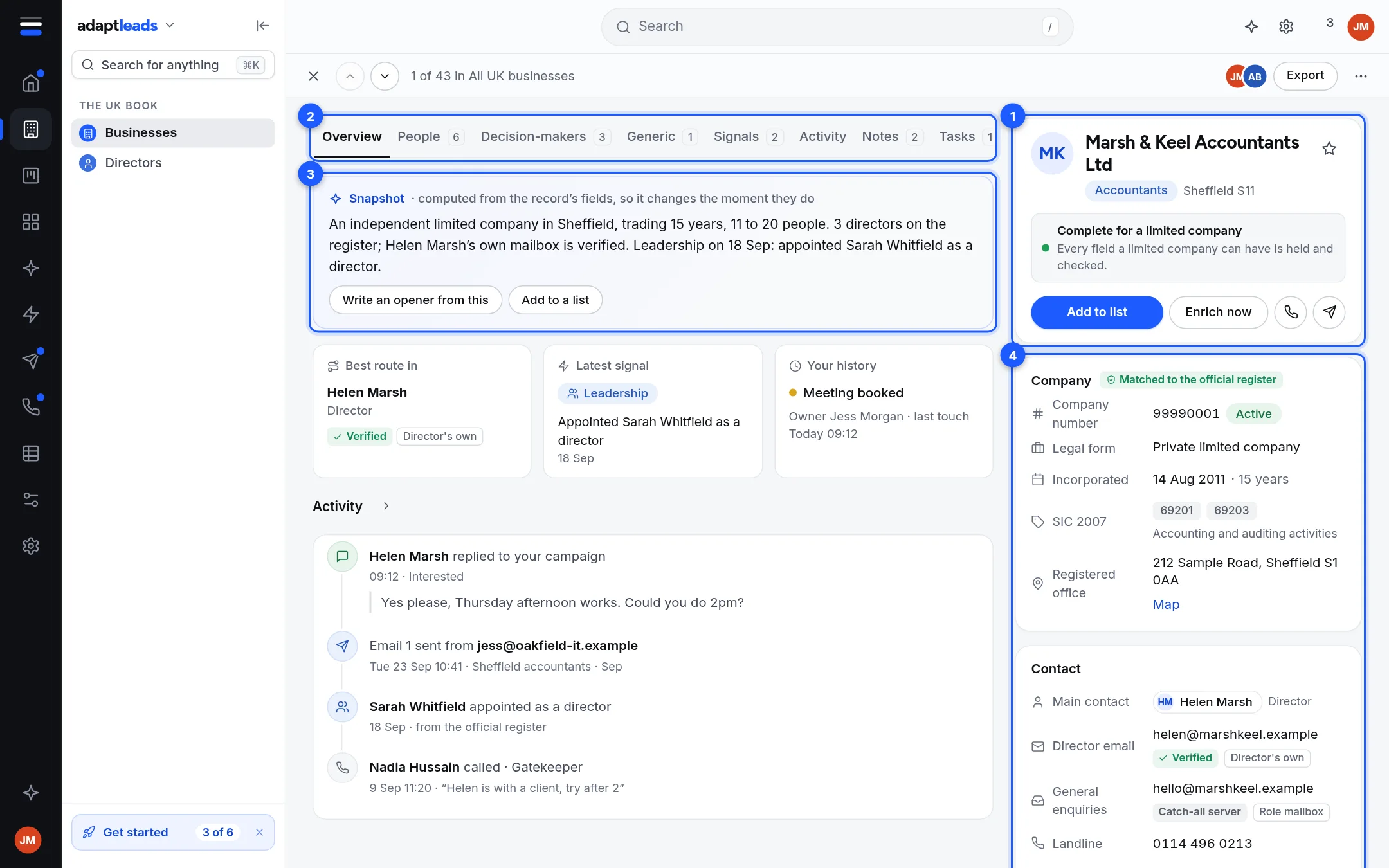
- Header and actions. The name, sector, town, a one-line verdict, and the actions.
- Tabs. Overview, People, Decision-makers, Generic, Locations (groups only), Signals, Activity, Notes, Tasks.
- Snapshot. A short plain sentence about the business, worked out from the record's own fields.
- Cards on the right. Company, Contact, How we know, and sometimes About this address.
The top bar
| Control | What it does |
|---|---|
| Cross | Goes back to where you came from. If you opened this record from another one, it goes back to that one. |
| Up and down arrows | Previous and next business in the list you came from. The bar says "1 of 43 in All UK businesses". |
| Export | Opens the export sheet for this record. See Add a record to a list or export it. |
| Three dots | Copy link to this record, Open their website, Report a problem with this record. |
The header card
- The name, a sector pill and the town.
- A star. It marks the record on this device only.
- A coloured dot and a verdict such as "Complete for a limited company", "Incomplete" or "At ceiling for a sole trader". See The labels on a record.
- Add to list, Enrich now, a phone button and a send button.
The phone button calls the first number on file. Before you reveal, it asks you to reveal first. It is greyed out when there is no phone on file. The send button is Send to outreach.
The Overview tab
- Snapshot. For example: "An independent limited company in Sheffield, incorporated Aug 2011. 3 directors on the register; Helen Marsh's own mailbox is verified." It changes the moment the record's fields do. Two buttons: Write an opener from this (opens Ask Adapt) and Add to a list.
- Best route in. The main contact, their title and the label on their email.
- Latest signal. The most recent event about the business.
- Your history. Whether you have revealed it, and whether it is in your CRM.
- Activity. The last four items.
The progress dots across the overview, where the record carries them, show the steps a record has been through.
The other tabs
See People, Decision-makers and Generic on a record and Signals, Activity, Notes and Tasks on a record. A group's Locations tab is in Groups, head offices and branches.
If the page does not load
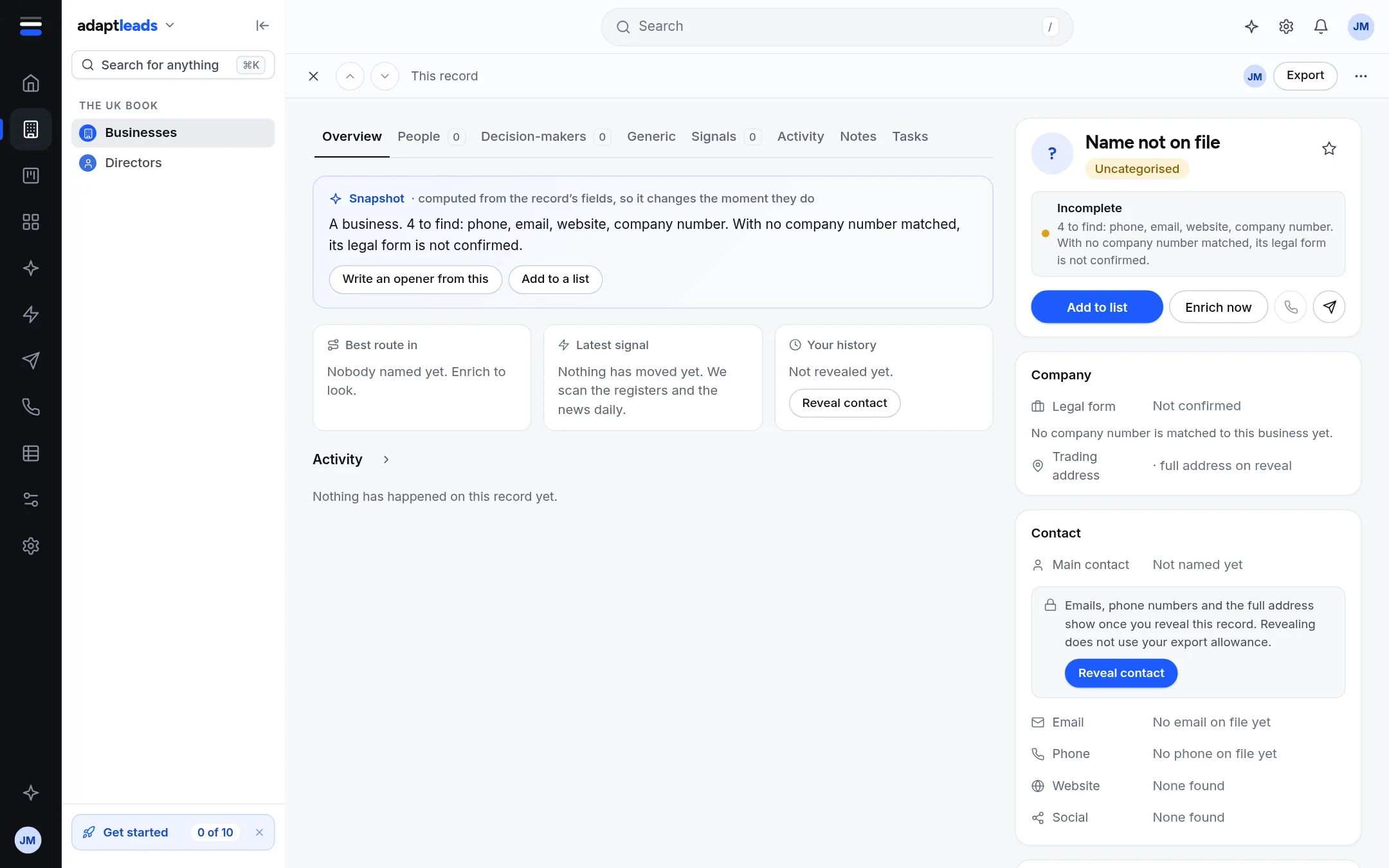
- "This record did not load" with Try again: Adapt could not be reached. Nothing was lost.
- "This record is not in the book": it may have been merged into another record. Search for the business by name.
What the page does not do
- You cannot edit the fields. See Correct a record: what you can and cannot change.
- Looking at a record writes nothing and costs nothing.