Signals, Activity, Notes and Tasks on a record
What the last four tabs on a company record show, and where your notes and tasks are kept.
Signals
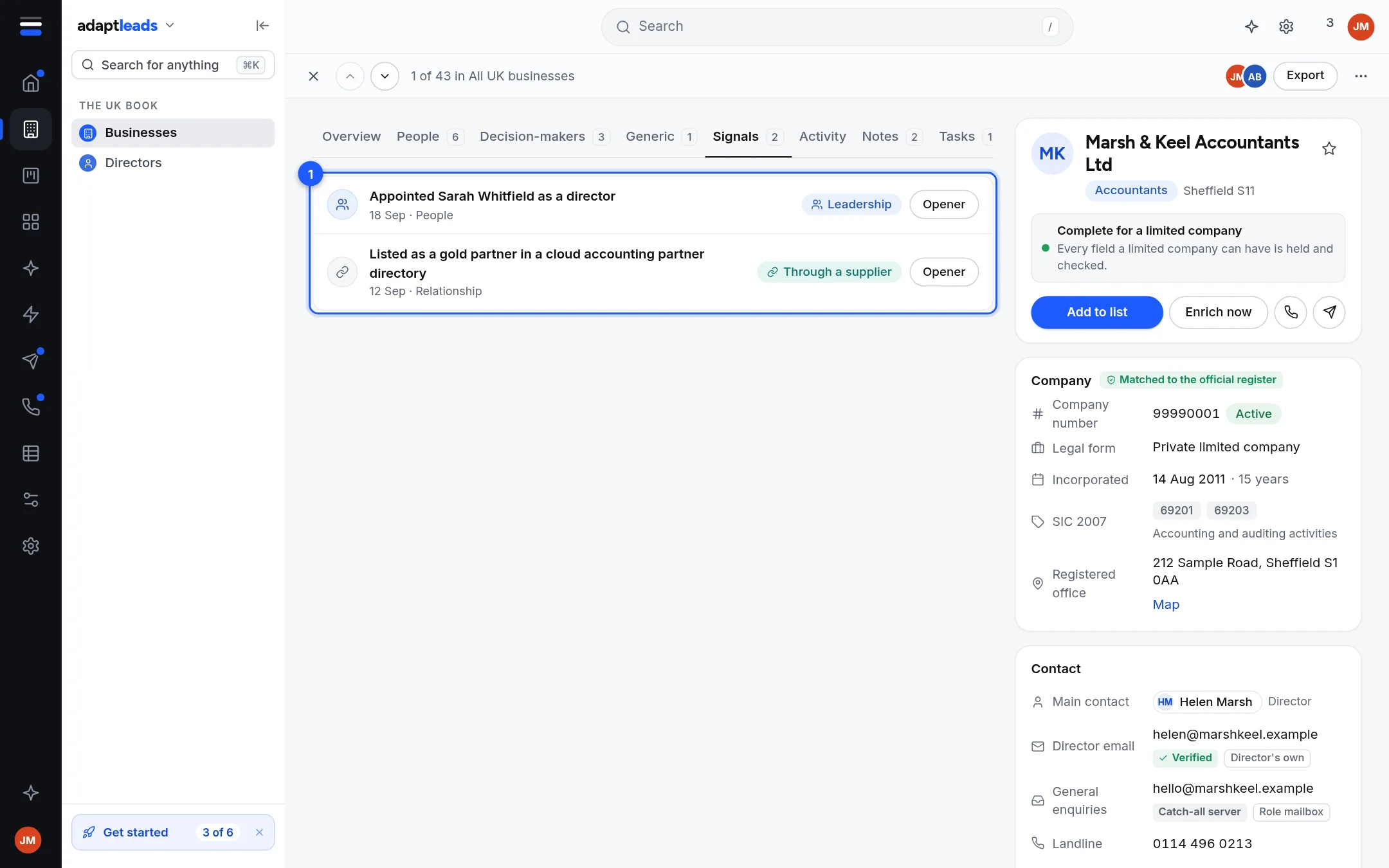
Events about the business: a new director, a change of status on the register, a contract win, news and so on. Each row has a coloured type pill, a date and a title. A story links out with Read the full story. Opener opens Ask Adapt to write a first line from it. A note such as "Matched by name, check the story" warns when the match is less certain, and "unconfirmed" marks a low-confidence one. See Signals and what makes one worth acting on.
Activity
A timeline for the business, with a filter: Everything, Emails, Calls, LinkedIn, Field changes.
- Field changes. When a field changed or was checked, with the old value kept.
- Signals and your notes appear here too.
- Emails. Replies from an address on this record that are among your latest 50 in Unibox. Sends are not joined to records yet.
- Calls and LinkedIn. Items your team logged on this business in your CRM. Otherwise the tab says none are joined yet.
Notes
Write a note and click Save note. It is dated and shows on the timeline.
Notes stay on this device
A note is saved in this browser, marked "Saved on this device for now". It does not follow you to another device or browser, and your team cannot see it. If the business is in your CRM, write notes there. A tick on the page says so.
Tasks
Type what needs doing, pick an optional date and click Add task. Tick one to complete it. It shows Overdue, Today or the date. Like notes, tasks are kept on this device only. Tasks across all records are not connected yet.