What Adapt Insights is
Adapt Insights lists what changed at the businesses you sell to: new directors, hiring, new companies, news and risks.
Adapt Insights shows what has changed at the businesses you sell to, so you have a reason to get in touch.
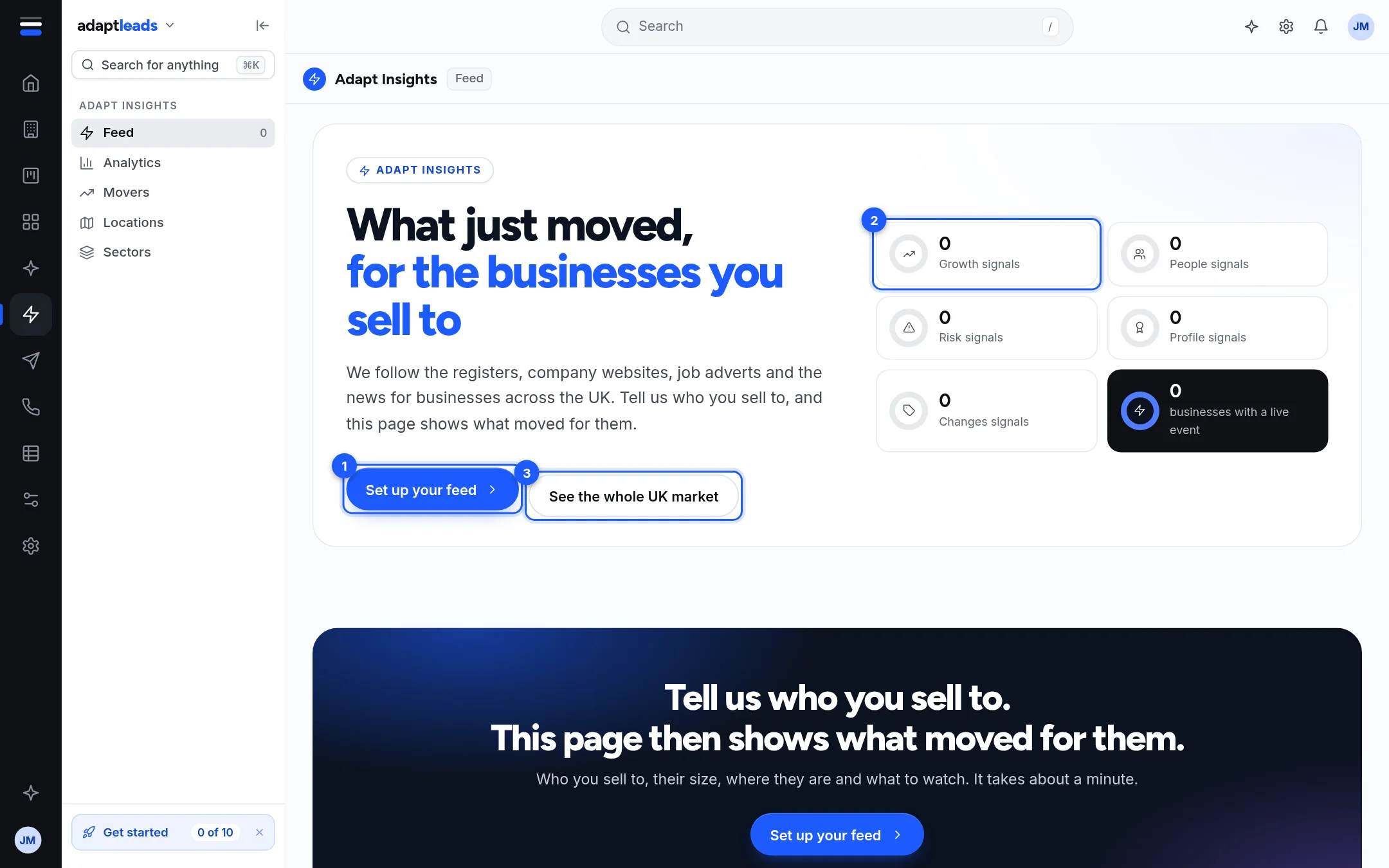
It is five pages in the left rail under Adapt Insights: Feed, Analytics, Movers, Locations and Sectors. They all read the same set of dated events, which Adapt calls signals. A signal is one thing that happened at one business on one date: a company registered, a job advertised, a director appointed, a story published.
What you can do with it
- See which of your prospects had news in the last 120 days, newest and strongest first. See The Feed: signal cards, rings and filters.
- Tell Adapt who you sell to, so the pages show only those businesses. See Set up your feed: who you sell to, and where.
- Look at the whole UK market instead, with no setup.
- Count how many businesses had a kind of news each month. See Analytics: how your market is changing.
- See where in the country it is happening. See Locations: where the news is, on a map.
- Get a daily or weekly email of what moved. See Get your signals by email, daily or weekly.
What it does not do
Insights does not tell you why something happened. It counts and dates what happened, and it says what each count was out of. It does not send anything. Turning a signal into an email or a call is a step you take: see Turn a signal into an action.
It is also not a live news wire. Each kind of signal is collected on its own schedule and some are not collected at the moment. Read How fresh is Adapt Insights? before you quote a figure to a customer.
A new account
A new account has no feed saved, so the Feed shows zero signals, a Set up your feed button and a See the whole UK market button. Analytics and Sectors show Not counted yet in tiles that have nothing to count. That is the honest state, not an error.
Home also shows a line such as "3 signals on your leads" when businesses you already hold have news. It opens Movers. The numbers on Home count only your own leads, so they will be smaller than the Feed.