Templates for workflows and whole setups
The Templates store lists ready-made setups for a kind of business. Installing one adds its workflows to your browser only.
A template is a ready-made setup for a kind of business: its workflows, deal cards, stages and more. The Templates page is the store.
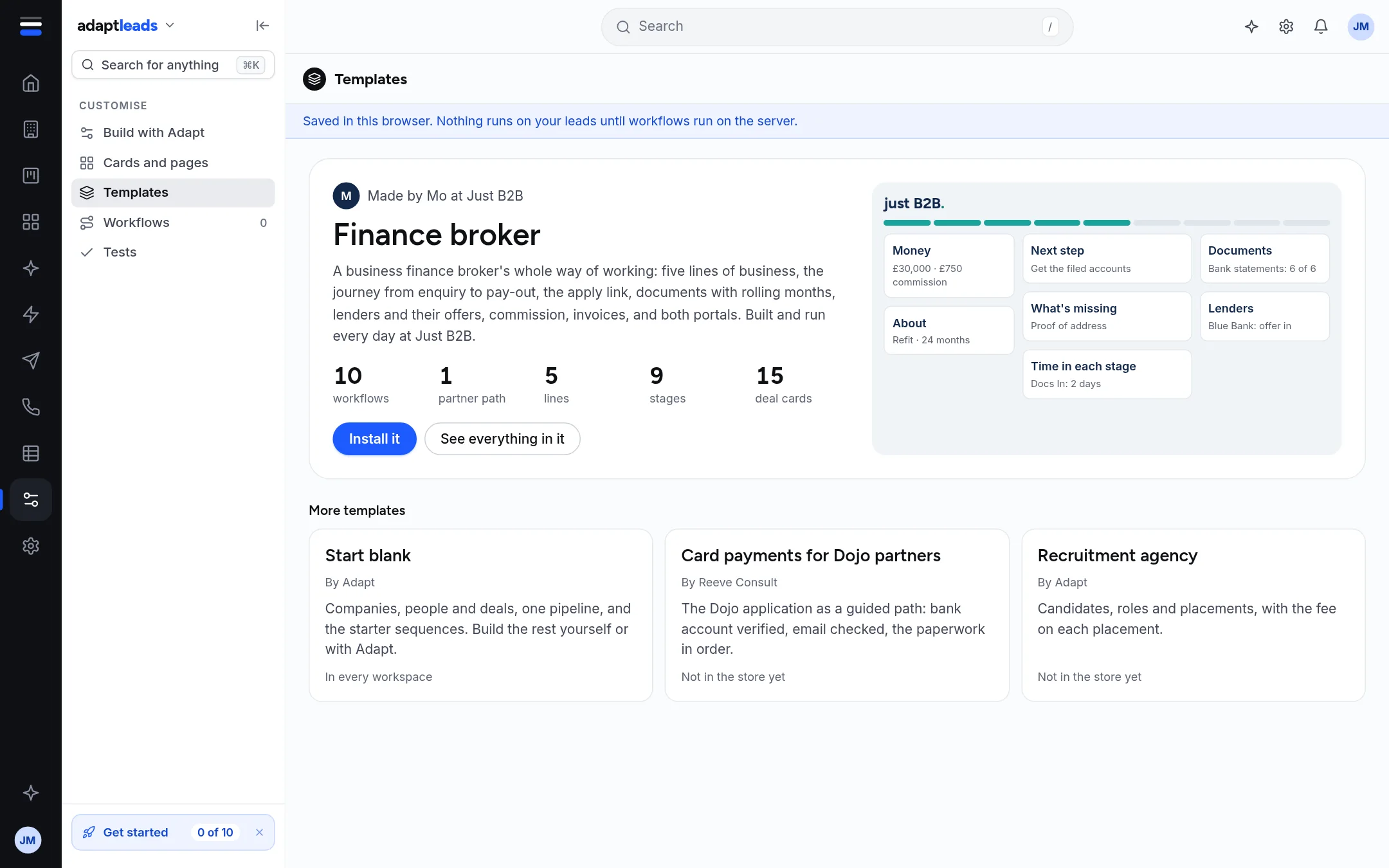
What is in the store
| Template | Notes |
|---|---|
| Start blank | By Adapt. Companies, people and deals, one pipeline and the starter sequences. In every workspace. |
| Finance broker | Made for a business finance broker, with its own workflows, lenders, documents and cards. A separate template, not part of the base product. Shown first in the store. |
| Card payments for Dojo partners | Marked "Not in the store yet". |
| Recruitment agency | Marked "Not in the store yet". |
Each card says who made it, what it holds (workflows, partner paths, lines, stages, deal cards) and whether it is in the store.
Install one
- Open Templates and press Install it on a template that is in the store. See everything in it shows its contents first.
- If the template works with named people, say who they are. They are added to your team in this browser, and nobody is emailed.
- Its workflows arrive in your Workflows list, ready to test.
Installing does not set up your CRM's records, stages, forms or documents. Set the CRM up separately. See Set up your CRM from a template. A template brings no look of its own: your workspace keeps its colours and logo.
Industry templates inside the CRM
The CRM has its own setup templates (Basic, blank and sector templates for salons, merchants and the motor trade). They are in CRM, Templates and setup, not here.
Not available
Publishing your own template to the store, and a template for a sector not listed, are not connected.