The Workflows page
Your list of workflows, the guide for newcomers, and where to start a new one.
Workflows is in the Customise area of the left menu. It lists what you have built.
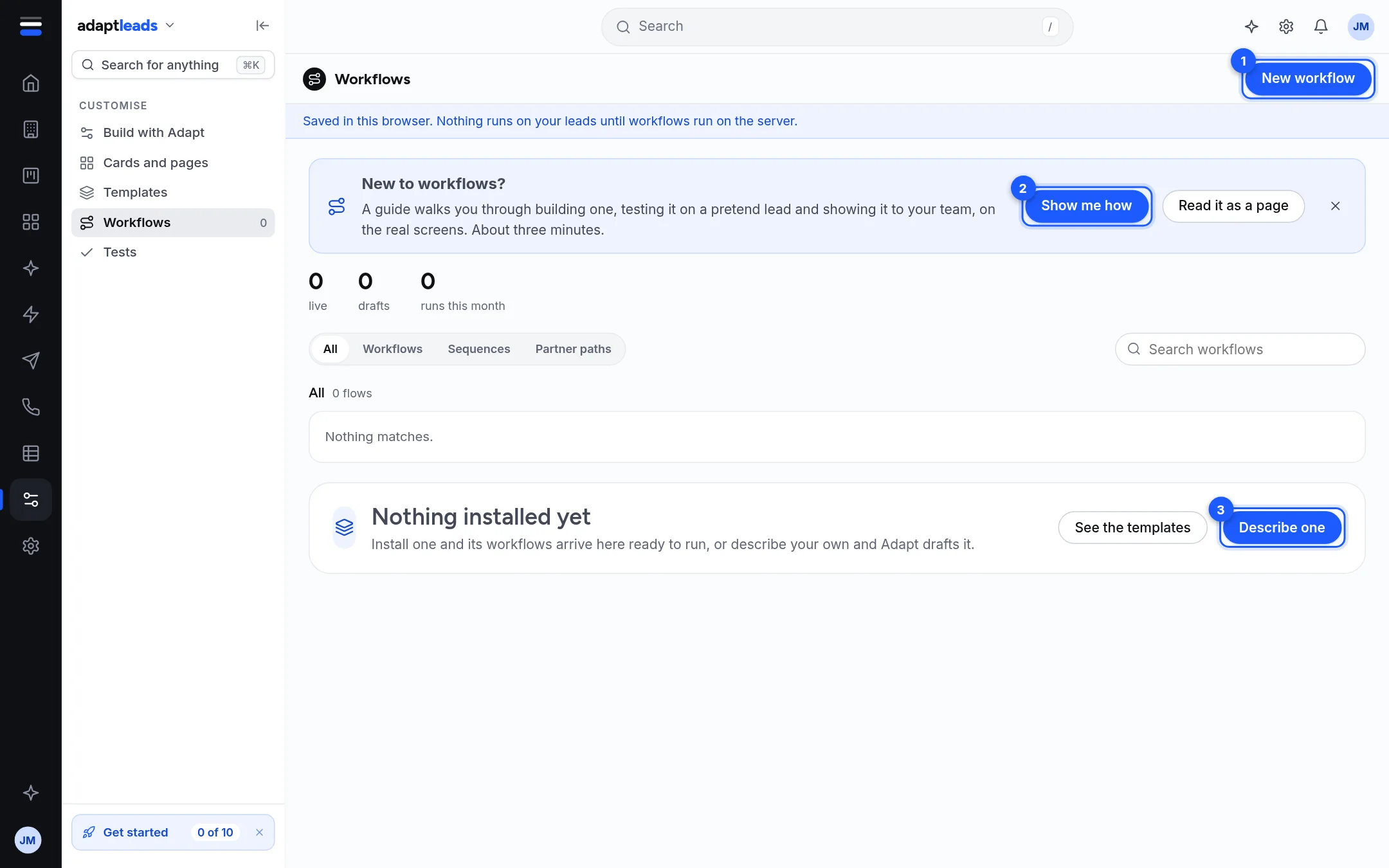
The page
| Part | What it does |
|---|---|
| New workflow (1) | Opens the page to describe or start one. See Build a workflow. |
| New to workflows? | Show me how (2) runs a three-minute guide on the real screens, with a ring on the next thing to press. Read it as a page is the same guide as text. The cross hides it. |
| Counts | live, drafts and runs this month. Runs stay at zero while workflows do not run on the server. |
| Tabs | All, Workflows, Sequences, Partner paths. |
| Search workflows | Finds one by name. |
| Nothing installed yet | Shown when you have none. See the templates and Describe one (3) lead on. |
A workflow is a draft until you press Turn it on. A draft never runs. You can pause one, archive one (bring it back from Archived on the list), or open it to change it.
The other Customise pages
The left menu in Customise also has Build with Adapt (the start page), Cards and pages, Templates and Tests. See Customise, what can be changed.
Honest states
- The blue banner "Saved in this browser. Nothing runs on your leads until workflows run on the server." is on every Customise page.
- The page does not claim a workflow ran. Run counts, the run history and "12 start now" figures are left out.
- A button that would reach another person says it is not connected, or says plainly that it kept the thing in this browser.